Route Optimisation: A Guide for Field Service Teams

At 07:00 the plan is a small work of art. Forty-three engineers, 380 jobs, every route tight, every SLA covered. By 09:32 it is fiction. The first job was a no-access, a boiler swap is running an hour over, and one engineer has rung in sick. The optimiser reshuffles the board in seconds. Eleven ETAs quietly move. Nobody has told the eleven customers.
Quick answer: Route optimisation is the automated sequencing of technician jobs and travel to minimise drive time under real constraints: skills, parts, shift ends, SLA windows. Most enterprise WFM platforms already include an engine, so tune before you buy. Then make the result visible: at Bosch UK, adding customer-side visibility brought 53% fewer technician-location and ETA-related calls.
Key takeaways
- Route optimisation decides who attends which jobs, in what order; the engine you need is probably already inside your WFM.
- The gains are real but bounded: travel time reduction, more completed jobs per technician, fewer missed SLA windows, less overtime.
- Dynamic routing keeps the plan efficient as the day changes, but every silently moved ETA becomes a “where’s my engineer?” call.
- Customers never see a clever route, only an arrival window. Live tracking, honest windows and proactive updates are the other half of the investment.
- On My Way does not optimise routes. It makes them visible, and its green slots let customers choose route-friendly appointment times themselves.
What is route optimisation in field service?
Route optimisation is the use of algorithms to decide which technician attends which jobs, and in what order, so the team completes the day’s work with the least travel. The US spelling, route optimization, describes the same discipline.
It differs from route planning in degree rather than kind. Route planning is any deliberate construction of the day’s routes, and an experienced dispatcher can still do it well for a dozen vans. Multi-stop routing at enterprise scale is a different problem: put 300 technicians against eight jobs each and the feasible orderings outrun anything a human or a spreadsheet can search. Engines exist because the search space is enormous, not because planners are careless.
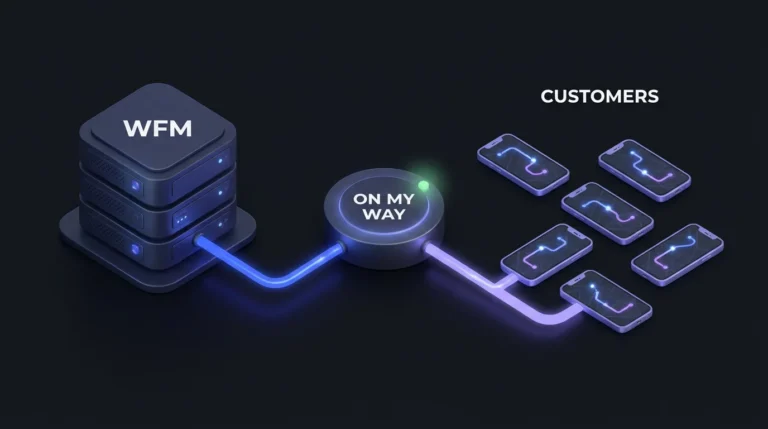
Within the wider field service management stack, the engine normally lives inside your WFM platform’s scheduling module: booked appointments in, a sequenced route per technician out.
How route optimisation engines work
Every engine works from three inputs: the job list, a travel-time model, and the constraints that make a route legal. It searches orderings for the lowest total cost, blending drive time, lateness risk and overtime exposure. No solver checks every combination; heuristics get within a whisker of the best answer in seconds, which makes in-day reshuffling practical.
The constraints that shape a route
Constraints are where theory meets your operation. Skills and accreditations decide who may attend a job; parts on the van decide who can finish it. Access windows, shift ends, statutory breaks, two-person lifts and site inductions narrow the field further. A route that violates any of these is not optimised; it is wrong. Most tuning effort goes into the penalty weights that trade travel against lateness; most “the optimiser is being stupid” complaints trace back to those weights or fictional job durations, not the algorithm.
Static plans, dynamic days
A static plan is built the night before and left alone. Dynamic routing re-optimises while the day runs, absorbing overruns, no-access visits, sickness and urgent jobs as they land; dispatchers watch it work from the console, and our guide to dispatch management software covers that side. The catch, covered below: every reshuffle moves arrival times customers were given hours earlier.
Where the gains genuinely come from
The business case is travel time reduction: converting hours behind the wheel into hours on the tools. Travel is one of the largest single blocks of non-productive time in a technician’s shift; on rural patches it can rival the work itself. Trim it and the same headcount completes more jobs. One extra visit per technician per day, across a 300-strong workforce, is a depot’s worth of capacity nobody had to recruit.
Aquant’s 2024 benchmark research describes a widening gap as experienced engineers retire faster than they are replaced, which makes capacity found through sequencing cheaper than capacity hired. The quieter effects count too: fewer miles cut fuel, vehicle wear and fleet carbon; tighter sequencing means fewer blown SLA windows and less late-day overtime.
Be honest about the ceiling, though. A poor plan to a decent one is a large step; decent to mathematically optimal is a modest one. MarketsandMarkets expects field service management spend to keep growing at double-digit rates, with routing capability heavy in the sales pitch, so know which of those two steps you are being sold.
Tune what you own before buying route optimisation software
If you run Oracle Field Service, IFS, Salesforce Field Service or Microsoft Dynamics 365 Field Service, you already own a routing engine, and the same goes for most platforms in our guide to job scheduling software. Standalone route optimisation software earns its keep in parcel fleets running thousands of simple drops. In field service, a second engine beside your WFM tends to buy integration work and two versions of the truth, not shorter routes.
Three checks before any procurement conversation. Are job durations measured, or inherited defaults? An engine sequencing thirty-minute fictions produces fictional routes. Are site coordinates exact, or geocoded to a postcode centroid half a street away? And when did anyone last review the penalty weights and re-optimisation cadence set at go-live? Re-tuning the engine you own is usually the cheapest routing win available.

What route optimisation cannot fix
It cannot make the route visible to the customer, and it cannot stop the day changing. Most of the residual pain in a well-run operation lives inside those two limits.
A perfectly optimised route is invisible. The customer holding an 08:00 to 12:00 window has no idea their engineer is fourth on an elegant loop; they know the morning is disappearing. The engine has done its job and the waiting experience is unchanged.
Re-optimisation goes further: it spends customer goodwill. Every dynamic reshuffle moves ETAs, and each silently moved ETA converts into a “where’s my engineer?” call. The contact centre pays for the algorithm’s flexibility. Deployment data from On My Way’s enterprise rollouts shows the scale: a substantial share of appointments change between booking and the visit, so moved ETAs are a daily volume, not an edge case.
Customers can defeat the route outright, too. A not-home visit puts the optimised miles back on the road twice over, plus a revisit. No solver can price a customer who gave up waiting and went out.
Watching your own reshuffles turn into call volume? See how On My Way works on top of the WFM and routing engine you already run, typically live in 4–6 weeks.
The other half: customer-side visibility
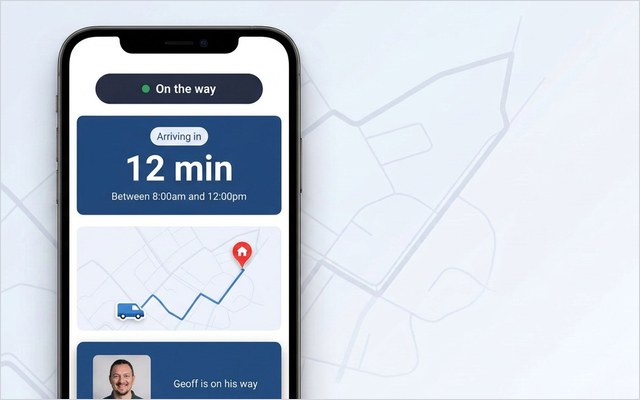
The complement to route optimisation is letting customers see what the engine is doing to their day: live technician tracking with a genuine ETA once the engineer is en route, arrival windows honest enough to survive a reshuffle, a proactive message when a window truly moves, and a self-service way to act on the change instead of phoning about it.
This is the layer On My Way provides, and the division of labour is plain: your WFM optimises the route, On My Way makes it visible. The customer side is browser-based with nothing to install; messages travel by SMS and email through Twilio, Boomerang or Leadent’s SMS Gateway; everything runs white-labelled under your brand. When the optimiser moves an appointment, the customer sees the new time and can confirm, rebook or cancel on the spot, so the plan absorbs the correction before the van does.
The evidence sits alongside the routing numbers. At Bosch UK, the result was 53% fewer technician-location and ETA-related calls and 79% higher customer engagement with appointment communications. Salesforce’s 2024 customer service research points the same way: customers now weigh the experience wrapped around a service as heavily as the service itself.
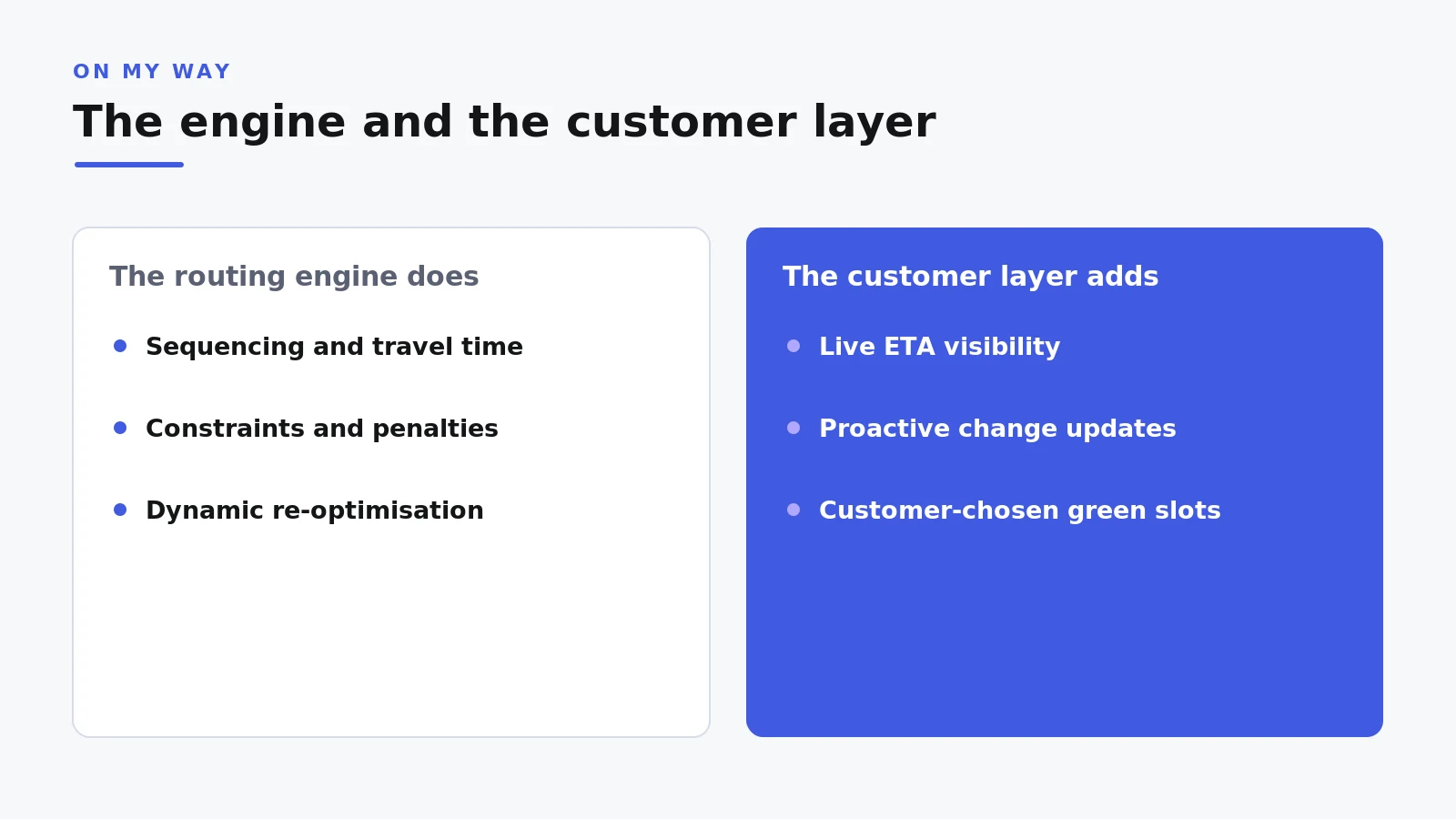
Green slots: route-friendly appointments customers choose
On My Way’s green slots are its one routing-adjacent feature, and they work on the demand side. When a customer books or rebooks through self-service, appointment times that suit efficient routing can be flagged as greener choices. The customer picks freely; nothing is imposed, and plenty still choose Tuesday at 08:00 because it suits them.
The effect is a share of customers volunteering flexibility no optimiser could demand. Bookings shaped even loosely around route efficiency mean fewer lone jobs marooned at the edge of a territory. Self-service rebooking compounds this: a customer who moves Thursday’s visit on Tuesday evening removes a failed visit before it can wreck a route. None of this is optimisation. The engine still does the mathematics; green slots hand it an easier day to solve.
Related reading: workforce scheduling for field service teams, how to choose workforce scheduling software and mobile workforce management.
Frequently asked questions
What is the difference between route planning and route optimisation?
Route planning is the general activity of constructing routes in advance, manual or assisted. Route optimisation is the algorithmic version: software searching millions of possible job sequences against constraints and travel times. Small teams can plan by hand; at hundreds of technicians, only optimisation can search the space.
Do we need standalone route optimisation software alongside our WFM?
Usually not. Oracle Field Service, IFS, Salesforce Field Service and Dynamics 365 all ship scheduling and routing engines, as do most competing FSM platforms. Exhaust the configuration, data and penalty tuning of the engine you own before adding a second that must be integrated and reconciled.
How often should routes re-optimise during the day?
There is no universal cadence. Some operations re-optimise on every job completion, others hourly, others only on dispatcher approval. The honest rule: never reshuffle faster than you can inform customers; match the cadence to your ability to communicate the changes.
Does On My Way do route optimisation?
No. On My Way does not plan routes, sequence jobs or calculate travel times, and it never overrides your scheduling engine. It is the customer-facing layer on top: live tracking, proactive updates, self-service booking and rebooking, feedback capture. Green slots are its single routing-adjacent feature, letting customers choose appointment times that suit efficient routing.
What results does customer-side visibility add to an optimised schedule?
Leadent guarantees a 35% reduction in appointment-related calls within 90 days of going live, and keeps working free until the number is hit. Typical deployments land in the 40–55% range; Bosch UK’s actual figure was 53%. Go-live takes 4–6 weeks against an existing WFM, and a 6-week pilot is available where proof needs to come first.
What is route optimisation in field service management?
Route optimisation is the part of scheduling that sequences each engineer’s jobs and the travel between them to minimise drive time and lateness while respecting time windows, skills and priorities. In field service it runs inside the WFM – IFS PSO, Oracle Field Service, Salesforce or Dynamics 365 – and re-plans through the day as jobs overrun or cancel. Its customer-facing twin is the live ETA: the optimised route only helps the customer if they can see when the engineer will arrive.
The bottom line
Route optimisation is mature, valuable and probably already in the software you pay for. Tune the engine you own, feed it clean durations and coordinates, and let dynamic routing defend the plan through the day. Then spend the next pound on the half no engine can reach: making the route, and every change to it, visible to the people waiting at home.
See how On My Way works alongside the WFM you already run, or book a demo: a 30-minute working session, no slide deck.
References
- Aquant — Field Service Benchmark Report (2024)
- MarketsandMarkets — Field Service Management Market Press Release (2025)
- Salesforce — Customer Service Statistics (2024)
- On My Way / Leadent Digital — enterprise deployment data (appointment-change volume; client outcomes).

Keep your WFM. Upgrade what your customers experience.
On My Way is the customer-experience layer for field service: live arrival tracking, self-service rebooking, notes and photos, and feedback, added on top of the scheduling system you already run. No rip-and-replace, live in four to six weeks.