Workforce Scheduling: A Complete Guide for Field Service Teams
Ask a resource manager what their job really is and most give the same answer: solving the same puzzle every day, then watching the first few jobs slip before the morning is out. Workforce scheduling is the discipline of matching the right people to the right work at the right time, and in field service, where the work is scattered across a region and the day rarely survives contact with reality, it’s one of the hardest operational problems there is. This guide covers what it involves, why field service makes it so difficult, where automation earns its place, and what happens to the customer when the schedule changes.
Quick answer: Workforce scheduling is the process of assigning people to work across a given period – matching skills, availability, location and demand so the right resource covers each task at the right time. In field service it means slotting hundreds of jobs into hundreds of engineers’ days, accounting for travel, parts and time windows, and re-planning live as cancellations, overruns and emergencies hit.
Key takeaways
- Workforce scheduling matches people to work over time; field service scheduling adds travel, parts, time windows and constant change to the puzzle.
- Manual scheduling breaks down past a certain scale; automated and dynamic scheduling lift utilisation by matching skills and parts at assignment and re-planning as the day moves.
- Scheduling software is one engine in the wider field service stack, not the whole of it.
- Every schedule change is also a customer event – and the schedule that changes silently is the one that fills your contact centre.
What is workforce scheduling?
Workforce scheduling is the structured process of deciding who does what work, and when, across a defined period – a shift, a day, a week, a rota. At its simplest it balances two things: the work that needs doing and the people available to do it. Match them well and the operation runs at capacity; match them badly and you get idle time on one side and unmet demand on the other.
In a fixed-site business — a warehouse, a call centre, a depot — the puzzle is mostly coverage: enough qualified people on shift to meet a demand curve, with headcount, skills and hours as the variables. This is the territory most employee scheduling and workforce management scheduling tools were built for, and for a building with a roster they do the job well.
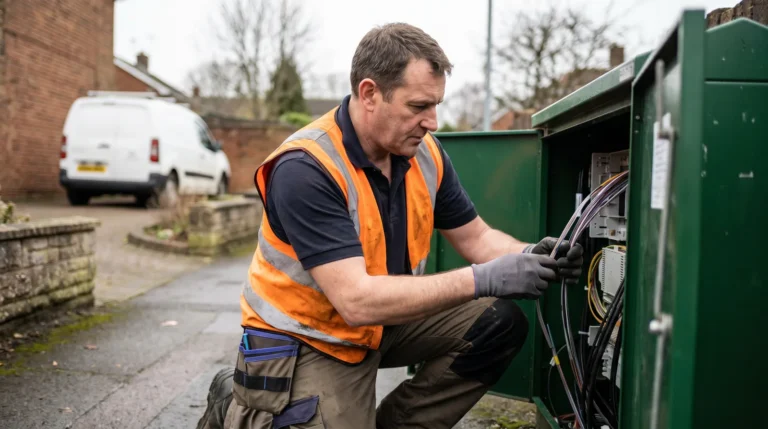
Field service breaks that model. The work isn’t in one place – it’s spread across a city or a county, each job at a different address, with a customer expecting an engineer inside a time window. Now the schedule has to weigh travel time, route order, the parts on each van, the skills each job needs and the promise made to each customer. That is why field service management treats scheduling as a discipline of its own, and why a generic rota tool struggles the moment jobs have postcodes.
Why scheduling is hard in field service
Field service scheduling is hard because the variables multiply and then refuse to sit still. A fixed-site rota optimises around people and hours. A field schedule optimises around people, hours, skills, parts, geography, traffic, time windows and customer preference, and every one of those can change after the schedule is built. Three forces make it hard.
The constraints are tangled. The closest engineer may lack the right qualification; the qualified one may not carry the part; the engineer who has both may already be on a job two streets away that’s overrunning. Optimising one constraint usually breaks another, and the cost of getting it wrong is a wasted journey or a missed appointment.
Travel is dead time you’re paying for. Driving between jobs eats a large slice of every technician’s day, and a schedule that ignores route order sends engineers crisscrossing a region. Good field service scheduling sequences each day to cut that travel, which is often where the biggest capacity gains hide.
The plan decays in real time. This is the one that defeats spreadsheets. A schedule built at the start of the day is a forecast, and the forecast starts breaking almost immediately: a job overruns, an engineer calls in sick, a customer cancels, an emergency jumps the queue, and each disruption ripples through every downstream job. The market reflects how central solving this has become: the field service management sector is worth around USD 5.10 billion in 2025 and is forecast to reach USD 9.17 billion by 2030, a compound annual growth rate of 12.5% (MarketsandMarkets, 2025), most of it spent in the engine room where scheduling lives.

Manual versus automated scheduling
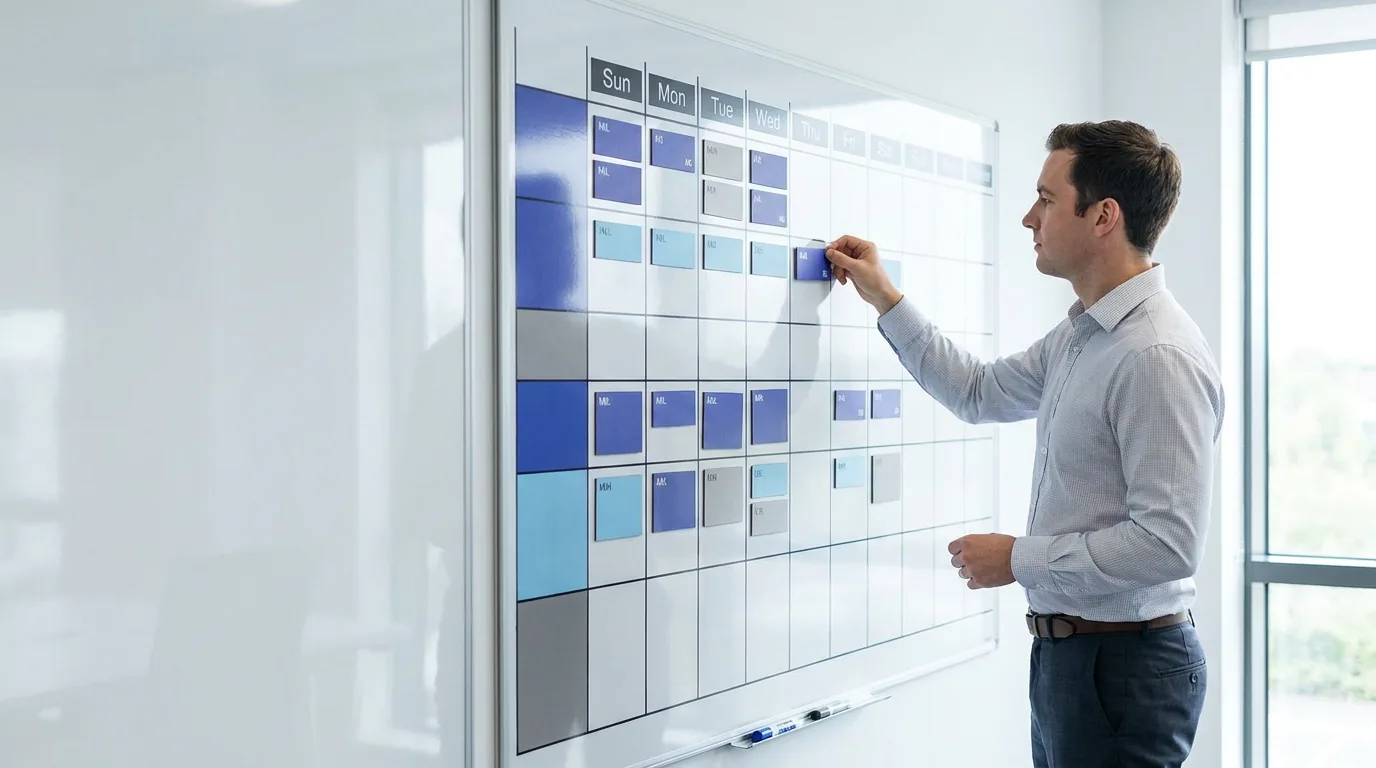
Manual scheduling works until it doesn’t, and the threshold arrives sooner than most operations expect. A spreadsheet, a whiteboard or a planner working the phones is flexible, cheap and entirely dependent on the person doing it. For a handful of engineers it’s fine; past a certain scale it fails in predictable ways. The planner can’t compute the optimal route across fifty jobs, can’t see in real time that an engineer is running late, and can’t re-balance the afternoon when a morning job overruns. The schedule becomes a record of intentions rather than a live plan, and the knowledge lives in one person’s head, so when they’re on leave the operation feels it.
Automated scheduling software does the optimisation a human can’t. It matches each job to the best-suited engineer by skills, location, availability, time window and the parts on the van, sequences the routes to minimise travel across the whole workforce at once, and re-optimises when reality intervenes. The result is higher utilisation without anyone working longer, by removing the dead time and guesswork manual planning leaves in. This is the heart of field service automation: the schedule is the object the automation moves around, and automating it is usually where the first hard capacity gains come from. The trade-off is that an optimiser is only as good as its data – wrong skills, stale parts inventory or sloppy job durations and it confidently schedules the wrong thing.
Dynamic, real-time scheduling
Dynamic scheduling is the step beyond a daily plan: instead of building one schedule each morning and defending it, the system continuously re-plans as conditions change through the day. It answers the field schedule’s biggest weakness by treating the schedule as a living thing, not a fixed artefact that ages from the moment it’s set.
The mechanics are straightforward in principle. The system holds a live view of every engineer’s status and location, fed from their mobile device, and every job’s state. When something shifts – a job finishes early, another overruns, an emergency lands, an engineer goes offline – it recalculates the affected slice of the schedule and adjusts assignments, routes and sequencing automatically. A coordinator who once spent the day patching a broken plan by hand instead supervises a system that patches itself, stepping in only on the exceptions that need judgement. It’s also what makes same-day and emergency work manageable at scale: an urgent job slots into the nearest qualified engineer’s route without a human rebuilding three other diaries, and the work order, assignment and route stay in sync – exactly the kind of clean, current record that work order management depends on.
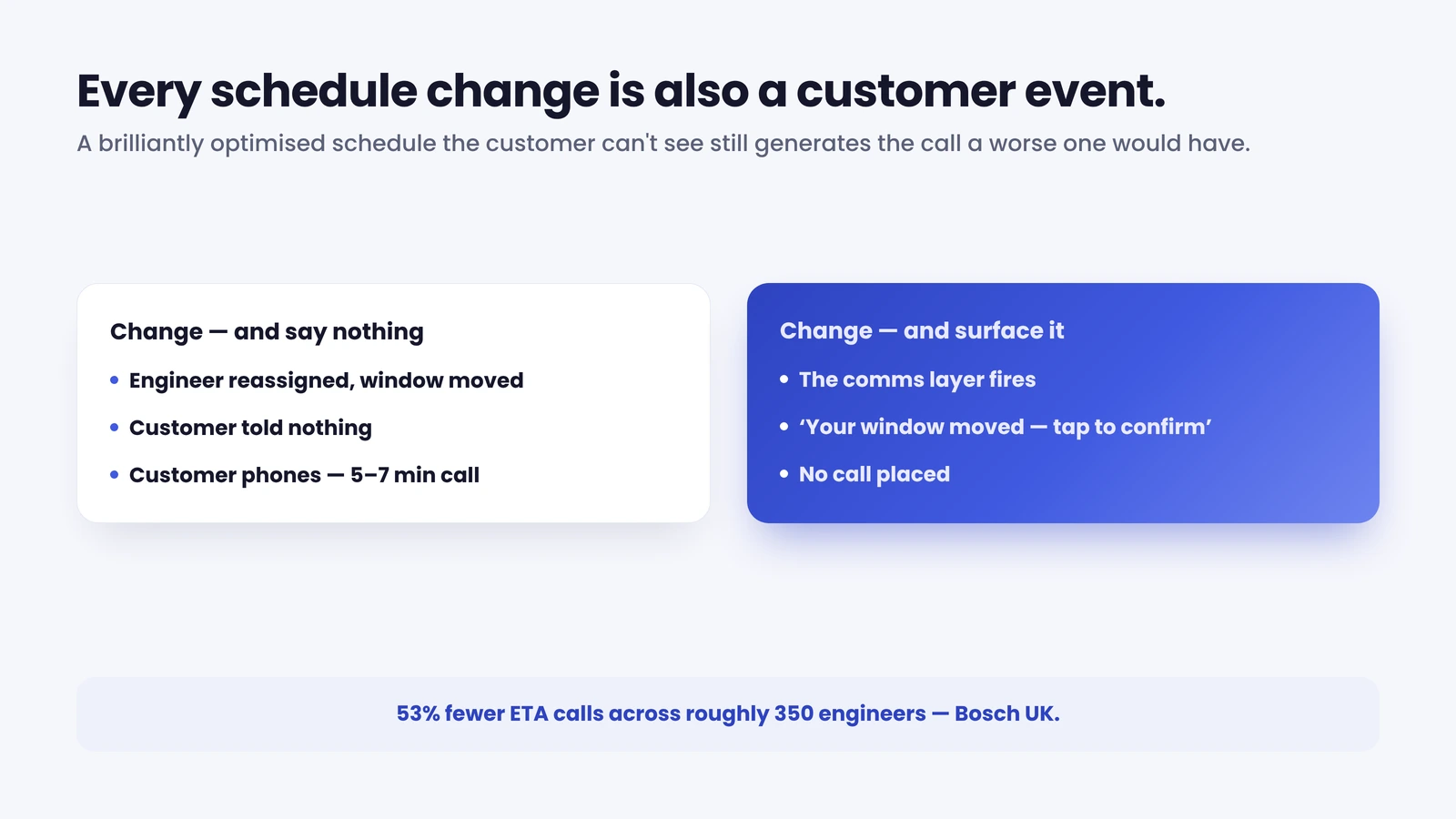
53% – Bosch UK, a UK enterprise HVAC operation running ~350 field engineers and handling around 1,100 appointments a day, cut ETA-related calls by 53% after adding self-service and live tracking on top of its existing scheduling system – without changing the engine that built the schedules.
The customer side of scheduling
Most treatments of scheduling stop at the depot. They frame it as a purely internal optimisation problem, getting the right engineer to the right job efficiently, and leave it there. But every change to the schedule is also an event for the person waiting at home, and that’s where the hidden cost sits.
Think about what a schedule change means on the doorstep. When dynamic scheduling moves a customer’s appointment to a new window, they need to know, and ideally to agree, or pick a different slot. When an engineer is en route, they want the ETA. When an emergency bumps their job to tomorrow, they’d rather hear it in a message than from an engineer who never arrives. The system knows all of this the instant it happens. The customer, by default, knows none of it, so they phone.
That phone call is the appointment problem, and it’s bigger than most operations measure. In a typical enterprise field operation, 30–40% of appointments are changed by the customer and 10–15% are cancelled, with each change generating a five-to-seven-minute call – usually after hours (On My Way internal research). Add everyone who rings just to ask “what time?” or “are they still coming?”, and a large share of contact-centre volume turns out to be questions the schedule could have answered the moment it changed. A brilliantly optimised schedule the customer can’t see still generates the calls a worse-but-visible one would have prevented.
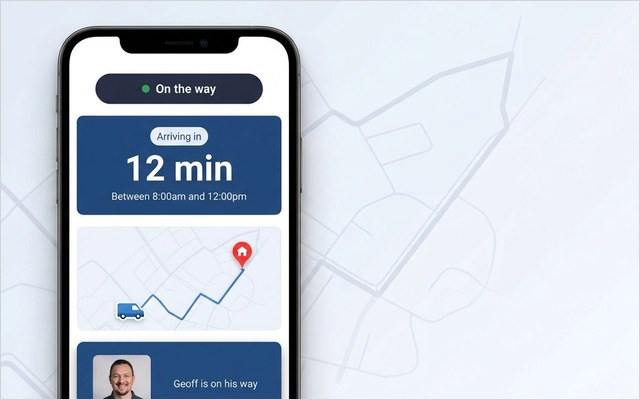
The fix doesn’t lie in a better scheduling engine. It lies in giving the customer a view of the part of the schedule that concerns them. A customer-communication layer reads the same scheduling events the system already produces and turns them into proactive, self-service touchpoints: an automatic confirmation when the job is booked, with the option to reschedule or cancel in a tap; a live ETA when the engineer is en route; a notification the moment a change affects their window.
Two things make this work at enterprise scale. The customer view is a browser-based portal, so there’s no app to install and adoption isn’t a barrier. And it sits on top of whatever you already run (Oracle, IFS, SAP, ServiceMax, Salesforce or Dynamics), reading its events rather than replacing the engine.
It isn’t a scheduling engine itself; it’s the customer-facing surface on the one you already trust. That is the point of customer self-service in field service: the operation keeps its scheduling logic, and the customer finally gets a window into it.
Tools, technology and where to start
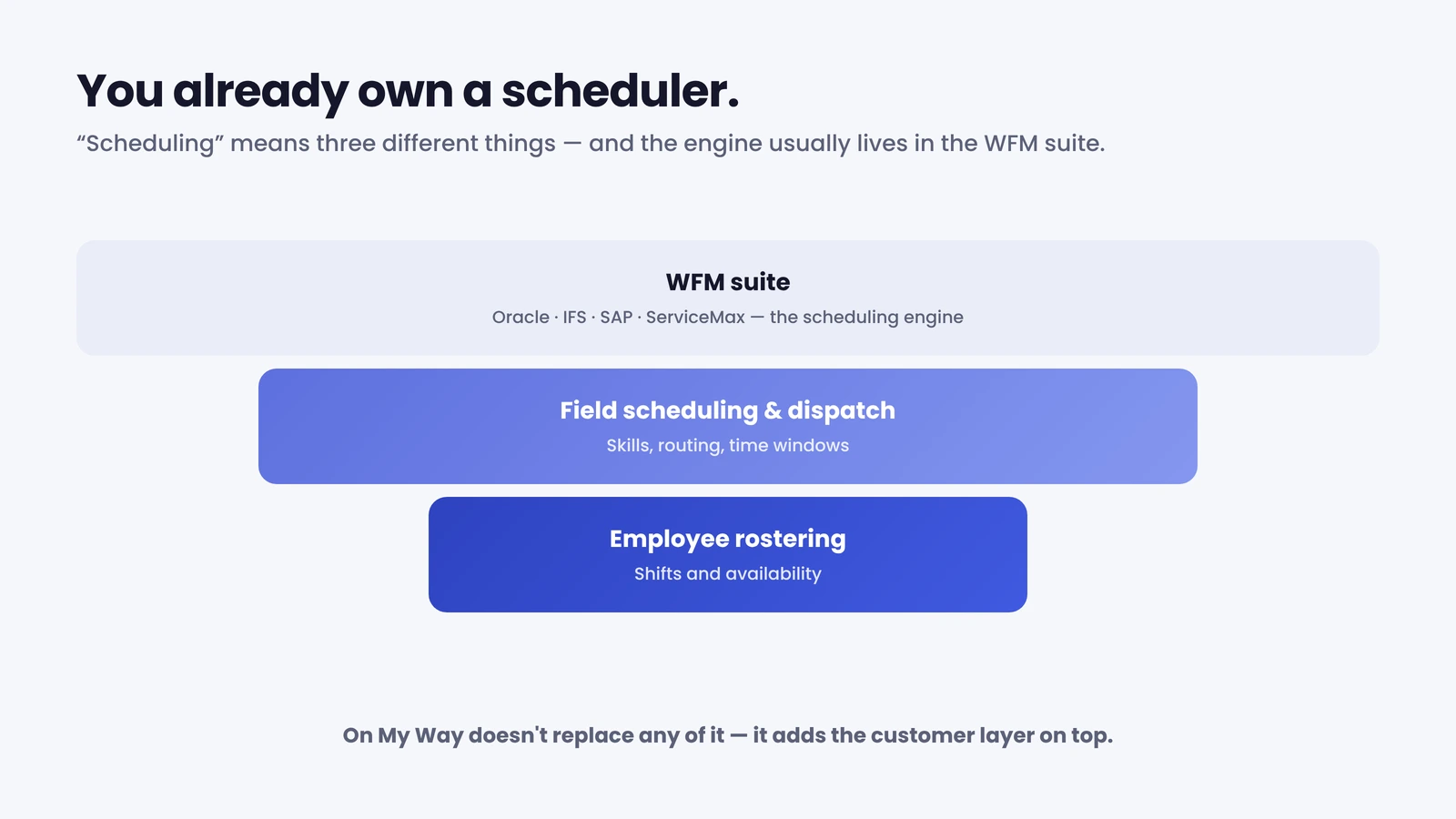
Scheduling software rarely stands alone – in most enterprise operations it’s a function inside a larger platform. At the simplest level is employee scheduling software built for rostering, fine for fixed-site teams but light on the geography field work demands. Above it sits dedicated field service scheduling and dispatch, adding skills-based matching, route optimisation and real-time dispatch. Wrapping both is the workforce-management (WFM) suite – Oracle Field Service, IFS, SAP, ServiceMax, Salesforce Field Service, Dynamics 365 – where large operations run scheduling as one module among many. The practical takeaway: you almost certainly already own a capable scheduling engine inside your WFM, so the question is rarely “which standalone scheduler?” but “how well is scheduling working inside the platform we have, and what’s missing around it?” The fastest returns usually come from improving workforce optimisation around the engine you already run, not swapping it out.
Improving from there rewards sequence, not a big-bang purchase. Start with the data the scheduler runs on: accurate skills profiles, current parts inventory and realistic job durations – an optimiser fed bad data confidently schedules the wrong thing. Next, make sure status flows back from the field in real time, because a schedule that only updates when engineers reach the depot can’t be dynamic however good the algorithm. With clean inputs and live status, automated and then dynamic scheduling can do their work. Then close the loop most operations leave open: connect the schedule to the customer. The reassuring part for enterprise operations is that this step is additive – keep your scheduling engine, your WFM and your routing logic, and add the communication and self-service layer on top. That’s the model On My Way is built on, and the simplest way to judge the fit is to see how it works on your own WFM.
See it on your schedule. On My Way reads the assign, reschedule and en-route events your scheduling system already produces and turns them into customer confirmations, live tracking and self-service rebooking – on top of your existing WFM, no rip-and-replace, live in four to six weeks. Book a 30-minute working session (no slide deck) and we’ll map it to your appointment volume.
Frequently asked questions
What is workforce scheduling? Workforce scheduling is the process of assigning people to work across a period – a shift, day or week – by matching skills, availability, location and demand so the right resource covers each task at the right time. In field service it extends to slotting jobs into engineers’ days while accounting for travel, parts, time windows and customer preference, then re-planning as the day changes.
What is the difference between workforce scheduling and workforce management? Workforce management is the broader discipline – forecasting demand, planning capacity, managing time and attendance, and scheduling. Workforce scheduling is the part that turns that plan into a concrete assignment of who does what, and when. Scheduling is one function inside workforce management, not a synonym for it.
What is dynamic scheduling? Dynamic scheduling continuously re-plans the schedule in real time as conditions change, rather than building one fixed plan each day. When a job overruns, an engineer goes offline or an emergency lands, the system recalculates the affected assignments, routes and sequencing automatically – keeping the plan live instead of letting it decay through the day.
Is manual scheduling ever good enough? For a small team with simple, stable work, it’s cheap and flexible. It breaks down as scale and volatility rise: a planner can’t optimise routes across dozens of jobs or re-balance the day in real time when something slips. Past the point where one person can no longer hold the whole picture, automated scheduling pays for itself in recovered capacity.
How does scheduling affect the customer? Every schedule change (a new time window, an assignment, a delay) is an event the customer wants to know about. If the system changes things silently, customers phone in to ask, which is where much contact-centre volume comes from. Surfacing those changes through proactive notifications and self-service rebooking turns scheduling from an invisible internal process into visible service, and cuts the calls.
The bottom line
Workforce scheduling is the engine that matches the right people to the right work, and in field service – with travel, parts, time windows and constant change in the mix – it’s one of the hardest things an operation does. Automated and dynamic scheduling are how you keep that plan optimised as the day moves. But the schedule that changes without telling the customer is the one that fills your contact centre: connect the engine to a customer-communication layer, and an efficient operation finally becomes visible service – fewer calls, fewer missed appointments, a schedule customers can see and act on.
References
- MarketsandMarkets – Field Service Management Market – Global Forecast to 2030 (2024). USD 5.10B (2025) to USD 9.17B (2030), 12.5% CAGR
- On My Way / Leadent Digital – enterprise deployment research (“the appointment problem”; client outcomes).

Keep your WFM. Upgrade what your customers experience.
On My Way is the customer-experience layer for field service: live arrival tracking, self-service rebooking, notes and photos, and feedback — added on top of the scheduling system you already run. No rip-and-replace, live in 4–6 weeks.