Workforce Optimisation: What It Means for Field Service Teams

Most field service operations treat workforce optimisation as a scheduling problem. Tighten the routes, pack the diaries, push utilisation up a point, and the day runs leaner. All of that is real, and all of it stops at the depot door. The part that gets ignored sits on the other side of it — the customer who isn’t home, the appointment changed too late to refill, the journey made for nothing. A wasted visit is wasted capacity, however well it was routed. This guide defines workforce optimisation properly, then makes the case for the lever most operations leave untouched.
Quick answer: Workforce optimisation (WFO) is the practice of getting the most productive value from a field workforce — matching the right people, skills and time to the right jobs. Its core components are scheduling, route optimisation, technician utilisation and demand forecasting. The under-used component is customer-side: self-service and proactive communication that stop capacity being wasted on no-shows and cancelled-too-late journeys.
Key takeaways
- Workforce optimisation is the discipline of extracting the most productive value from a field workforce, not just filling diaries.
- Its established components are scheduling, route optimisation, technician utilisation and demand forecasting.
- A wasted journey, a no-show or a change made too late to refill, is lost capacity that routing alone can’t recover.
- Customer self-service and proactive notifications are a workforce-optimisation lever: cancelled-in-advance beats a wasted trip, and reminders cut no-shows.
- This layer sits on top of your existing WFM, so you optimise the workforce without re-platforming the engine that runs it.
What is workforce optimisation?
Workforce optimisation is the practice of getting the most productive value out of a field workforce: aligning people, skills, time and travel so the operation completes more of the right work at lower cost, without burning the engineers out to do it. In field service, it answers a continuous question: given the jobs in front of us and the engineers available, what is the best use of the next hour of every technician’s day?
It helps to separate two terms that get used interchangeably. Workforce management (WFM) is the system of record: it holds the engineers, jobs and rosters, and runs the schedule. Workforce optimisation is what you do with that system: the discipline of making the schedule, the routes and the resourcing as efficient as they can be. WFM is the engine; WFO is tuning it. The distinction matters because some of the biggest optimisation gains don’t come from inside the WFM at all.
The stakes scale with the market. Field service management software is forecast to grow from $5.10 billion in 2025 to $9.17 billion by 2030, a 12.5% compound annual growth rate (MarketsandMarkets, 2025). That investment buys ever-cleverer scheduling and routing engines. The operations that pull ahead, though, aren’t the ones with the most sophisticated engine; they’re the ones who optimise across the whole appointment, including the half the customer controls.
The components of workforce optimisation
Workforce optimisation breaks into four established components, plus one that field service consistently overlooks. Get the four working together and the operation runs efficiently; add the fifth and you stop that hard-won efficiency draining away once the engineer leaves the depot.
The four conventional components are scheduling (assigning jobs to the right engineer at the right time), route optimisation (sequencing each engineer’s day to cut travel), technician utilisation (raising the share of paid time spent on productive work) and demand forecasting (predicting volume so capacity is in the right place before the work arrives). Each is well understood, and most enterprise WFM platforms — Oracle Field Service, IFS, SAP, ServiceMax, Salesforce Field Service, Dynamics 365 — do them capably.
The fifth is customer-side optimisation: using self-service and proactive communication to protect the capacity the other four create. It rarely appears on a WFO checklist, because it isn’t a scheduling function and doesn’t live in the WFM. But it governs whether the optimised schedule survives contact with the customer — whether the engineer’s trip produces a completed job or nothing at all. The sections below take each in turn, then make the case for the fifth.

Scheduling and route optimisation
Scheduling and route optimisation are the heart of workforce optimisation, the part most people mean when they say the word. Scheduling decides who does each job and when; route optimisation decides the order and the path, so a day’s jobs cost the least possible travel.
Done well, the two are inseparable. A good scheduler doesn’t fill diaries first-come-first-served; it optimises the whole day across the whole fleet, balancing skills, parts, appointment windows, location and traffic, then re-optimises when a job overruns or an engineer calls in sick. Route optimisation is the travel half of that calculation. Driving is dead time: an engineer in a van is being paid to deliver nothing, so trimming drive time converts directly into more completed jobs or shorter days. At enterprise scale, across hundreds of engineers and thousands of jobs, even a few minutes off the average route compounds into real capacity.
Here is the limit worth naming. Scheduling and routing optimise the plan, and the plan assumes the appointment happens. The most elegantly sequenced route still collapses the moment the customer isn’t home, and no routing engine controls whether the customer is home. That is the seam where customer-side optimisation does its work.
Technician utilisation
Technician utilisation is the proportion of an engineer’s paid time spent on productive, billable work rather than travelling, waiting or sitting idle. It is the headline efficiency number in workforce optimisation, because it translates directly into capacity: every point of utilisation recovered is engineer-time the operation gets back without hiring.
Two forces lift it. The first is obvious: better scheduling and routing, which cut the travel and idle time between jobs. The second is quieter and routinely missed: anything that prevents wasted visits. A no-show, a failed first fix, a journey to a cancelled job: each is a block of paid time that produced nothing, and each drags utilisation down as surely as a badly planned route. You can optimise the schedule to perfection and still bleed utilisation if a tenth of the visits deliver nothing.
This is the part of utilisation that scheduling alone can’t reach, and it reframes what counts as a workforce-optimisation lever. Reducing wasted journeys isn’t a customer-experience nicety bolted on after the efficiency work; it is efficiency work. A visit that doesn’t happen because the customer wasn’t there is identical, in capacity terms, to an hour of avoidable driving — except a routing engine can fix the driving and can do nothing about the empty house. Read utilisation alongside first-time fix rate, too: pack the schedule so tightly that quality slips, and the rebound visits eat the capacity you thought you’d won.
Customer communication as an optimisation lever
The largest untapped source of field-service capacity isn’t a smarter algorithm; it’s the half of the appointment the customer controls. Customer self-service and proactive communication are a workforce-optimisation lever because they govern whether the optimised schedule actually gets delivered, and most operations leave that lever alone.

Start with the scale, because it’s bigger than most operations measure. In a typical enterprise field operation, 30–40% of appointments are changed by the customer and a further 10–15% are cancelled, and each change tends to generate a five-to-seven-minute contact-centre call, usually placed after hours (On My Way internal research). This is the appointment problem: a standing wave of customer-driven change that conventional WFO never accounts for, because it happens outside the WFM. The schedule is optimised at 6am; the customer rearranges it all day.
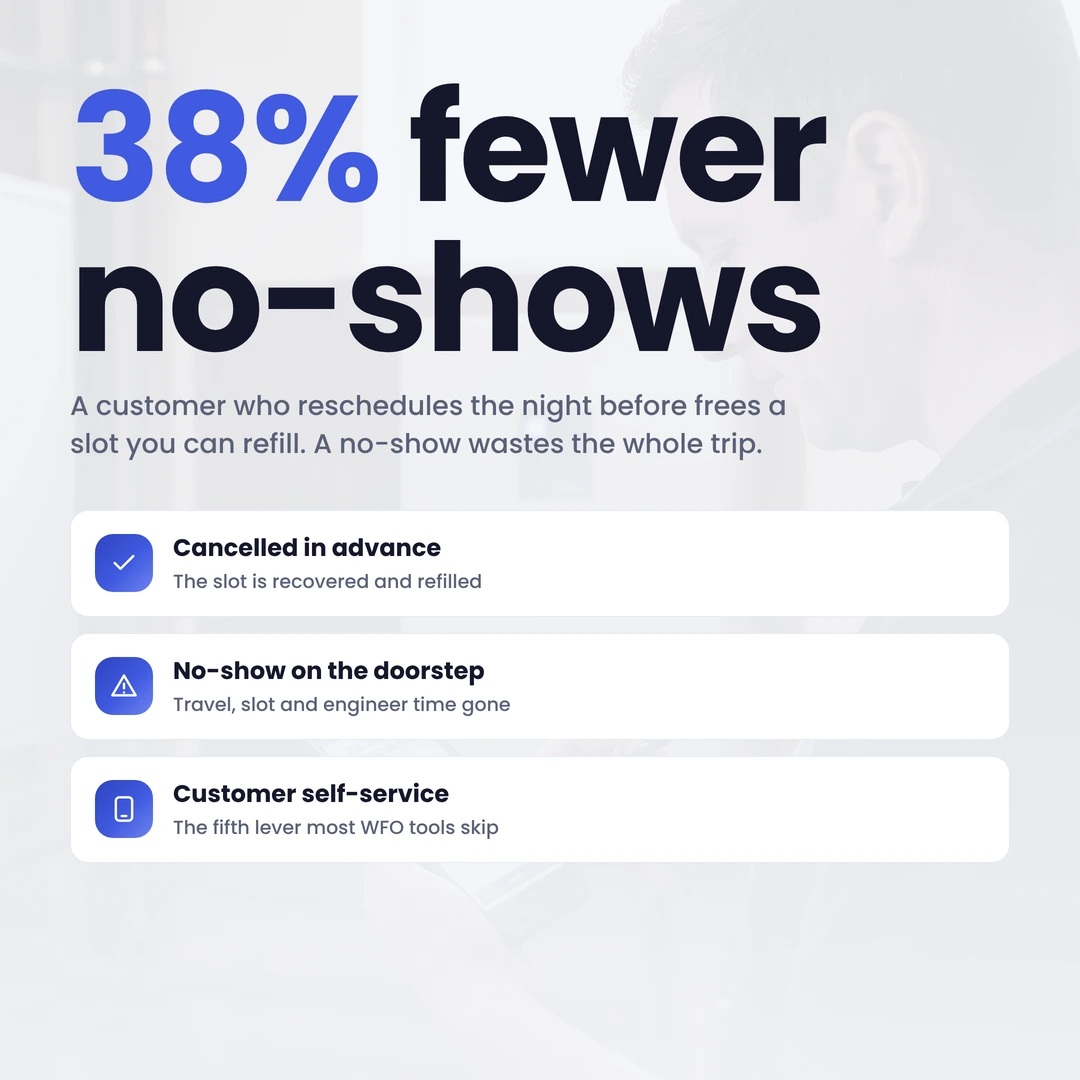
Now follow the capacity. There’s a world of difference between a change the operation hears about in advance and one it discovers on the doorstep. A customer who reschedules the night before frees a slot the scheduler can refill, so the capacity is recovered. A customer who isn’t home when the engineer knocks has cost a full wasted journey: the travel, the slot and the engineer-time, all gone, with a repeat visit still owed. Cancelled-in-advance beats a wasted trip every time. The lever that converts the second outcome into the first is giving the customer an easy, self-service way to change the appointment, and reminding them, proactively, that it’s coming.
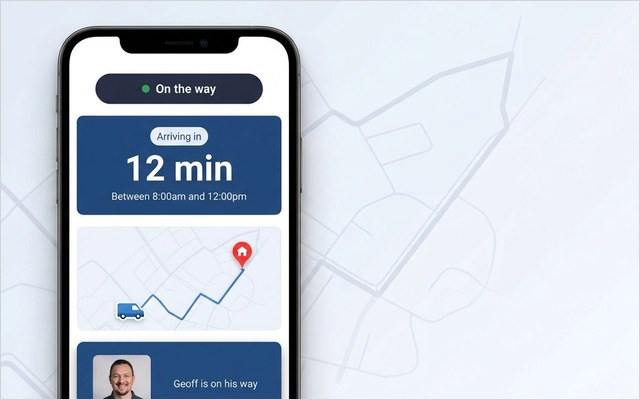
The mechanism is straightforward and doesn’t touch the scheduling engine. A browser-based customer portal — no app to install, so adoption isn’t a barrier — lets the customer confirm, reschedule or cancel in a tap, days ahead, so the slot returns to the pool while it can still be refilled. Automated SMS and email reminders cut the forgot-it-was-today no-shows. A live ETA and real-time tracking mean the customer is ready when the engineer arrives. Each is a customer self-service function, and each protects the capacity that scheduling and routing worked to create. It is the same logic as the rest of field service automation: take the predictable friction out of the appointment so the workforce isn’t paying for it.
The capacity this returns is measurable. Foxtel, an Australian telecom field operation, reduced no-shows by 38% with reminders and self-service rescheduling — 38% fewer wasted journeys, which is 38% of those slots handed back to the workforce. None of it required re-platforming the WFM; the optimisation came from the customer side, on top of the engine already in place.
Measuring results
You measure workforce optimisation on capacity recovered and cost removed, not on how busy the schedule looks. The conventional metrics are necessary but incomplete, and the customer-side ones are where the overlooked gains show up.
Track the established four first. Technician utilisation is the headline: the share of paid time spent productively. Jobs completed per engineer per day is its practical expression. Average travel time per job reads route optimisation directly. First-time fix rate guards quality: the average sits at 76%, with top performers reaching 87% and the bottom at 55% (Aquant Field Service Benchmark, 2024), and a miss is steep, since a failed first visit turns into 2.7 total visits and adds about 13 days to resolution (Aquant, 2024). Every repeat is a second journey the workforce pays for, which is why first-time fix belongs on the optimisation scorecard, not just the quality one.
Then add the customer-side numbers most operations don’t measure at all. No-show rate, the proportion of visits to an empty property, is pure wasted capacity, and one of the most movable numbers on the board. Advance-change rate, the share of customer changes received in time to refill the slot rather than found out too late, is the clearest read on whether self-service is working. Appointment-related call volume exposes the contact-centre cost of all that customer-driven change; segment it by reason code (ETA enquiry, rescheduling, cancellation) and the avoidable share becomes a board-ready figure. These reveal whether your optimised schedule is being delivered in the field, and a conventional WFO dashboard, built to measure engineers rather than customers, tends to omit them. How that capture works in practice lives in field service analytics.
Getting started
Start by measuring the capacity you’re losing before you try to recover it. The fastest first move in workforce optimisation isn’t a new scheduling engine; it’s two weeks of honest measurement of the wasted journeys you currently ignore.
Run a fortnight of two things in parallel. First, tag every wasted visit: no-show, access failure, cancelled-too-late, repeat-for-no-fix. Almost every operation that does this is startled by how much optimised capacity it is losing this way. Second, code inbound contact by reason — ETA enquiry, rescheduling, cancellation, other — so the avoidable share stops being a hunch and becomes a number. Together they tell you how much of your hard-won schedule never survives contact with the customer. From there, the model that closes the gap is additive, not disruptive: a customer-communication and self-service layer on top of the WFM you already run — Oracle, IFS, SAP, ServiceMax, Salesforce or Dynamics — recovers the capacity without touching the scheduling engine. You keep your WFM and upgrade the customer experience, typically live in four to six weeks. The simplest way to judge the fit is to see how it works on your own platform.
Optimise the half of the appointment your schedule can’t reach. On My Way adds proactive notifications and self-service rescheduling on top of your existing WFM — so changes arrive in time to refill, no-shows fall, and wasted journeys turn back into capacity. Live in four to six weeks, with a 35% call-reduction guarantee in the first 90 days. Book a 30-minute working session and we’ll map it to your appointment volume.
Frequently asked questions
What is workforce optimisation?
Workforce optimisation (WFO) is the practice of extracting the most productive value from a workforce: in field service, matching the right engineers, skills and time to the right jobs at the lowest sensible cost. Its core components are scheduling, route optimisation, technician utilisation and demand forecasting. The under-used component is customer-side: self-service and proactive communication that stop optimised capacity being wasted on no-shows and late changes.
How is workforce optimisation different from workforce management?
Workforce management (WFM) is the system of record: it holds the engineers, jobs and rosters and runs the schedule. Workforce optimisation is what you do with it: the analytical discipline of making the schedule, routes and resourcing as efficient as possible. WFM is the engine; WFO is tuning it. Importantly, some of the biggest optimisation gains, reducing no-shows and wasted journeys, come from the customer side, which sits outside the WFM altogether.
Is route optimisation the same as workforce optimisation?
No: route optimisation is one component of workforce optimisation, not the whole of it. Route optimisation sequences each engineer’s jobs to cut travel time and mileage. Workforce optimisation is broader: it also covers scheduling, technician utilisation, demand forecasting and, increasingly, the customer-side levers that determine whether the optimised route actually reaches an open door.
How does customer self-service improve workforce optimisation?
It protects the capacity scheduling and routing create. When customers can reschedule or cancel themselves, days in advance, the freed slot returns to the pool while it can still be refilled, rather than becoming a wasted journey discovered on the doorstep. Proactive reminders cut the forgot-it-was-today no-shows, and live tracking means the customer is ready when the engineer arrives. Each removes wasted visits, which is lost capacity by another name.
How quickly can a customer-communication layer be deployed?
A browser-based customer-communication and self-service layer typically goes live in four to six weeks, because it sits on top of the existing WFM — Oracle, IFS, SAP, ServiceMax, Salesforce or Dynamics — and reads its appointment events rather than replacing core scheduling. On My Way also underwrites a 35% reduction in appointment-related calls within the first 90 days.
The bottom line
Workforce optimisation is more than tightening the schedule: it’s making sure the optimised schedule gets delivered. Scheduling, routing, utilisation and forecasting do the conventional work well, but they all assume the appointment happens, and a wasted journey is lost capacity no routing engine can recover. Customer self-service and proactive communication close that gap, on top of the WFM you already run, which is why they belong on every field-service optimisation agenda.
References
- MarketsandMarkets – Field Service Management Market – Global Forecast to 2030 (2024). USD 5.10B (2025) to USD 9.17B (2030), 12.5% CAGR
- Aquant – Field Service Benchmark Report (2024). Average first-time fix rate 76% (top 87%, bottom 55%); a failed first visit averages 2.7 total visits and adds about 13 days to resolution
- On My Way / Leadent Digital – enterprise deployment research (“the appointment problem”; customer-driven change).
- On My Way / Leadent Digital – Australian telecom deployment: 38% reduction in no-shows with reminders and self-service rescheduling.

Keep your WFM. Upgrade what your customers experience.
On My Way is the customer-experience layer for field service: live arrival tracking, self-service rebooking, notes and photos, and feedback — added on top of the scheduling system you already run. No rip-and-replace, live in 4–6 weeks.