From your field service software to a five-star customer experience.
On My Way is the customer-experience layer that owns the customer side of every appointment — live tracking, rebooking, notifications, notes and feedback — on top of the scheduling engine you already run. Live in 4–6 weeks, no rip-and-replace.
One layer between your scheduler and your customer
OMW doesn’t replace anything. It connects to your field service software over its existing API and turns appointment data into a branded self-service experience.
Your system of record
Your field service software
Oracle · SAP · IFS · Salesforce · Dynamics 365 · ServiceMax. Scheduling, work orders and engineers stay exactly as they are.
The layer you add
On My Way
API integration, branding, notifications, live tracking, self-service rebooking, NPS and in-appointment marketing.
What your customer gets
A branded link
One mobile page to track, rebook, share photos and rate the visit — in your colours, on your domain.
Your scheduling engine remains the single source of truth. Every customer action writes straight back to it.
What your customer sees, end to end
From the booking confirmation to the post-visit rating — every step is branded as you, and every action syncs with your scheduling system.
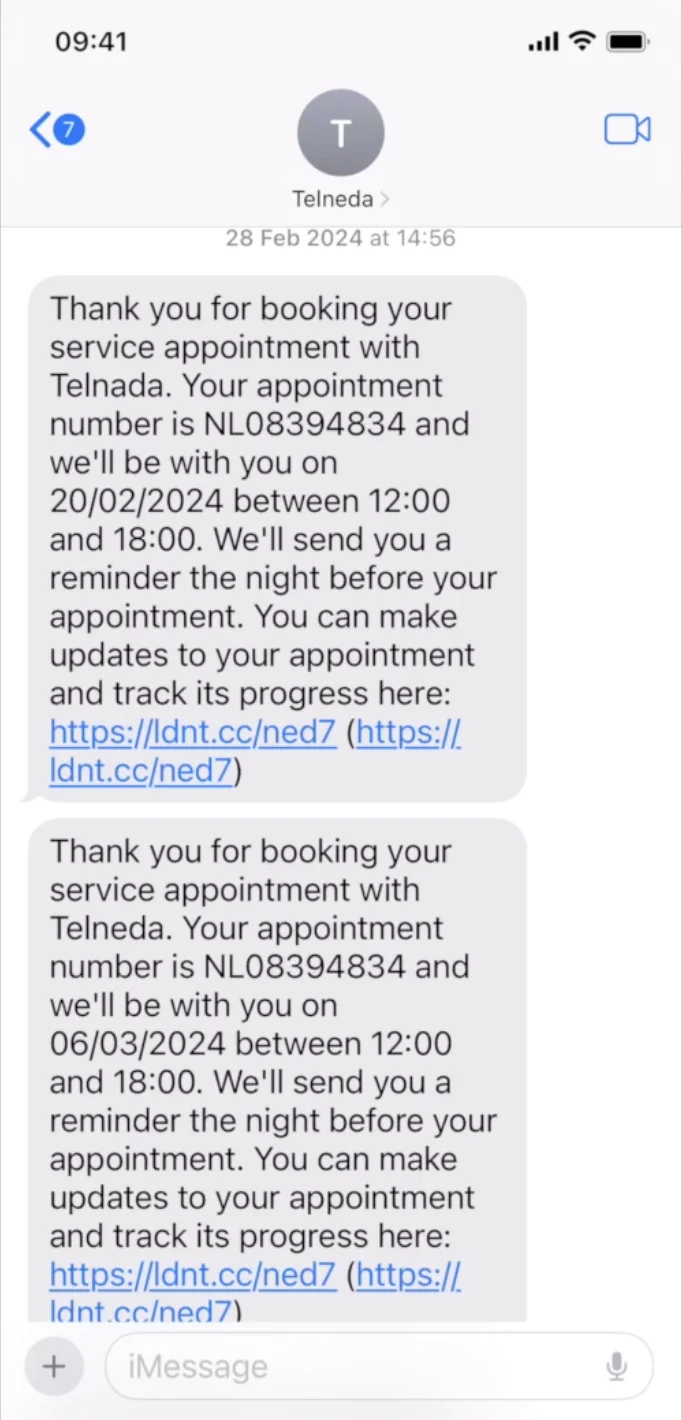
Booking confirmed
The moment an appointment is booked in your scheduling system, OMW sends a branded SMS and email with the appointment window and a secure link to track and manage it — no app to download.
Sets the tone · cuts inbound “is it still on?” calls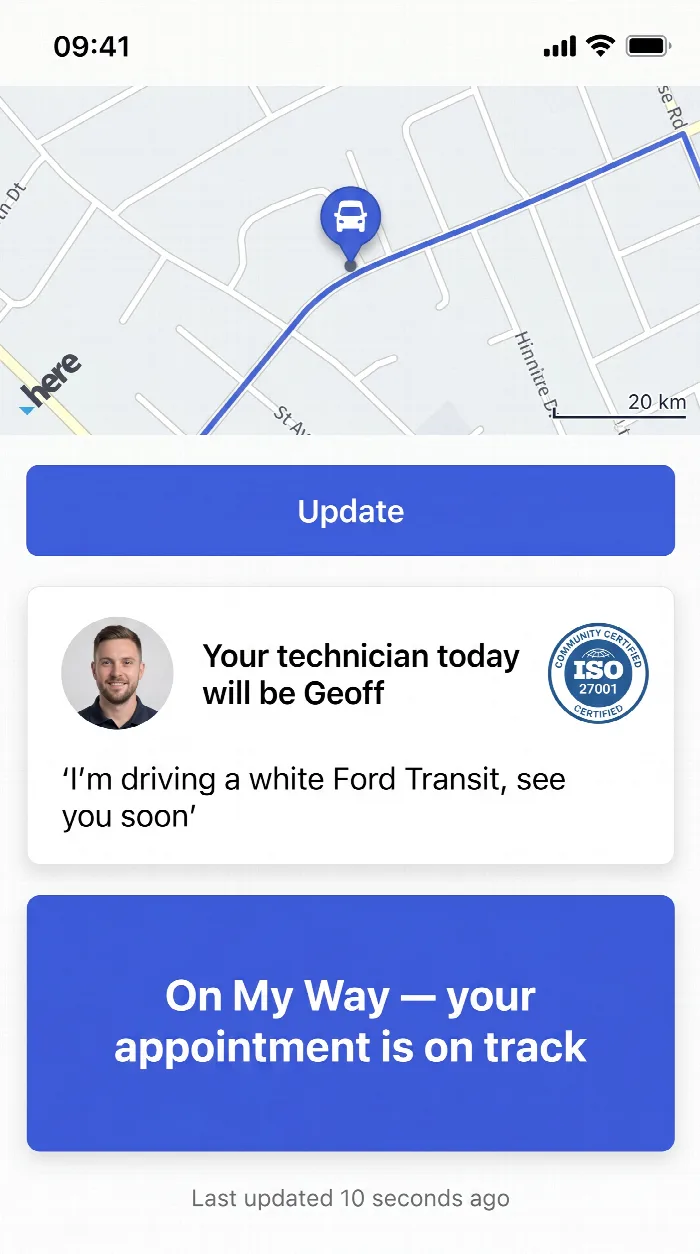
The appointment page
One link shows everything: appointment number, time window, address and a live map, plus self-service buttons to rebook, cancel, add to calendar, add notes or upload photos.
Everything in one place · fully white-labelled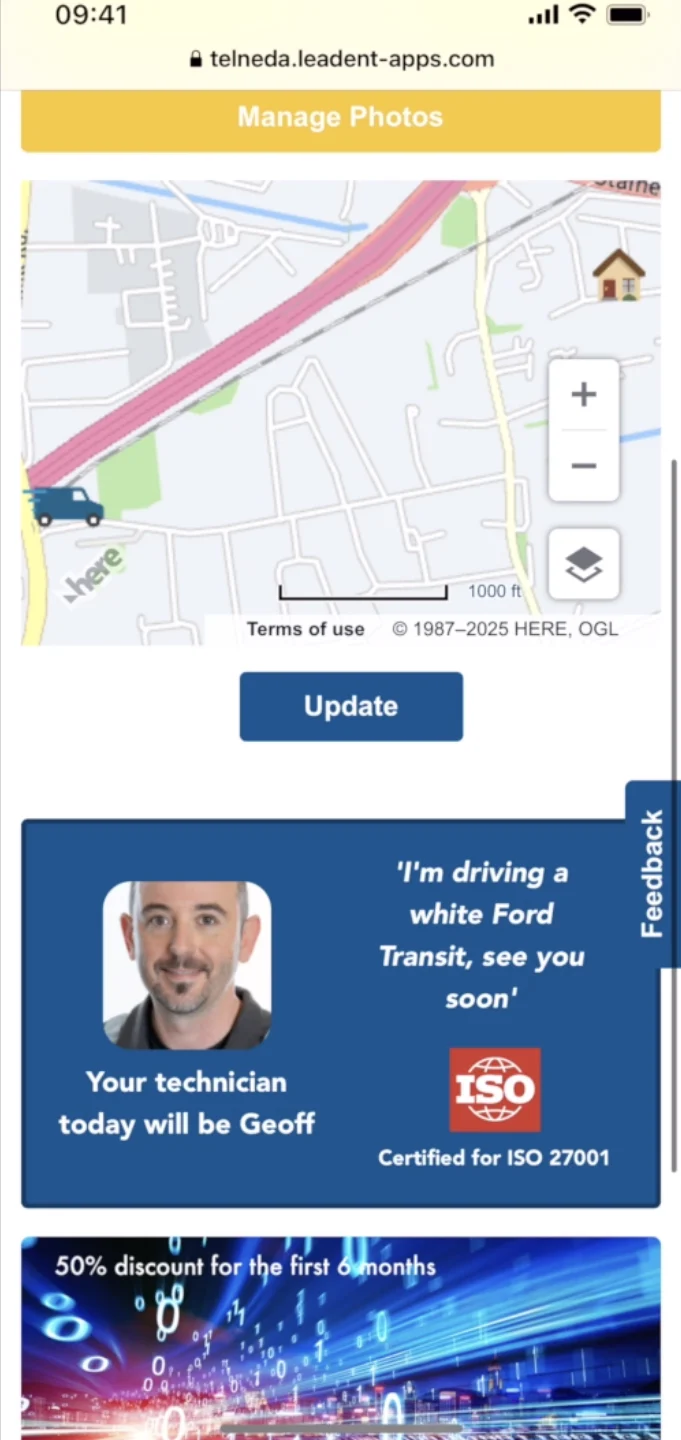
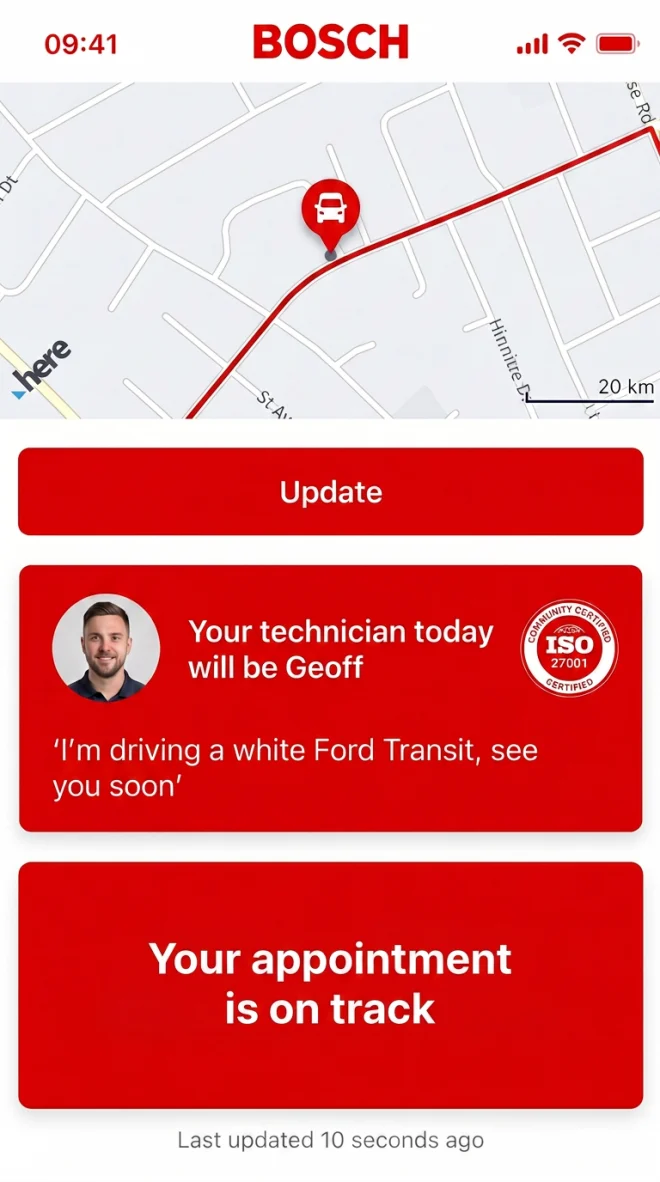
Track the engineer, live
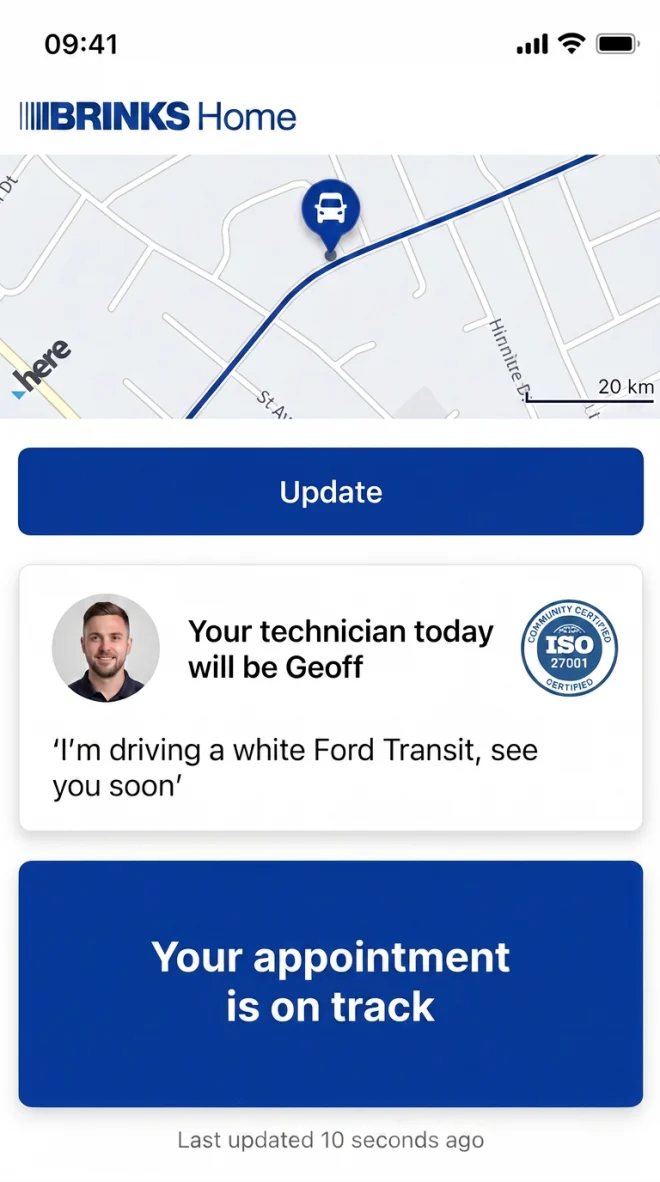
On the day, the customer watches the named technician approach on a live map, with a dynamic ETA, the engineer’s photo and vehicle, and an ISO 27001 trust badge.
53% fewer “where’s my engineer?” calls (Bosch UK)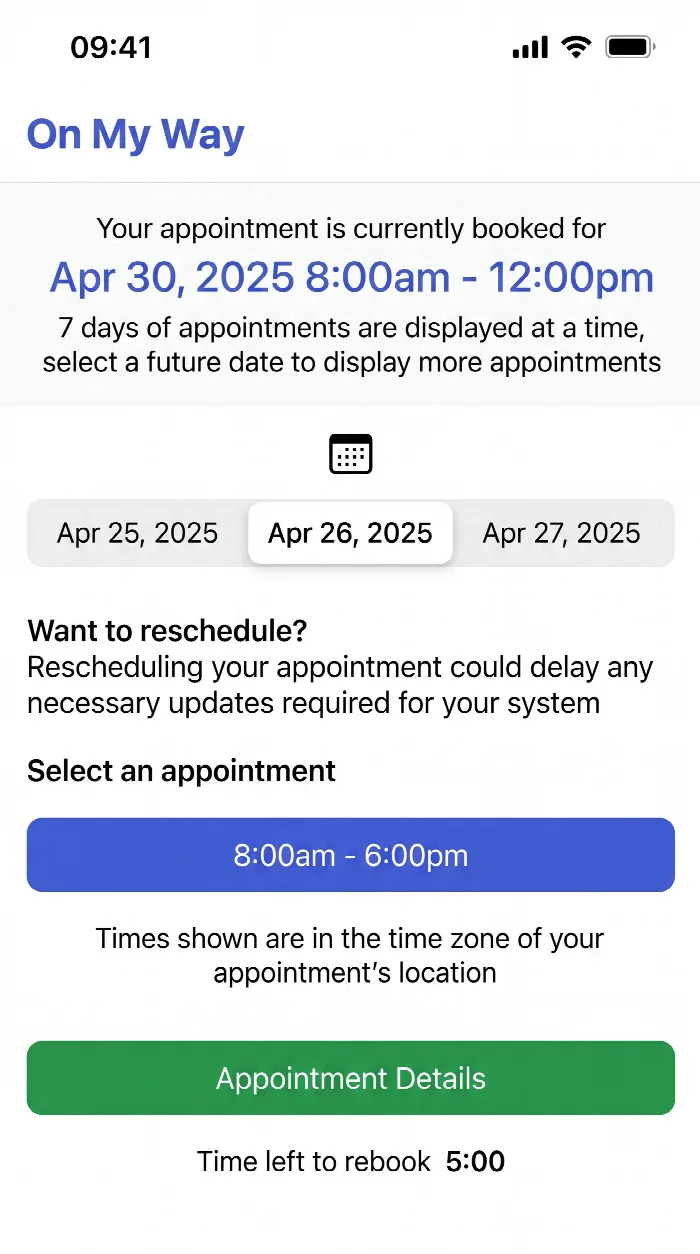
Rebook or cancel — no call
If the slot doesn’t work, the customer reschedules themselves: open slots, a “we’re already in your area” flag and a hold timer. The change writes straight back to your scheduling system.
38% fewer no-shows (Foxtel)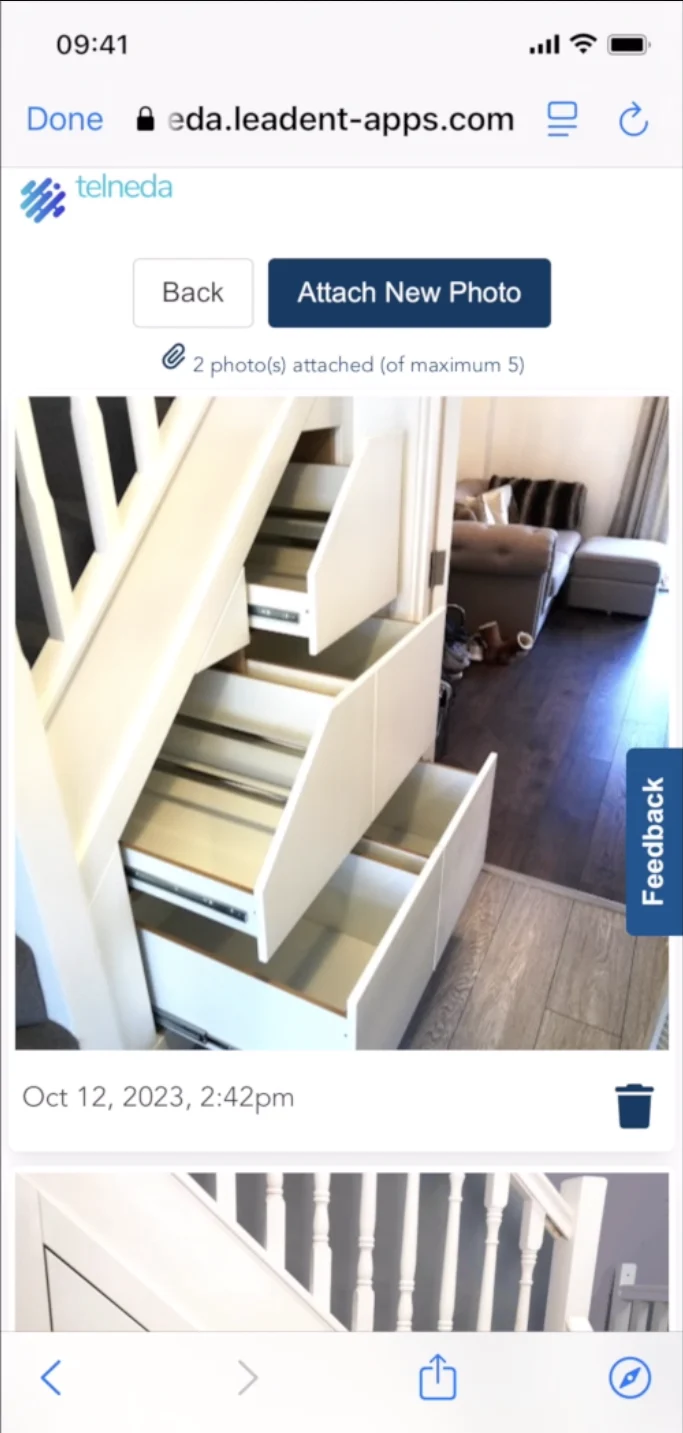
Share notes & photos
Before the visit, customers add access notes and photos of the job — so the engineer arrives briefed and equipped.
Higher first-time fix · 19% lift (E.ON)
In-appointment marketing
The tracking page is the most-watched screen your customer ever sees. OMW turns it into a branded marketing surface for relevant offers and upsells.
Turns service touchpoints into revenueHow likely are you to recommend us to a friend or colleague?
✓ Thanks — your feedback was shared with your engineer’s team.
Feedback & NPS
Right after the visit, the customer rates it. NPS is captured at the point of service and flows into your dashboard, broken down by branch, region or technician.
Closes the loop · 79% engagement (Bosch UK)Fully white-labelled
Same product, your identity. Customers never leave your world — your logo, your colours, your domain.
What your operations team gets
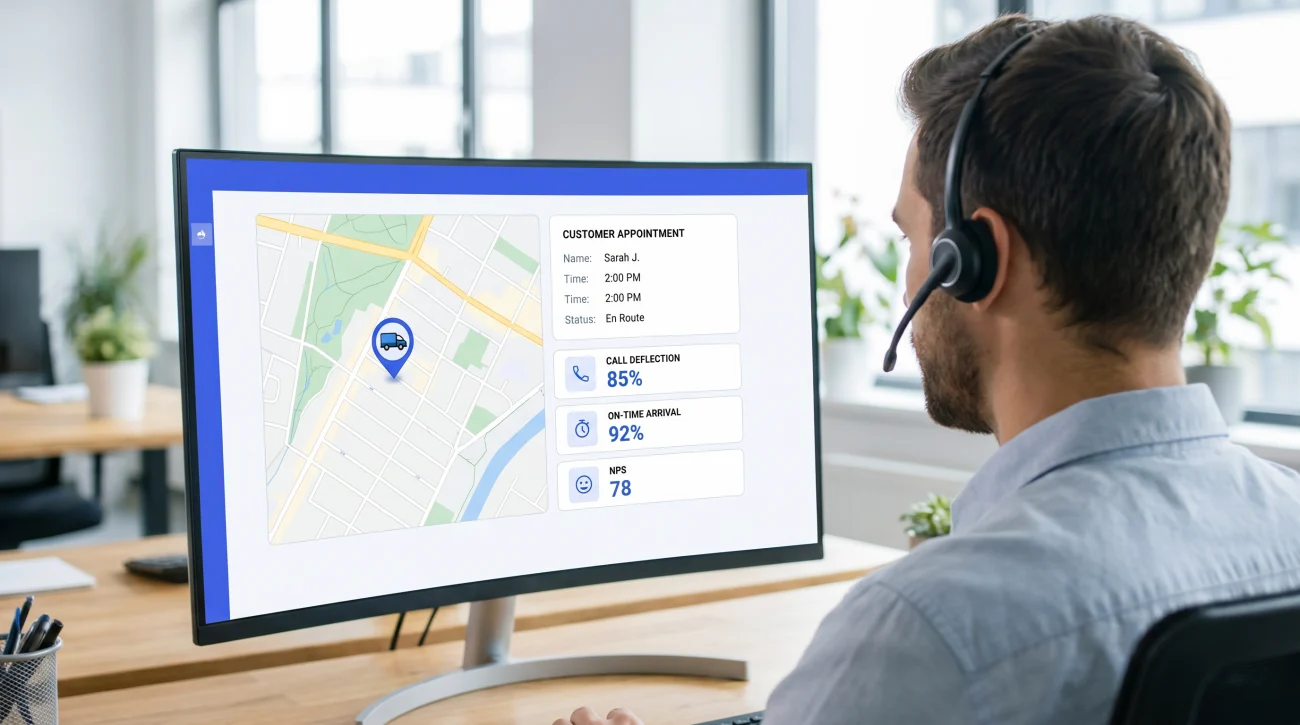
While customers self-serve, your contact-centre and operations teams get the other side of the same platform — no swivel-chairing between systems.
- Contact-centre view — agents see exactly what the customer sees, so they can resolve queries on the first contact.
- Campaign management — schedule and target the in-appointment marketing banners.
- Metrics & ROI dashboard — call deflection, on-time arrival and NPS, broken down by branch, region or technician.
- Data export — push results into your BI tools.
From kick-off to go-live in 4–6 weeks
Three honest steps. No platform rip-and-replace, no engineer retraining.
Week 1–2
Connect
We integrate with your field service software over its existing API and map your appointment lifecycle and statuses. Your team stays hands-light.
Week 2–4
Configure
Brand the customer journey, set notification triggers, rebooking rules and marketing campaigns to match your operation.
Week 4–6
Go live & measure
Roll out to a region or the whole base. We agree the deflection target with you and track it from day one.
What enterprise teams see
Customer-facing metrics measured against pre-OMW baselines. Verified by both parties.
Secure and compliant by design
SSO via Microsoft Entra ID
Single sign-on for your internal teams, managed through your existing identity provider.
Passcode-protected views
Customer appointment pages are protected so only the right person sees the details.
Encrypted in transit
All data between OMW, your field service software and the customer is encrypted end to end.
ISO 27001
Built to ISO 27001 information-security standards — the badge customers see on the live tracking page.
GDPR & works-council ready
Data handling designed for EU deployments, including works-council and GDPR requirements.
API-first, zero disruption
OMW reads and writes via API. Your field service software stays the system of record; nothing is replaced.
Common questions
How long does it take to go live?
Most deployments are live in 4–6 weeks. A focused 6-week pilot on one region or work-type is a common starting point.
What do we need to integrate?
API access to your existing scheduling engine. OMW reads appointment and status data and writes back rebooking/cancellation actions — your field service software stays the system of record.
Does anything change for our engineers?
No. Engineers keep using your existing mobile field-service app. OMW only adds the customer-facing layer; there’s no retraining.
Which field service systems are supported?
Oracle Field Service, SAP, IFS, Salesforce Field Service, Microsoft Dynamics 365 and ServiceMax today, plus others via API. OMW works with any field service platform.
How is customer data protected?
Views are passcode-protected, data is encrypted in transit, access supports SSO via Microsoft Entra ID, and the platform is built to ISO 27001 with GDPR / works-council compliance.
What does it cost?
A per-technician recurring fee, with an appointment-volume option for large operations. See pricing for what’s included, or request a custom quote.
Hit 35% call deflection in 90 days — or we work for free.
Same system, same engineers, same work orders. We bolt OMW on top, agree the deflection target with you, and if we don’t hit it inside 90 days we keep working without fees until we do.