On My Way for Microsoft Dynamics 365 Field Service
Dynamics 365 Field Service connects service to your Microsoft estate — but the native customer experience is limited. On My Way adds self-service rebooking, real-time tracking, automated notifications and NPS feedback on top of Dynamics 365 Field Service, with no custom development.
Trusted on enterprise field service operations
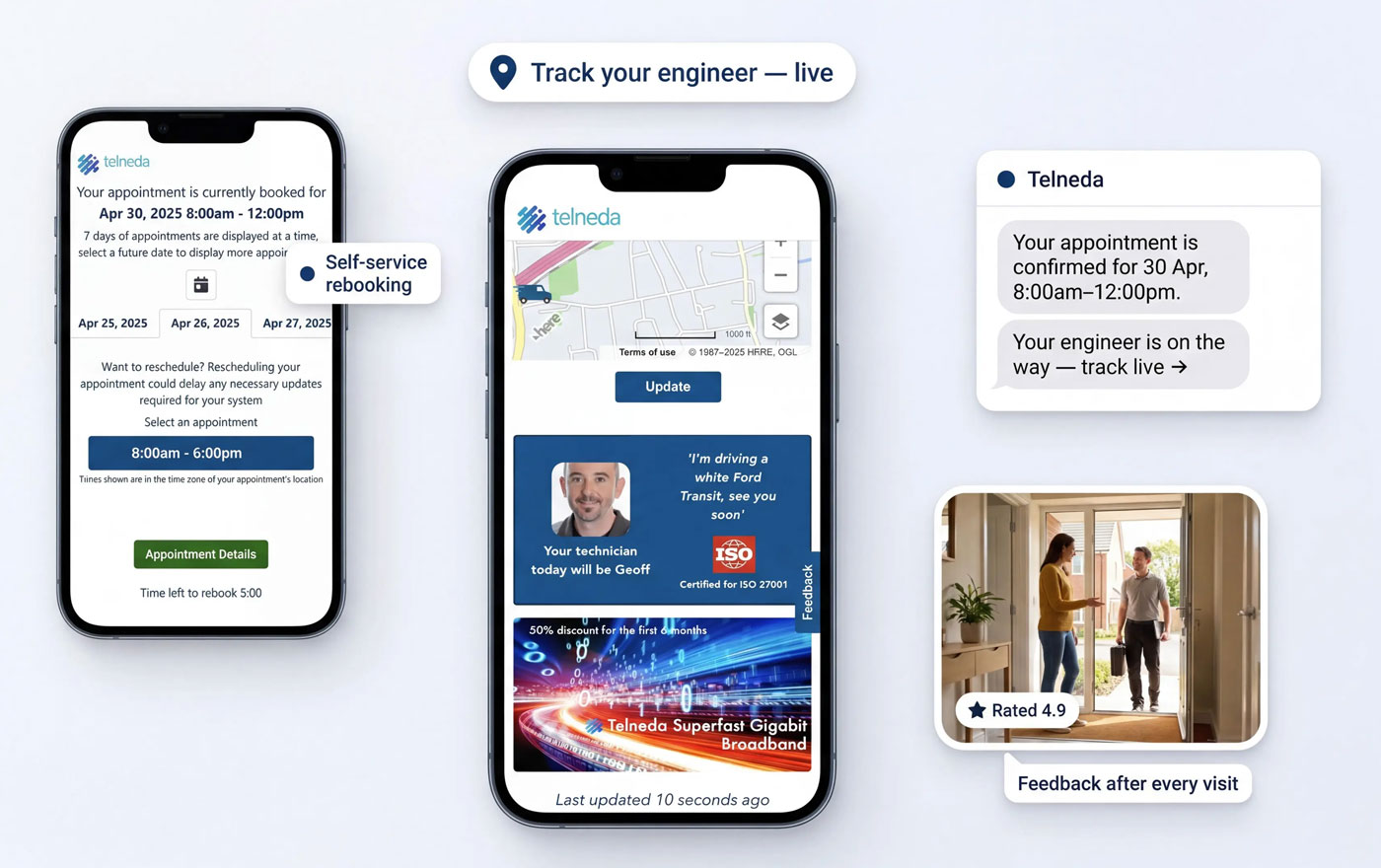
The On My Way customer experience, running on top of Microsoft Dynamics 365 Field Service.
The CRM is connected. The customer experience is the gap.
Dynamics 365 Field Service gives you scheduling, resource optimisation and mobile execution tied to Dynamics CRM. What it does not give your customers is a modern, branded self-service journey — live technician tracking, easy rebooking, proactive SMS and email, and a feedback loop on every visit.
The native Dynamics customer portal (Power Pages based) can show appointment details, but a fully branded, self-service experience with rebooking, in-appointment marketing and NPS capture means significant build and maintenance effort.
On My Way layers a purpose-built customer-communication experience on top of Dynamics 365 Field Service via API, so you keep your Microsoft investment and close the customer-experience gap without rebuilding anything or touching your scheduler.
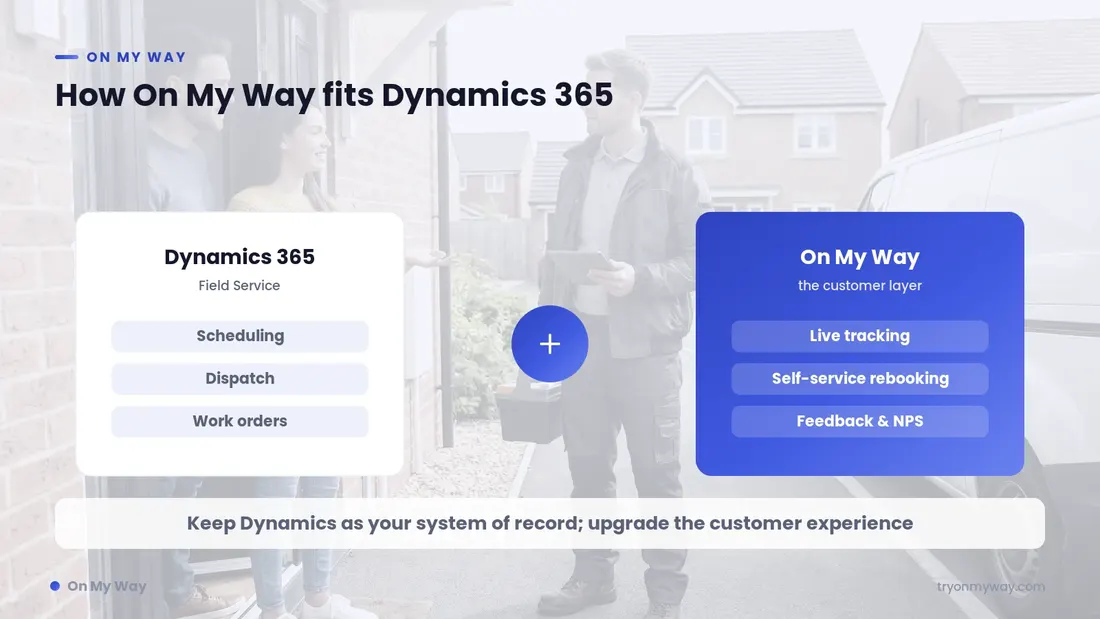
Built for Dynamics 365 and the Power Platform
Dynamics 365 Field Service ties scheduling, Resource Scheduling Optimization and mobile execution to Dataverse and the wider Microsoft estate. Its customer portal is a Power Pages build — capable, but it means custom development to brand, to add optimised rebooking, live tracking and feedback, and to maintain over time.
On My Way connects through the Dataverse Web API, reading bookings, work orders and resource status and writing customer changes back to the Dynamics 365 schedule — no Power Pages build, and no change to the Field Service mobile app.
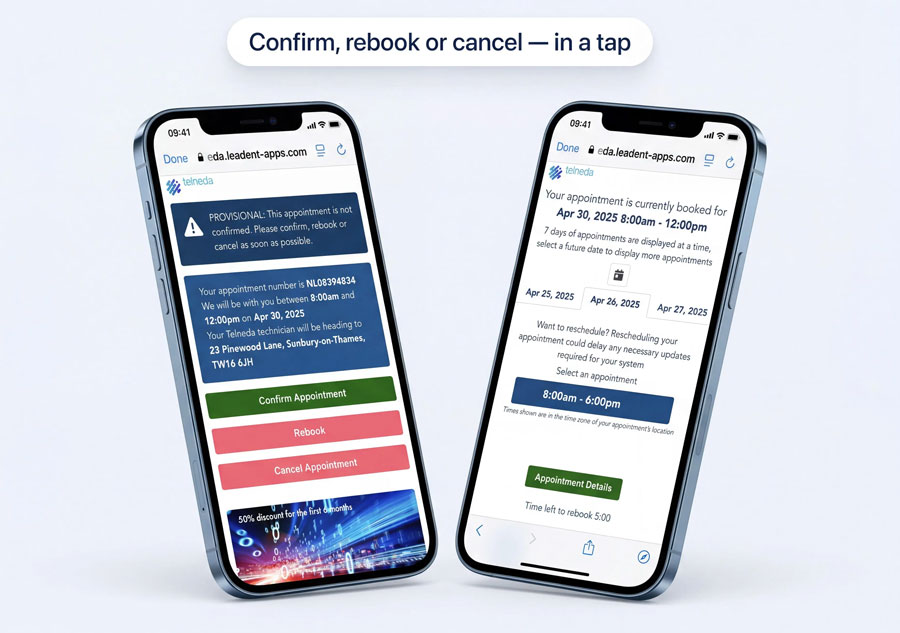
See it in context
On My Way and Dynamics 365, side by side
Your dispatchers keep working in Dynamics 365 Field Service exactly as they do today. On My Way reads appointment, work-order and technician-status data through the Dynamics API and turns it into a branded, real-time experience for the customer — no Dynamics mobile or admin changes required.
Contact-centre agents get the same live appointment status the customer sees, so "where is my engineer?" calls are answered (or deflected) instantly, right alongside the Dynamics record.
What On My Way adds to Microsoft Dynamics 365 Field Service
Self-service rebooking
Customers move a Dynamics 365 appointment to a greener slot themselves — cutting no-shows and inbound calls.
Real-time technician tracking
A live ETA and map driven by Dynamics 365 status, so customers stop calling to ask where the engineer is.
Automated notifications
Branded SMS and email confirmations and reminders that lift appointment attendance.
NPS & feedback capture
Measure satisfaction on every Dynamics 365 work order, visit by visit, and feed it back to your team.
In-appointment marketing
Promote services, plans and offers inside the tracking experience your customers actually open.
Contact-centre view
Agents see the same live status as the customer, right alongside your Dynamics 365 console.
How the Dynamics 365 integration works
Connect via API
On My Way connects to Microsoft Dynamics 365 Field Service through its API — appointments, work orders and technician status sync automatically. No custom Dynamics development.
Configure your experience
Brand the customer tracker, set notification rules and rebooking windows, and choose exactly what data flows between Dynamics 365 and On My Way.
Go live in 4–6 weeks
Launch on top of your existing Dynamics 365 setup — no rip-and-replace, no disruption to dispatch or the Dynamics 365 Field Service mobile app.
Microsoft Dynamics 365 Field Service native customer portal vs On My Way
| Capability | Native Dynamics 365 portal | On My Way |
|---|---|---|
| Live technician tracking & ETA | Limited | Yes — real-time, map-based |
| Self-service rebooking | Basic / build-your-own | Yes — optimised green slots |
| Branded SMS & email notifications | Add-on / custom | Built-in, fully branded |
| Appointment reminders & confirmations | Manual / flows | Automated, two-way |
| NPS & feedback per visit | No | Yes — every work order |
| In-appointment marketing | No | Yes |
| Write-back to Dynamics 365 schedule | Custom build | Yes — native API |
| Contact-centre agent view | Console only | Yes — same live status |
| Multi-language / localisation | Build-your-own | Built-in |
| Branding & white-label | Heavy build | Configured, no code |
| Custom development required | Custom Power Pages build | None |
| Time to deploy | Custom build | 4–6 weeks, configured |
| Call-deflection guarantee | None | 35% in 90 days |
Enterprise-ready, with zero disruption to Dynamics 365
On My Way reads from Microsoft Dynamics 365 Field Service through its API and never becomes your system of record — your Dynamics 365 instance stays the source of truth.
SSO via Microsoft Entra ID
Single sign-on for your team, with role-based access to the On My Way console.
Passcode-protected access
Customer tracking links are passcode-protected, so appointment data stays private.
Encrypted in transit
All data moving between your WFM and On My Way is encrypted end to end.
GDPR & works-council ready
Built to meet GDPR and European works-council requirements out of the box.
No custom Dynamics development
Integration is configuration, not construction — nothing to build or maintain in your WFM.
API-first, zero disruption
Dispatchers keep working in Dynamics 365 exactly as they do today.
On My Way for Microsoft Dynamics 365 Field Service: the essentials
- Works with Microsoft Dynamics 365 Field Service via API.
- Adds self-service rebooking, live tracking, notifications, NPS and marketing.
- No custom Dynamics development and no disruption to dispatch.
- Go live in 4–6 weeks with a 35% call-deflection guarantee in 90 days.
What enterprise teams see
Customer-facing metrics measured against pre-On My Way baselines. Verified by both parties.
Frequently asked questions
Does On My Way work with Dynamics 365 Field Service?
Yes. On My Way integrates with Dynamics 365 Field Service via API, syncing appointments, work orders and technician status. It adds the customer-facing layer that Dynamics does not provide out of the box.
Do I need custom Dynamics development?
No. The integration is configuration, not construction — no custom Dynamics or Power Pages development is required to go live.
Can customers reschedule their Dynamics appointment themselves?
Yes. On My Way offers self-service rebooking into optimised "green" slots, which writes back to your Dynamics 365 Field Service schedule — reducing no-shows and inbound calls.
Does it work with the Dynamics 365 Field Service mobile app?
Yes. On My Way sits on the customer side and reads technician status from Dynamics, so your engineers keep using the Dynamics Field Service mobile app unchanged.
How long does it take to go live?
Typically 4–6 weeks, layered on top of your existing Dynamics 365 Field Service deployment with no disruption to scheduling.
What data is shared between Dynamics and On My Way?
Only what is needed to power the customer experience — appointment times, technician status/ETA and work-order references. You control the data flows during configuration.
Is my data secure and GDPR-compliant?
Yes. Access is passcode-protected, data is encrypted in transit, and the deployment is built to meet GDPR and works-council requirements.
The guarantee
Hit 35% call deflection in 90 days — or we work for free.
Same system, same engineers, same work orders. We bolt On My Way on top, agree the deflection target with you, and if we don’t hit it inside 90 days we keep working without fees until we do.