Work Order Management: The Complete Guide
Quick answer: Work order management is how a field service organisation captures, schedules, assigns, tracks and closes the jobs its technicians carry out. A work order is the single record of a job: what needs doing, who it is for, who is assigned, what was used and what happened. Managing it well means moving that record cleanly through its lifecycle, from the moment a request comes in to the moment the job is signed off, with nothing lost in between. Done properly it lifts first-time fix rates, shortens job cycle times and frees up technician capacity. The piece most systems leave out: keeping the customer informed at every step of that same lifecycle.
Key takeaways
- A work order is the operational heartbeat of field service – every job lives and dies by how cleanly its record moves from creation to close.
- The lifecycle has five core stages: create, assign, schedule, execute, close. Each is a point where work, and information, can either flow or stall.
- Digital work orders beat paper on almost every measure, which is why most operations have already moved: around 82% of field service companies use a digital solution or are adopting one.
- The metrics that matter are first-time fix rate and cycle time – not how many work orders you raise, but how cleanly each one closes.
- The gap in most work order systems is the customer. The same events that drive your operation (created, assigned, completed) are the events your customer most wants to know about.
Every field service job starts as a question and ends as a record. Between those two points sits the work order – the document, ticket or digital object that tells everyone involved what the job is, who owns it and whether it is done. Get that record right and the operation runs. Lose control of it and you get missed appointments, repeat visits, disputed invoices and a contact centre full of customers asking where their engineer is.
The discipline of keeping that record clean, current and moving is work order management. It sits at the centre of field service management as a whole, and it is having a moment: the global field service management market is growing from USD 5.10 billion in 2025 to a forecast USD 9.17 billion by 2030, a compound annual growth rate of 12.5% (MarketsandMarkets, 2025). Most of that spend goes on the engine room: scheduling, routing, mobile apps. This guide covers how work order management actually works, and where the biggest unclaimed win still sits.
What is work order management?
Work order management is the structured process of handling service jobs from request to completion – organising, scheduling, assigning and tracking each one so that schedules hold, records stay accurate and customers get served.
A work order itself is the job’s record of truth. At minimum it carries the customer and site, the nature of the fault or task, the priority, the assigned technician, the time window, the parts and labour, and the outcome. In a paper-based shop that record is a printed sheet on a clipboard. In a modern operation it is a digital object inside a work order management system, visible in real time to the dispatcher, the technician and increasingly the customer.
The distinction matters because work order management is not the same as scheduling. Scheduling decides who goes where and when. Work order management is the wider job: capturing the request, attaching everything the technician needs, tracking progress through the visit, and closing the loop with proof of work and a clean record for billing and analysis. Scheduling is one stage inside it.
The work order lifecycle, stage by stage
A work order moves through a predictable lifecycle, and the quality of an operation is largely decided by how cleanly it travels. Five stages do the heavy lifting:
- Create. A request arrives – from a customer, a sensor, a contract renewal, an inspection – and becomes a work order with the job details, priority and location captured up front.
- Assign. The work order is matched to the right technician by skills, location, availability and the parts the job needs.
- Schedule. The assigned job is slotted into a time window and route, balancing the customer’s preference against the operation’s capacity.
- Execute. The technician works the job, with the full record in hand on a mobile device: history, asset details, manuals, photos and the ability to log what was done.
- Close. The job is verified, signed off, and the record completed – parts used, time spent, outcome, customer signature – ready for invoicing and reporting.
Each transition is a handover, and handovers are where information leaks. A job created with a vague fault description sets the technician up to fail. A job closed without proper notes creates a billing dispute three weeks later. The point of a work order management system is to make every one of those transitions clean, fast and traceable – and, as we will come to, visible to the person waiting at home.

Digital work orders versus paper
Digital work orders win on nearly every operational measure, which is why the market has already voted: roughly 82% of field service companies are using a digital solution or adding one, according to a Field Technologies survey. The case for moving to work order management software is not nostalgia for paper, it is arithmetic.
Paper work orders are slow to create, easy to lose, often illegible by the time they reach the office, and impossible to track in real time. In a 50-technician operation, if each engineer mislays just one work order a week, that is around 200 missing reports a month – each one a delayed payment and a gap in the record. Teams that still rely on manual documentation carry slower processing and more re-keying than those on a digital system.
Digital work orders flip every one of those weaknesses. They are timestamped, searchable, backed up and visible the moment they change. Crucially, they carry data both ways: the technician pulls history and manuals down to the job, and pushes photos, readings and sign-off back up in real time. Companies that move to digital work order management recover technician capacity lost to paper handling – not from working people harder, but from removing the dead time that paper creates.
Work order apps and the mobile technician
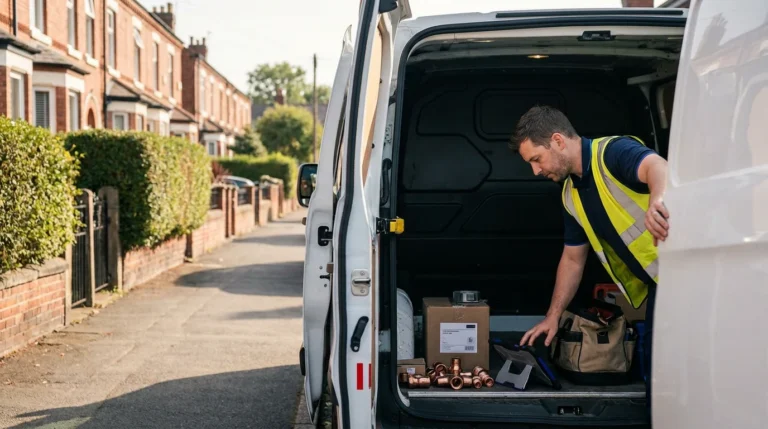
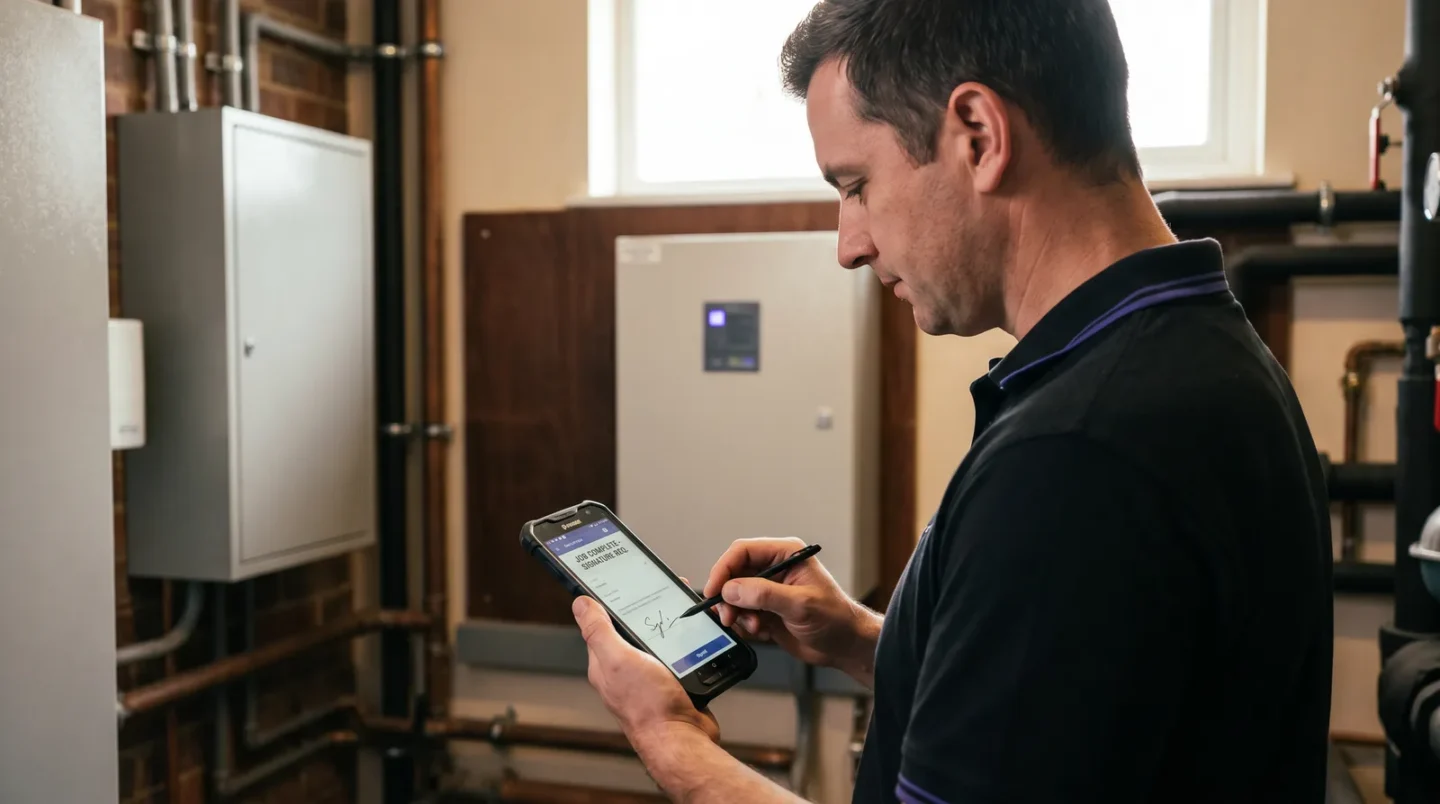
The work order app is where the lifecycle meets reality. A modern work order app puts the live record in the technician’s hand – the job, the asset history, the customer notes, the parts list – with the means to update status, capture photos and collect a signature without returning to base.
This matters because the field is where data is won or lost. Nearly half of technicians (47%) report that appointments do not go as planned because of customer miscommunication, missing parts or unrealistic appointment lengths (Salesforce State of Service). A good mobile work order closes most of those gaps before they open, and paired with route optimisation it also cuts the travel time that eats 25–40% of a technician’s day. This is the same machinery that powers field service automation – the work order is simply the object the automation moves around.
The missing piece: connecting work orders to the customer
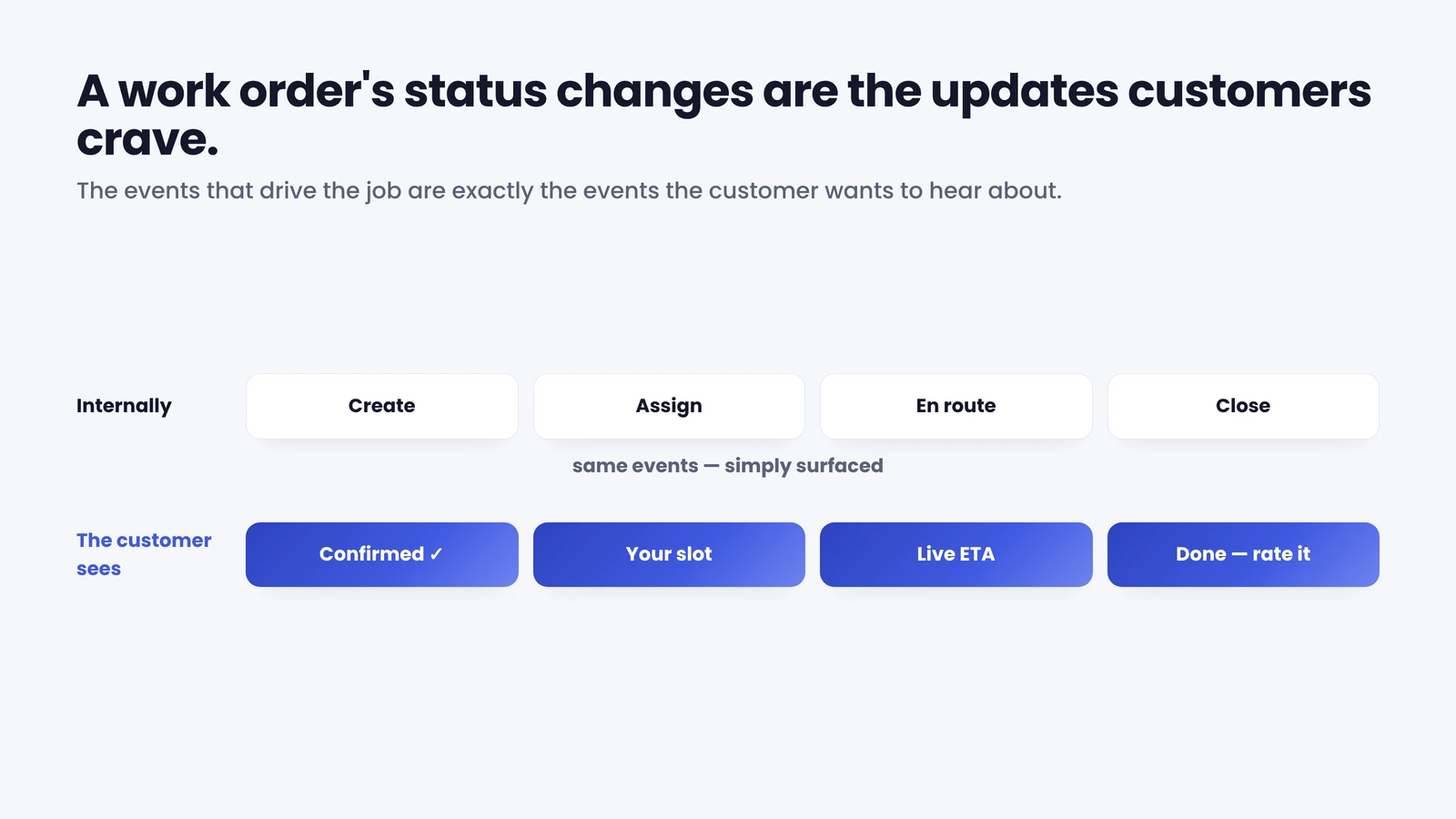
Here is what most work order systems get wrong. They are built to coordinate the operation (dispatcher, technician, back office) and they treat the customer as the recipient of the work, not a participant in it. Yet the events that drive the lifecycle are exactly the events the customer most wants to know about.
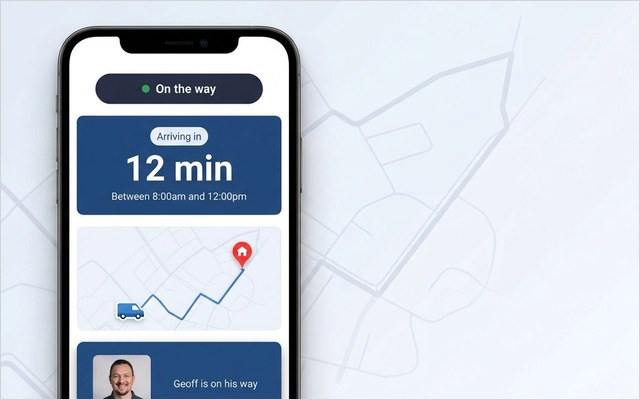
Think about it from the doorstep. When a work order is created, the customer wants confirmation the job is booked. When it is assigned and scheduled, they want the date, the window and ideally the ability to change it. When the technician is en route, they want a live ETA. When the job is closed, they want to know it is done and to say how it went. Every one of those is a status change your system already records internally. The opportunity is simply to surface it.
This is the heart of the appointment problem. In a typical enterprise operation, 30–40% of appointments are changed by the customer and 10–15% are cancelled, and each change tends to generate a five-to-seven-minute call – often after hours (On My Way deployment research). Layer on the customers who simply ring to ask “where’s my engineer?”, and a large slice of contact-centre volume turns out to be questions the work order could have answered automatically.
A customer communication layer takes the status changes a work order management system already produces and turns them into proactive updates: an automatic confirmation on create, a reminder before the day, a live track-my-engineer link on the day, a “your job is complete” message and a one-tap feedback request at close – with self-service rescheduling throughout. The work order stops being an internal document and becomes a shared, transparent experience. The operational results follow: Bosch UK, running around 350 field engineers, cut ETA-related calls to its contact centre by 53% with exactly this kind of self-service and tracking layer.
The important point for buyers: you do not need to replace your work order management system to do this. The customer layer sits on top of whatever you already run and reads the same lifecycle events. You can see the self-service appointment features that deliver it.
Work order management best practices
A few habits separate the operations that stay on top of their work orders from the ones constantly chasing them:
- Capture quality at creation. A precise fault description, the right asset, the correct priority and a realistic time estimate up front prevent most downstream failure. Garbage in is a repeat visit out.
- Standardise the close. Define what “complete” means – parts logged, photos attached, signature captured, outcome coded – and do not let a job close without it. The clean close is what makes billing fast and analytics trustworthy.
- Go mobile and go real-time. A work order that updates only when the technician gets back to the depot is a work order you are managing blind.
- Connect the customer to the lifecycle. Automate confirmation, reminder, live ETA and completion messages off the status changes you already record. It is the cheapest improvement to both customer experience and call volume.
- Measure the close, not the open. Track how cleanly work orders finish, not how many you raise. That means first-time fix and cycle time, below.
The KPIs that actually matter
Two numbers tell you whether your work order management is healthy.
First-time fix rate (the share of jobs resolved in a single visit) is the headline. The industry benchmark sits around 76%, with top performers reaching 87% and the bottom quintile down near 55% (Aquant Field Service Benchmark, 2024). The gap is expensive: a failed first visit adds roughly two more visits and extends resolution by about 13–14 days. Better work orders – complete information, the right parts, the right skills matched at assignment – are how you move the number. Getting the right information to the engineer before arrival is precisely how E.ON improved appointment-based first-time job completion by 19%. We cover the metric in depth in our guide to first-time fix rate.
Cycle time – the elapsed time from work order creation to close – measures how cleanly jobs move through the lifecycle. Long or wildly variable cycle times point to leaks: jobs sitting unassigned, technicians waiting on parts, closes that drag because the paperwork is incomplete. Digital, mobile work orders compress cycle time at every stage, which is where most of that utilisation gain comes from.
Raw work order volume, by contrast, tells you almost nothing. A thousand work orders raised and badly closed is a worse operation than eight hundred raised and cleanly resolved. Manage the close, and the rest follows.
Where to start
Work order management rewards sequence. Get the digital record and the mobile app right first, because everything else depends on a clean, real-time work order. Standardise creation and close so the data going in and coming out is trustworthy. Then connect the customer to the lifecycle you have just tidied up – that is the step that turns an efficient back office into an experience the customer actually notices, and the one that takes the most volume off the phones.
For enterprise operations, the reassuring part is that the customer layer is additive, not a rip-and-replace. Keep your work order management system, your scheduling engine and your WFM. Add the communication and self-service layer on top, reading the same lifecycle events, and you close the gap most systems leave open. That is the model On My Way is built on – the simplest way to see it is to book a demo.
See it on your operation. On My Way reads the create-assign-complete events your work order system already produces and turns them into proactive customer updates, live tracking and self-service rescheduling – on top of your existing WFM, no rip-and-replace. Book a 30-minute working session (no slide deck) or see how it works.
Frequently asked questions
What is work order management? Work order management is the process of capturing, assigning, scheduling, tracking and closing service jobs so that the work order (the record of each job) moves cleanly from request to completion. It keeps schedules accurate, records complete and customers served, and it is the core operational discipline inside field service management.
What are the stages of the work order lifecycle? Five core stages: create (the request becomes a work order with job details), assign (matched to the right technician), schedule (slotted into a time window and route), execute (the technician works the job with the full record on a mobile device) and close (verified, signed off and completed for billing and reporting). Each transition is a handover where information can be lost if the process is not tight.
What is a work order management system? A work order management system is the software that holds work orders as live digital records and moves them through the lifecycle: capturing requests, assigning and scheduling jobs, equipping technicians via a mobile app, and closing jobs with proof of work. The best implementations also surface the lifecycle’s status changes to the customer as proactive notifications and self-service.
Are digital work orders better than paper? On nearly every operational measure, yes. Digital work orders are timestamped, searchable, backed up and visible in real time, and they carry information both ways between office and field. Operations moving to digital work order management recover technician utilisation that paper quietly wastes, which is one reason around 82% of field service companies are already using or adopting a digital solution.
Which KPIs measure work order management? First-time fix rate (the share of jobs resolved in one visit; benchmark around 76%, best operators 87%) and cycle time (creation to close) are the two that matter most. Together they show how cleanly work orders finish. Raw work order volume is a vanity number by comparison – manage the close, not the open.
How does work order management connect to customer experience? The events that drive a work order (created, assigned, en route, completed) are exactly the updates customers most want. A customer communication layer turns those internal status changes into automatic confirmations, reminders, live ETAs, completion messages and self-service rescheduling. It is the cheapest way to cut “where’s my engineer?” calls while raising satisfaction, and it sits on top of your existing system rather than replacing it.
References
- MarketsandMarkets – Field Service Management Market worth $9.17 billion by 2030 (2025)
- ServicePower – What is the Field Service Work Order Lifecycle?
- ServiceNow – What is Work Order Management?
- FieldBuddy / Field Technologies survey – Everything you need to know about Digital Work Orders (82% digital adoption)
- Salesforce – State of Service report (mobile-worker and appointment statistics)
- Aquant – Field Service Benchmark (2024) (first-time fix rate and repeat-visit data)
- CompareSoft – What Is First-Time Fix Rate & How to Improve Your FTFR.
- On My Way / Leadent Digital – enterprise deployment data (appointment-change volume; client outcomes).

Keep your WFM. Upgrade what your customers experience.
On My Way is the customer-experience layer for field service: live arrival tracking, self-service rebooking, notes and photos, and feedback — added on top of the scheduling system you already run. No rip-and-replace, live in 4–6 weeks.