Salesforce Field Service: How to Add Customer Self-Service

Quick answer: Salesforce Field Service (FSL, formerly Field Service Lightning) is one of the leading field-service platforms in the enterprise: AI-driven scheduling and optimisation, a powerful dispatch console, an offline-first mobile app for technicians, and work-order and asset data joined up with Service Cloud and the CRM. What it isn’t built to be, out of the box, is a consumer-grade self-service product for the customer waiting at home. Its native customer communication is the Appointment Assistant, a real-time arrival notification and tracking link, not a fully branded portal where the customer can reschedule, cancel, track and rate their own visit end to end. You don’t have to replace FSL to close that gap. On My Way reads your appointment data through Salesforce’s APIs and adds the customer-facing layer on top, typically live in four to six weeks, with the scheduling engine and your Service Cloud data left exactly as they are.
Key takeaways
- Salesforce Field Service is a leading scheduling, dispatch and CRM-connected platform; the gap is on the customer side of the appointment, not the operational side.
- FSL does include the Appointment Assistant (real-time location and customer notifications), but it stops short of the branded, end-to-end self-service customers now expect from every other service they use.
- On My Way is WFM-agnostic: it sits on top of FSL via Salesforce’s REST API and platform events, reads appointment data, and changes nothing in scheduling, dispatch or Service Cloud.
- A typical go-live is four to six weeks, because there’s no rip-and-replace. You’re adding a layer, not migrating a system.
- Bosch UK, on an existing WFM, cut ETA-related calls by 53% and reached 79% customer engagement.
You don’t have to choose between a great scheduler and a great customer experience. That’s the assumption worth retiring, because most enterprise teams running Salesforce Field Service inherited it by accident. They bought FSL to schedule thousands of jobs a day, optimise routes across a large mobile workforce and join field work to the customer record in Service Cloud. On that job, FSL is genuinely good. The friction shows up one step removed from the schedule: at the customer’s front door, and in the contact centre that fields their calls.
This guide is for teams who want to keep Salesforce Field Service and fix the customer side of the appointment without touching the engine underneath. It covers where the customer-experience gap actually sits, what FSL does well, and how a dedicated layer such as On My Way fills it — including the integration architecture and a realistic go-live timeline.
The customer-experience gap, stated fairly
The expectation bar for service has moved, and it moved everywhere else first. Salesforce’s own field-service research found that 74% of mobile workers say customer expectations are higher than they used to be, and 73% say customers now expect a more personal touch (Salesforce, 2025). On self-service specifically, around 61% of customers would rather resolve a simple issue themselves than contact a live agent, and self-service is one of the clearest dividing lines between high and low performers: 80% of high-performing service organisations offer a self-service option, against just 56% of underperformers (Document360 / Salesforce, 2025). Someone who can move a parcel delivery in two taps does not see why rebooking an engineer means a phone call. In wider scheduling research, 54% of consumers say they would switch to a competitor if online scheduling weren’t available (LLCBuddy, 2025).
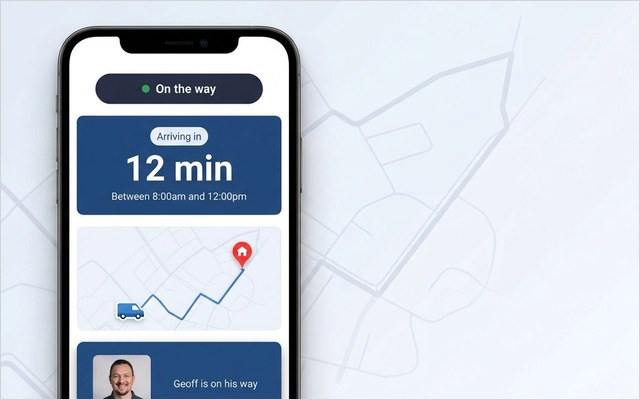
Here is where that lands against FSL. Salesforce Field Service is built to optimise the operation, not to be the branded, consumer-grade experience the customer acts inside. FSL does ship the Appointment Assistant, which sends customers an “on the way” notification and a link to track the technician’s real-time location and ETA on a map, by email, SMS or WhatsApp (Salesforce Trailhead, 2025). That is real, and worth using. But there’s distance between an arrival-notification feature and an end-to-end portal the customer can self-serve in (reschedule, cancel, track and rate) under your brand.
That distance has a cost, and it lands in the contact centre. On My Way’s deployment research puts customer-initiated changes at roughly a third to 40% of booked appointments, with another one in ten cancelled outright, and each amendment typically ties up an agent for five to seven minutes, often out of hours. Add the customers who simply ring to ask where the engineer is, and a large slice of contact-centre volume turns out to be questions the customer could have answered themselves, given the right self-service tools. FSL schedules the work well; the calls about that work are a separate problem, and that’s the problem the customer experiences directly. (We unpack the discipline behind this in our guide to field service customer experience.)
What Salesforce Field Service does well
Salesforce Field Service — Salesforce FSL, formerly Field Service Lightning — is an extension of Service Cloud, a field-service platform that manages scheduling, dispatching, work orders, service appointments, mobile technicians and assets in one system, joined to the CRM (Salesforce Ben, 2026). If you run FSL, you’re running a capable operational core, strong in three areas in particular.
Scheduling and optimisation. FSL uses AI to assign and sequence work automatically, weighing technician skills, availability, location and travel time, and business rules, so the right resource gets the right job by an efficient route (Salesforce, 2025). For a utility dispatching crews across planned and emergency work, or a manufacturer running hundreds of engineers, that is exactly the hard problem you want solved well.
The dispatch console. Dispatchers get a live view of every team member, appointment and task, and can fill gaps, reassign work and respond to the day as it changes, increasingly with natural-language and Agentforce assistance built in (Salesforce, 2025).
The mobile worker app and CRM data. The Field Service mobile app is offline-first, so technicians can pull job details, customer history, knowledge articles and asset and parts data even without a signal, and update statuses in the field. Because FSL sits on Service Cloud, that field activity is tied directly to the customer record.
None of that is in question. The point of this article isn’t to replace it; it’s to add what sits outside its remit.
How On My Way fills the gap
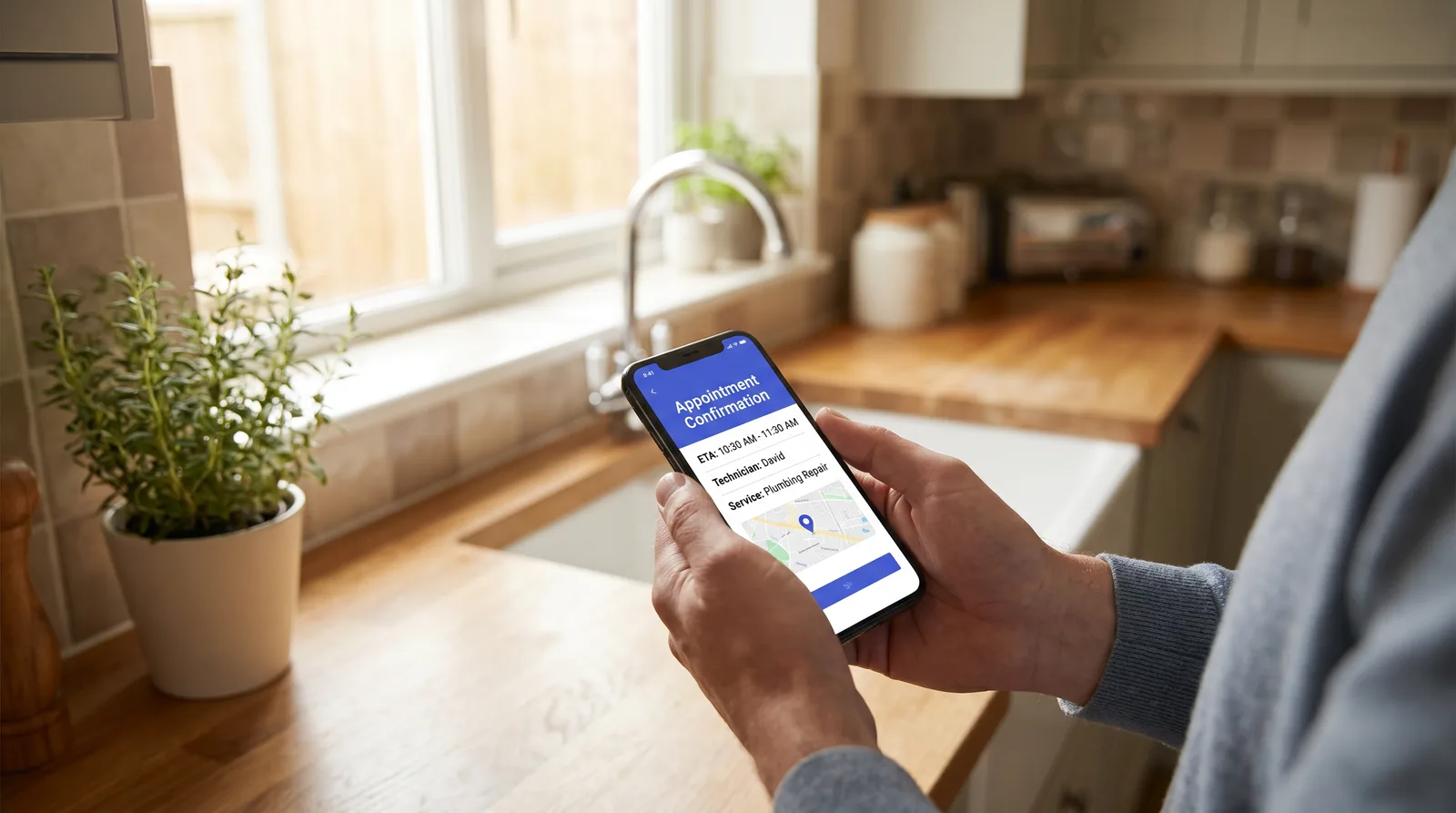
On My Way is a dedicated customer-experience layer that sits on top of your existing workforce-management system, including Salesforce Field Service, and turns the appointment from an operational record into a transparent, self-serve experience. It doesn’t reschedule jobs inside FSL or touch the optimisation engine. It gives the customer a branded, browser-based front end (no app to download) for the moments FSL isn’t designed to own.
Four capabilities do most of the work:
- Real-time tracking. A live ETA and “your engineer is on the way” view, branded as yours, so the customer can see exactly when to expect the visit.
- Self-service rescheduling and cancellation. The customer moves or cancels their own appointment in seconds, online, without phoning anyone.
- Proactive notifications. Confirmations, reminders and on-the-day updates over SMS and email, tuned to cut the no-show and the “where are you?” call together.
- Feedback and NPS. A quick rating captured immediately after the visit, while the experience is fresh and any problem is still recoverable.
The distinction from the Appointment Assistant is depth and ownership. The customer doesn’t just receive an en-route message; they get a fully branded portal they can act in, covering the whole journey from booking confirmation to post-visit feedback. It’s also where On My Way’s commercial promise lives: the platform underwrites a 35% reduction in appointment-related calls within 90 days, or the work continues at no extra cost until that’s hit. The build itself is covered in detail on On My Way for Salesforce Field Service.
The integration architecture: read appointment data, change nothing in FSL
The reason this is a four-to-six-week project and not a platform migration is the architecture. On My Way is API-first and read-oriented against your scheduling system. It connects to Salesforce through the Salesforce REST API, with OAuth-authenticated access to the service-appointment, resource and work-order data it needs: who’s booked, for when, with which engineer, and where that engineer is on the day. For changes that need to flow the other way, Salesforce’s platform events and Pub/Sub API give a real-time, publish-subscribe path between FSL and external systems (Salesforce Developers, 2025). So when a customer reschedules through the On My Way portal, the change is passed back through the supported integration path and the operation stays in sync.

What it deliberately doesn’t do is rewrite your scheduling logic. Optimisation, dispatch rules, the technician mobile app and your Service Cloud configuration all stay inside Salesforce, untouched. Nobody re-architects the FSL setup that took months to tune. The principle is the one that runs through every On My Way deployment, and through adding self-service to Oracle Field Service just the same: it sits on top of your existing WFM, it doesn’t replace it. That’s also what keeps the IT risk low: no core-system change, standard OAuth, your data residency and access controls intact.
Typical go-live: four to six weeks
Because there’s no migration, the timeline is short and predictable. A typical On My Way go-live on an existing WFM runs four to six weeks, with a six-week pilot option for teams who want to prove it on a slice of their operation first. The phases are straightforward: connect to the Salesforce APIs and confirm the appointment-data flow; configure the branded portal, notification templates and self-service rules; run a controlled pilot on one region or job type; then roll out. There’s no engineer retraining on a new scheduler, because the scheduler doesn’t change. You can see the full sequence on how On My Way works.
The table below is the plain-English version of what’s native to FSL versus what the On My Way layer adds, the comparison most teams are actually trying to make:
| Capability | Salesforce Field Service (native) | With On My Way on top |
|---|---|---|
| AI scheduling, optimisation, dispatch | Yes — core strength | Unchanged (FSL keeps doing it) |
| Offline-first technician mobile app | Yes | Unchanged |
| CRM / Service Cloud customer record | Yes | Unchanged — OMW reads from it |
| Customer arrival notifications | Yes — Appointment Assistant (SMS/email/WhatsApp) | Branded, real-time tracking portal |
| Self-service rescheduling / cancellation | Limited | Yes — customer self-serves online |
| Post-visit feedback / NPS | Add-on / survey | Yes — captured at the moment of truth |
| Performance guarantee | n/a | 35% fewer appointment calls in 90 days |
What the result looks like
The payoff from adding a customer layer to a strong scheduler is measurable. Bosch UK, running around 350 field engineers on an enterprise WFM, added this kind of self-service and tracking layer and cut ETA-related calls by 53% while reaching 79% customer engagement with the portal. Foxtel doing the same, giving customers reminders and easy rescheduling, reduced no-shows by 38%.
The mechanism is the same every time: give customers visibility and control around the appointment, and the routine calls, the anxiety and a chunk of the no-shows disappear, without the operation underneath changing at all. The scheduler was already good. What moved the numbers was letting the customer see and act on the work it produced. If you’re running Salesforce Field Service and recognise the call-volume pattern, the fastest test is to see it on your Salesforce stack in a 30-minute working session — no slide deck, your data, your scenarios.

Frequently asked questions
Can you add customer self-service to Salesforce Field Service without replacing it? Yes. On My Way is a customer-experience layer that sits on top of Salesforce Field Service through the Salesforce REST API and platform events. It reads appointment data and adds a branded tracking and self-service portal, while FSL continues to handle all scheduling, dispatch and the Service Cloud customer record. Nothing in the FSL configuration is replaced or re-architected.
Doesn’t Salesforce Field Service already have a customer portal? FSL includes the Appointment Assistant, which sends customers a real-time “on the way” notification with a link to track the technician’s location and ETA. It’s useful, but it stops short of a fully branded, end-to-end self-service experience — where the customer can reschedule, cancel, track live and leave feedback themselves. On My Way adds that depth on top of what FSL already sends.
Is Salesforce Field Service the same as Field Service Lightning? Yes. Field Service Lightning (FSL) is the former name for Salesforce Field Service. It’s an extension of Service Cloud that manages scheduling, dispatch, work orders, service appointments, mobile technicians and assets in one system. Most teams still use the names interchangeably.
How does On My Way integrate with Salesforce Field Service? Through the Salesforce REST API, using OAuth for authenticated access, with platform events and the Pub/Sub API for real-time, two-way sync. On My Way reads the service-appointment, resource and work-order data it needs and passes customer-initiated changes back through the supported path, so the operation stays in sync. The integration is read-oriented by design — it doesn’t rewrite your scheduling logic.
How long does it take to go live on Salesforce Field Service? Typically four to six weeks, because it’s an added layer rather than a system migration. There’s a six-week pilot option to prove it on one region or job type first. Engineers don’t need retraining, as the scheduling system they use doesn’t change.
Will adding On My Way disrupt our existing FSL scheduling or Service Cloud setup? No. Optimisation, dispatch rules, the technician mobile app and your Service Cloud configuration all stay inside Salesforce. On My Way operates as a customer-facing layer on top, which is what keeps the IT risk — and the implementation time — low.
References
- Salesforce Ben — Complete Guide to Salesforce Field Service (FSL).
- Salesforce — Field Service Management (FSM) Software | Agentforce Field Service.
- Salesforce Trailhead — Real-Time Location and Customer Notifications (Appointment Assistant).
- Salesforce — 3 Field Service Trends Today’s Leaders Need to Know.
- Document360 — Top 2025 Self-Service Statistics & its Importance.
- LLCBuddy — Online Appointment Scheduling Statistics 2025.
- Salesforce Developers / Trailhead — Platform Events & Pub/Sub API (real-time integration with external systems).
- On My Way / Leadent Digital — enterprise deployment data (appointment-change volume; client call-reduction, no-show and engagement outcomes).

Keep your WFM. Upgrade what your customers experience.
On My Way is the customer-experience layer for field service: live arrival tracking, self-service rebooking, notes and photos, and feedback — added on top of the scheduling system you already run. No rip-and-replace, live in 4–6 weeks.