How to Choose Workforce Scheduling Software That Survives Monday Morning

Friday, 4.40pm, the planning office. Next week’s rota is published: 340 engineers across three regions, shift patterns balanced, leave approved, a gas-safety course accounted for. By Monday 7.30am it is fiction. Six engineers are off sick, a cold snap has doubled boiler callouts in the north east, and a parts delay has pushed forty installs into a full Thursday. The planner rebuilds it before the kettle boils. If that scene is familiar, the question is no longer whether you need workforce scheduling software, but which product, judged by what.
Quick answer: Workforce scheduling software plans shift patterns, rotas, absence and skills coverage so the right people are available before any job is assigned. Evaluate five things: forecast accuracy, compliance rules, WFM integration, open APIs and scenario planning. Then judge output by customer outcomes: Foxtel saw 38% fewer customer no-shows once planned capacity was paired with proactive communication.
Key takeaways
- Workforce scheduling software decides who is available; the scheduling engine inside your WFM assigns jobs; a customer layer manages what customers experience. Buy each layer deliberately.
- Forecast quality is the make-or-break criterion: a precise rota built on a poor demand forecast staffs the wrong day with great precision.
- At enterprise scale, insist on measured forecast accuracy, a compliance rules engine, native WFM integration, open APIs and scenario planning.
- Customers deliver the final verdict on capacity planning: honest appointment windows and kept promises, or same-day changes and inbound calls.
- Converting schedule changes into proactive notifications and self-service rebooking is where the customer layer earns its place; Leadent contracts a 35% cut in appointment-related calls within 90 days; typical deployments land at 40–55%.
What workforce scheduling software actually decides
Workforce scheduling software answers one question: who is available to work, when, where, with which skills and within which legal limits. Its territory is shift patterns and rotas, demand forecasting, capacity planning, absence and leave, skills coverage and working-time compliance. Vendors label the same category staff scheduling software, rota software, shift scheduling or workforce planning software; the label matters far less than the forecasting underneath.
It is a crowded, growing market. MarketsandMarkets puts field service management software at USD 5.10 billion in 2025, heading for USD 9.17 billion by 2030 at 12.5% annual growth, with scheduling listed first among the solution segments driving it. Plenty of products demo well; this guide is about telling them apart on the things that survive contact with a Monday.
Before comparing anything, be precise about which layer you are buying, because scheduling in field service happens at three levels:
- Workforce level (this guide). Decides who is available before any job exists: rotas, shift patterns, leave, skills, compliance. The practice itself, as distinct from the tooling, is covered in our guide to workforce scheduling.
- Job level. Assigns individual work orders to the people the workforce layer made available. This is the scheduling engine inside your WFM, and the territory of job scheduling software.
- Customer level. Manages what the customer sees and can do: appointment windows, progress updates, changes, rebooking.
Confuse the layers and you buy overlapping tools in the middle while both ends stay bare. Workforce feeds job, job feeds customer, and all three sit inside the wider discipline of field service management. This article covers the top of the chain: the software that decides who is available at all.

Forecast quality makes or breaks everything downstream
The biggest single difference between workforce scheduling products is the quality of the demand forecast underneath them; everything else is arithmetic on top. A rota is a bet about the future: how many boiler breakdowns the north east will produce in the second week of January, how many installs will follow a retail promotion. Get the forecast wrong and the software still produces an elegant rota, simply an elegant rota for the wrong day.
Field service demand is lumpy and weather-shaped, which is what catches generic staff scheduling software out: retail rostering tools forecast footfall, not the cold snap that doubles emergency callouts inside 48 hours. And the supply side is tightening at the same time: TSIA’s State of Field Services 2025 reports that half of all field service technicians are now over 50, so the capacity you plan with shrinks as experienced engineers retire. Salesforce’s 2024 State of Service research adds pressure from the other direction, with 76% of service organisations expecting higher case volumes in the year ahead.
So interrogate the forecast before you admire the rota builder. Ask what feeds it (job history from your WFM, seasonality, weather, campaign calendars), at what granularity it predicts (by skill and region, not a national total), how far ahead it stays credible, and how the vendor measures forecast error. A supplier who cannot show forecast accuracy by skill line, reviewed weekly, is asking you to take the system’s most important number on faith.
The enterprise evaluation checklist
Five capabilities separate enterprise-grade workforce scheduling software from rota software with an enterprise price. Test each against your own data, not the vendor’s sample set.
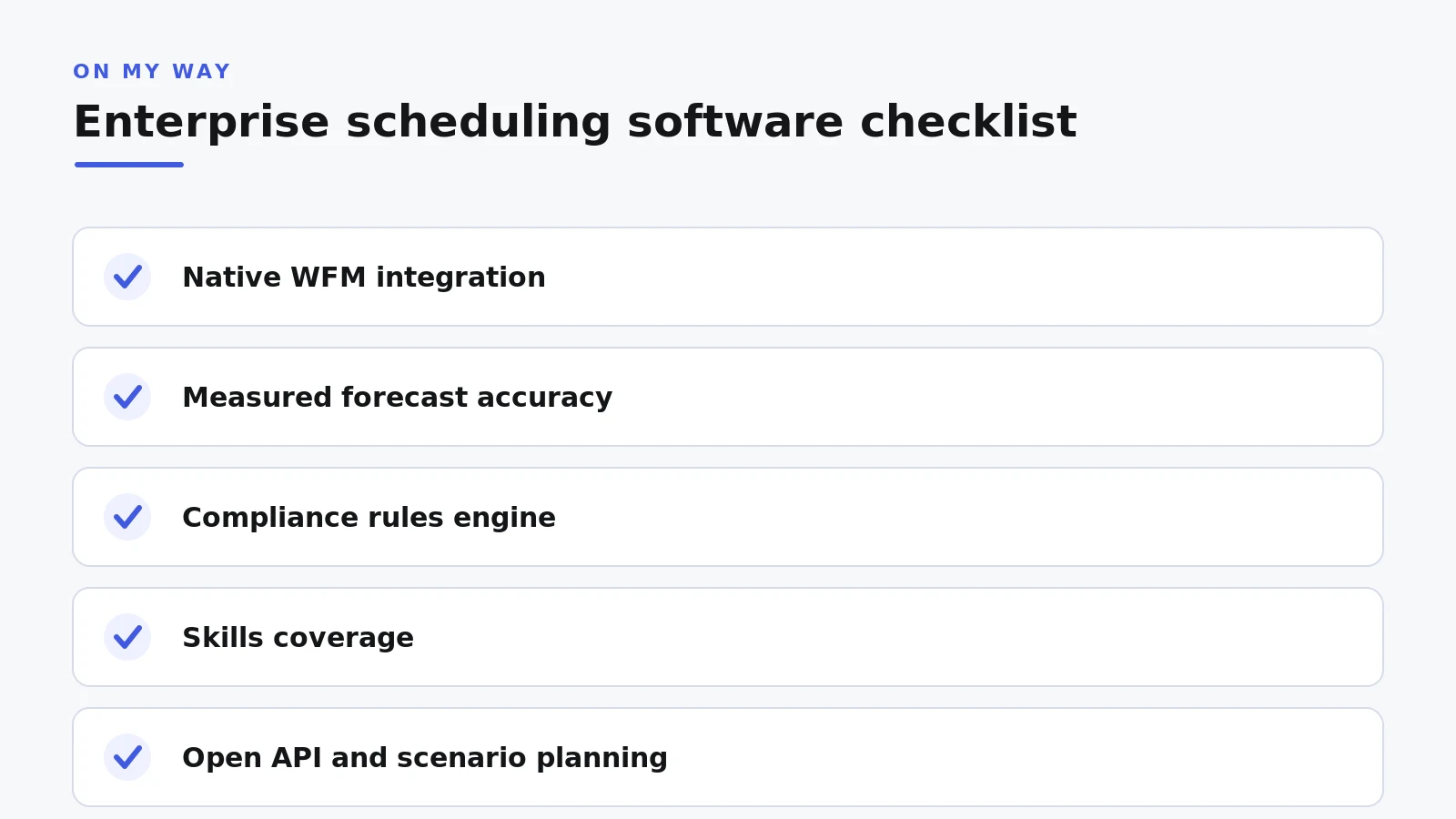
- Native WFM integration. A rota is worthless as a PDF. It has to land inside Oracle Field Service, IFS, SAP, Salesforce Field Service, ServiceMax or Dynamics 365 as bookable capacity the scheduling engine can assign against, with actuals flowing back to sharpen the next forecast. Ask to see it running in both directions.
- Measured forecast accuracy. Error by skill, region and week, on a dashboard, not in a slide. If accuracy is not measured in-product, it will degrade unnoticed.
- A compliance rules engine. The Working Time Regulations cap the average week at 48 hours and require 11 hours of daily rest; union agreements, fatigue rules and site certifications stack on top. Enterprise tools enforce them at build time. Anything that audits breaches afterwards is a fines generator with a calendar view.
- Skills coverage, not just headcount. Forty engineers on shift is not coverage if none holds the right accreditation. Aquant’s 2024 benchmark found a failed first visit spirals into 2.7 visits on average and adds 13 days to resolution; many failed visits start life as a coverage gap in the plan.
- An open API and scenario planning. Headcount arrives from HR, absence from payroll, demand from the WFM; a closed system starves its own forecast. You should also be able to model a winter surge, an acquisition adding 120 engineers or a new evening-service promise before committing anyone’s weekend to it.
One reframe keeps the exercise honest: scheduling is a loop, not a document. Forecast, plan, schedule, execute, measure, correct. The loop is the core of workforce optimisation, and your shortlist should make each turn of it faster.
Your customers mark the schedule, not your planners
Here is the criterion most evaluations miss: schedule quality is ultimately judged by the customer, and the verdict arrives within days of go-live. Capacity planned well shows up as honest appointment windows at booking and engineers who arrive inside them. Capacity planned badly shows up as slots sold that were never really there, jobs bumped between depots, and same-day changes nobody explains.
Research from On My Way’s enterprise deployments puts a shape on that churn: once booked, roughly a third of field appointments get moved by the customer before the visit, and around one in ten is cancelled outright. When each change arrives by telephone it absorbs five to seven minutes of agent time, often in the evening after the contact centre has thinned out. Every change nobody communicates becomes an inbound call, and every call is a tax on the capacity plan.
Perception widens the gap. Salesforce found 61% of service teams believe they address issues proactively, while only 33% of customers agree. Your rota may be a triumph of constraint-solving; the customer still experiences it as a Tuesday morning wasted on an engineer quietly rescheduled to Thursday.
See a schedule change become a notification instead of a call: how it works traces the journey from WFM update to customer message, or book a demo on your own appointment data.
What a customer layer adds downstream of the schedule
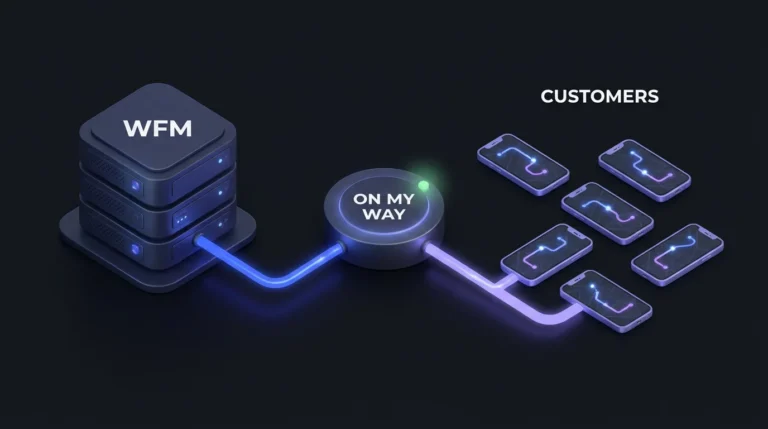
On My Way does not build rotas, forecast demand or plan capacity; workforce scheduling software owns those decisions. On My Way sits downstream, on top of whichever WFM executes the plan, and manages the layer most scheduling stacks leave exposed: the customer.
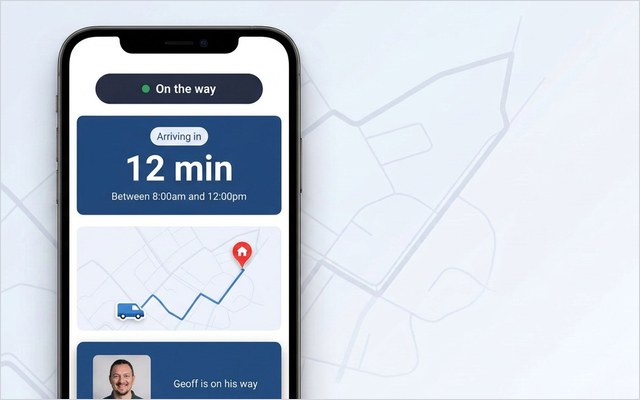
When the plan changes, customers hear automatically by SMS and email (via Twilio, Boomerang or the Leadent SMS Gateway) rather than discovering it on the doorstep. Customers who need to move an appointment rebook or cancel themselves in a browser, with no app to install, so the change flows back into the WFM as data instead of agent time. On the day, live tracking and an accurate ETA answer the where-are-you question before it is asked. Real-time NPS and CSAT surface a broken promise while it can still be recovered, and the Contact Centre View, on the Premium tier, lets agents see what the customer sees. For the IT gate: SSO via Microsoft Entra ID, role-based access control, encryption, regional data residency and GDPR compliance, all white-labelled under your brand.
Foxtel, the Australian pay-TV operator, saw 38% fewer customer no-shows once proactive updates and self-service rebooking went in front of its field operation; the Foxtel case study has the operational detail. Across deployments, the typical reduction in appointment-related calls runs at 40–55%, and the commercial commitment is blunter still: 35% fewer appointment-related calls within 90 days, or Leadent keeps working free until you get there. Go-live takes 4–6 weeks against an existing WFM, and a 6-week pilot proves the numbers on one region before you roll out.
For a UK-focused shortlist of platforms and what to require from them, see the field service management software UK guide.
Related reading: mobile workforce management, route optimisation for field service teams and workforce management software for field service.
Frequently asked questions
What is the difference between workforce scheduling software and job scheduling software?
Workforce scheduling software decides who is available: shift patterns, rotas, leave, skills coverage and compliance, planned days or weeks ahead. Job scheduling software assigns individual work orders to those available people, usually through the scheduling engine inside your WFM, minutes to days ahead. The first sets capacity; the second spends it.
Is rota software the same thing?
Same category, smaller scope. Rota software and shift scheduling tools handle patterns, swaps and leave well, and suit single-site teams. At enterprise field-service scale the differentiators are demand forecasting, a compliance rules engine, scenario planning and WFM integration.
Our WFM already has a scheduling engine. Do we still need this?
The engine inside your WFM assigns jobs to whoever is available; something still has to decide availability. Several WFM vendors sell workforce planning or capacity modules that do exactly that, so judge them against the same checklist: measured forecast accuracy, compliance enforced at rota-build time, open APIs and scenario modelling.
How should we measure demand forecast accuracy?
Track forecast error by skill, region and week (mean absolute percentage error is the usual yardstick) and review it weekly against actuals. A single national accuracy figure hides the depot-level misses that wreck rotas. Insist the vendor exposes it in-product before you sign.
Where does On My Way fit next to workforce scheduling software?
Downstream. On My Way reads the live schedule from your existing WFM and manages the customer consequences: proactive SMS and email updates, live engineer tracking, and browser-based self-service rebooking with no app install. Scheduling tools decide the plan; On My Way makes sure customers hear about it without calling.
The bottom line
Choose workforce scheduling software on the strength of its demand forecast, the rigour of its compliance rules engine, the depth of its WFM integration and its ability to model scenarios before they hurt. Keep the three layers distinct: workforce availability, job assignment, customer communication. Then score the whole stack the way your customers will, by windows offered honestly and promises kept.
If the rota keeps dissolving into inbound calls, the fastest fix sits downstream. Request a quote and book a demo: a 30-minute working session, no slide deck, with your appointment volumes and the 35%-in-90-days guarantee on the table. Or start with how it works.
References
- MarketsandMarkets — Field Service Management Market, Global Forecast to 2030 (2025)
- Salesforce — State of Service Report, Sixth Edition (2024)
- TSIA — The State of Field Services 2025 (2025)
- Aquant — Field Service Benchmark Report (2024)
- GOV.UK — Maximum weekly working hours, Working Time Regulations (1998)
- On My Way / Leadent Digital — enterprise deployment data (appointment-change volume; client outcomes).

Keep your WFM. Upgrade what your customers experience.
On My Way is the customer-experience layer for field service: live arrival tracking, self-service rebooking, notes and photos, and feedback, added on top of the scheduling system you already run. No rip-and-replace, live in four to six weeks.