PPM Software: Planned Preventive Maintenance Tools Guide
When the PPM planner spreadsheet finally gives out — the macros break, the one person who understood it retires, or an auditor asks for evidence it cannot produce — the question maintenance managers ask is rarely about features. It is blunter: which PPM software will tell us what is due, prove what was done, and stop the winter service round collapsing into firefighting? This guide answers it, and covers the selection test almost no requirements list includes.
Quick answer: PPM software holds the asset register, generates work orders on time, usage or condition triggers, captures completion evidence and reports on programme adherence. It usually lives inside a CMMS or CAFM platform, or as maintenance plans in your WFM. Run well, preventive regimes cost 12–18% less than reactive-only maintenance, according to US Department of Energy guidance.
Key takeaways
- PPM software does five jobs: asset register, schedules by time, usage or condition, automatic work generation, compliance evidence and adherence reporting.
- It lives in three places (CMMS or CAFM module, WFM maintenance plans, or a standalone planner); most enterprises already own at least one.
- Evaluate on asset data quality, evidence on demand, integration with the scheduling stack, mobile completion and adherence reporting, in that order.
- Access failure is the classic PPM killer, and it is a communication failure rather than a planning failure.
- Planned visits are booked weeks ahead, which makes them the easiest appointments in field service to confirm, remind, track and rebook.
What does PPM software actually do?
PPM software turns a maintenance policy into scheduled, evidenced work. It holds the asset register: every boiler, lift, air-handling unit and fire damper, with location, criticality and service requirements. It applies schedule rules to those assets by elapsed time (quarterly, annually), by usage (running hours, cycles, meter readings) or by condition (sensor thresholds, inspection findings). It generates work orders automatically as each trigger falls due. It captures completion evidence (certificates, readings, photos, signatures) and reports on the programme itself: overdue tasks, adherence by site, cost per asset.
This piece is about choosing the tools, not designing the regime. If you are still deciding which assets to cover or what frequencies to set, start with our guide to planned preventive maintenance; the discipline comes first, and no PPM system rescues a badly designed schedule. The economics are settled either way: US Department of Energy guidance puts preventive savings at 12–18% over reactive-only regimes, yet notes more than half of maintenance resource in typical facilities still goes on reactive work.
Where PPM software lives: CMMS module, WFM plans or standalone planner
PPM functionality has three realistic homes; most enterprise operators already own at least one.
The first is a module inside a CMMS or CAFM platform. Most computerised maintenance management systems ship it as core functionality — the CMMS PPM module — so register, schedule engine and work orders sit in one database alongside reactive work. Where the estate is buildings-led, the maintenance module of a CAFM platform does the same job; see our CAFM system guide and the wider facilities management software landscape.
Second, maintenance plans inside the workforce management or field service platform. SAP, IFS and Oracle support recurring plans against assets, and FSM suites can raise scheduled work and dispatch it with the engine that handles reactive jobs. For operators running hundreds of technicians this keeps planned and reactive demand in one scheduling pot, which matters when capacity is tight. Our field service management guide maps the category, a market MarketsandMarkets (2025) projects growing from USD 5.10 billion in 2025 to USD 9.17 billion by 2030.
The third route is standalone maintenance scheduling software: lighter PPM planners that handle schedules and evidence without a full CMMS around them. They suit single-discipline contractors and smaller portfolios; at enterprise scale they tend to become another island of asset data. None of these routes is inherently better; the right one depends on where your asset register already lives and which system engineers actually complete work in.
How to evaluate planned preventive maintenance software
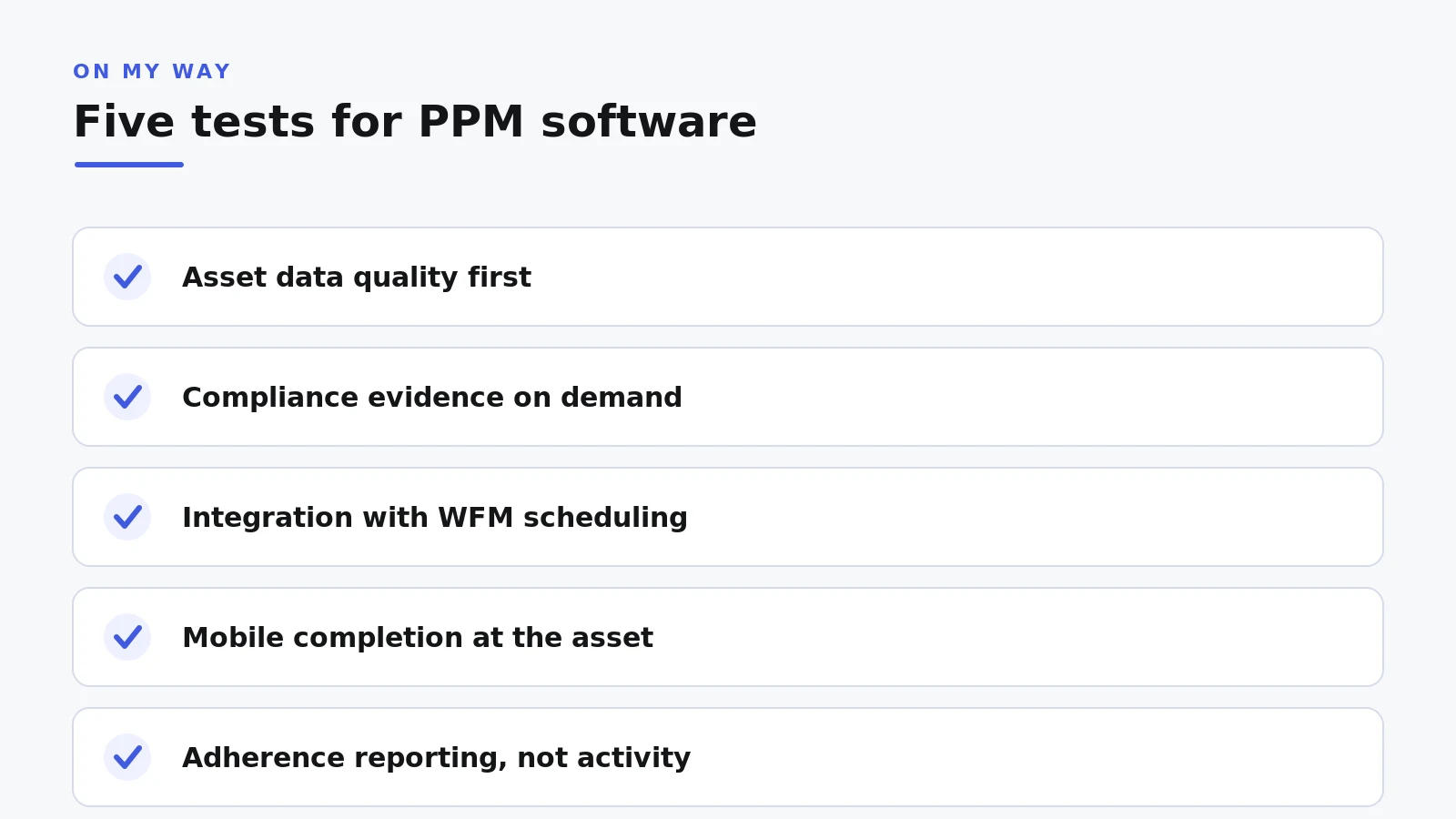
Feature lists will not separate serious contenders; these five tests will.
- Asset data quality first. The software is only as good as the register it schedules against. Before any demo, audit what you hold: asset counts by site, missing locations, duplicates, histories trapped in the old planner. Vendors migrate data; they do not clean it.
- Compliance evidence on demand. Ask each vendor to produce a complete evidence pack for one asset and one regime (gas, F-Gas, LOLER, legionella) live in the demo. If the answer involves a report writer and a support ticket, keep looking.
- Integration with the scheduling and WFM stack. Generated work orders have to land where engineers are dispatched, and completion status has to flow back. A PPM system that cannot do both quietly rebuilds the spreadsheet problem it replaced, spread across two systems.
- Mobile completion. Evidence captured at the asset beats evidence typed up in the van at five o’clock. Check offline behaviour in plant rooms and basements, because that is where PPM work actually happens.
- Reporting on adherence, not activity. The number that matters is planned work completed within its window, by asset class and site, trending over time. Without it you manage a backlog, not a programme.

The test no requirements list includes: does the occupant find out?
Usually not, and that is the odd thing about PPM. The visit was generated weeks in advance; the work order has carried a date since the schedule ran. Yet the occupant (the tenant, the site contact, the customer on a service contract) typically hears days beforehand, by letter or a card through the door, or not at all. So the tenant is out, the plant room is locked, the goods lift is booked. Engineers record a no-access visit; finance pays twice for one service.
Access failure is the classic PPM killer, and on planned work it has no excuse. A reactive job can plead urgency because it appeared yesterday; a planned visit had weeks of notice sitting unused in the maintenance system. The damage shows in completion metrics too. Average first-time fix across field service runs at 76%, with top performers reaching 87% (Aquant, 2024), and a visit that fails at the door is an automatic miss.
This is also why planned work is the easiest appointment communication win in field service. A visit known six weeks out can be booked early, confirmed, reminded before the day, tracked on the day, and rebooked in seconds when the slot fails, every change flowing back to the schedule. None of that needs new maintenance software. It needs the appointment your PPM system already generated to reach the person holding the door key, with a way to respond. Appointment traffic across On My Way’s enterprise deployments shows why the response matters: details keep moving after a booking is made, and a date set weeks ahead rarely reaches the day unchanged. The operators who absorb those changes cheaply let customers make them self-service.
The results are measurable. E.ON recorded 19% higher appointment-based first-time job completion once customers could confirm and rearrange visits themselves. Foxtel saw 38% fewer customer no-shows, and a no-show on planned work is precisely the failed access that PPM programmes suffer most.
See it against your own schedule. Bring one month of planned visits to a 30-minute working session, no slide deck: we will map where your failed-access cost sits and what communicated PPM looks like on your stack. Book the session, or read how it works first.
Communicated PPM in practice, without replacing anything
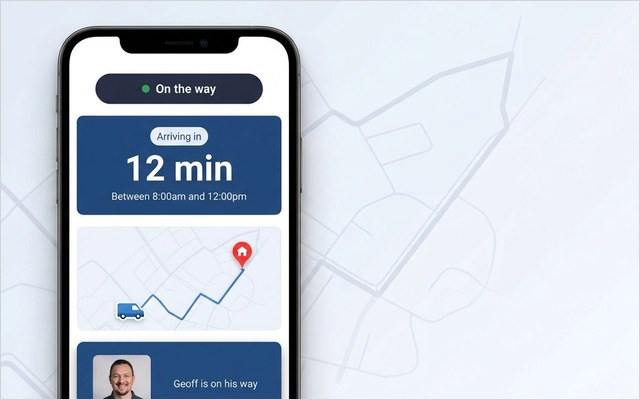
On My Way is not a PPM system and holds no asset register. It is a communication and self-service layer that sits on top of whatever generates the visit (CMMS, CAFM module or WFM maintenance plan) and runs the conversation with the occupant. When the schedule creates an appointment, the occupant gets an SMS or email with the date and a link that opens in any browser: no app to install, white-labelled in your brand or your client’s. They confirm the slot or move it to one that works, and the change flows back to the scheduler rather than into a call queue. Reminders go out ahead of the day; live tracking then shows the engineer travelling with a real ETA; a short NPS or CSAT pulse afterwards confirms the visit landed. Contact centre agents see the same picture, so the calls that still come are short.
Deployment is deliberately unexciting. Go-live typically takes four to six weeks on top of the existing stack, a six-week pilot on one contract or region is the usual way in, and enterprise controls come as standard: single sign-on via Microsoft Entra ID, role-based access, encryption and UK/EU data residency under GDPR. The commercial promise is specific too — 35% fewer appointment-related calls within 90 days of go-live, or Leadent keeps working free until you get there. Typical results run 40–55%.
Frequently asked questions
Is PPM software the same as a CMMS?
No. A CMMS manages all maintenance work, reactive and planned, against an asset base; PPM functionality is normally one module inside it. Standalone PPM planners exist, but at enterprise scale most planned maintenance runs from a CMMS PPM module, a CAFM platform or maintenance plans in the WFM.
Can our WFM generate PPM work orders instead of a separate system?
Often, yes; SAP, IFS, Oracle and the FSM suites all support recurring plans against assets. The deciding factor is where the master asset register lives: generating work in the WFM while it sits elsewhere means reconciling two systems indefinitely.
How does PPM software handle compliance evidence?
Good tools attach certificates, readings, photos and sign-offs to the work order at completion, then produce an evidence pack per asset or per regime on demand. Test it live with your hardest audit question; it is the clearest separator between products.
How long does PPM software take to implement?
The long pole is almost always asset data cleansing and migration, not configuration, so realistic enterprise programmes run months. The communication layer is quicker: On My Way typically goes live in four to six weeks on top of the existing maintenance and scheduling stack.
Does On My Way replace PPM or maintenance scheduling software?
No. On My Way creates no schedules and holds no asset data. It takes the appointments your PPM, CMMS or WFM system generates and handles confirmation, reminders, live tracking, feedback and self-service rebooking with the occupant, then feeds every change back to the source system.
The bottom line
Choose PPM software on the unglamorous fundamentals: clean asset data in, evidence out on demand, work orders landing where engineers are dispatched, adherence you can watch trending. Then close the gap the requirements list misses. Your programme knows about every visit weeks in advance; the person expected to open the door usually does not, and that mismatch, not the schedule engine, is where planned work fails.
Pricing for On My Way is request-a-quote, sized to your technician count. Request a quote and book a demo: a 30-minute working session against your own planned schedule, occupant journey included.
References
- US Department of Energy / PNNL — Operations and Maintenance Best Practices Guide, Release 3.0 (2010)
- Aquant — Field Service Benchmark Report (2024)
- MarketsandMarkets — Field Service Management Market Forecast (2025)
- On My Way / Leadent Digital — enterprise deployment data (appointment-change volume; client outcomes).

Keep your WFM. Upgrade what your customers experience.
On My Way is the customer-experience layer for field service: live arrival tracking, self-service rebooking, notes and photos, and feedback — added on top of the scheduling system you already run. No rip-and-replace, live in 4–6 weeks.