Customer Portal Software: The Buyer’s Guide for Field Service

Around 90% of customers now expect an organisation to offer an online self-service option (Microsoft, via Document360, 2025). Ask those same customers to manage a field-service visit and most are still handed a phone number and a hold queue. Closing that gap is why customer portal software has climbed the buying agenda for service operations. The three routes to one differ far more in outcome than in brochure.
Quick answer: Customer portal software gives service customers a branded, browser-based place to run their own appointments: view, track, rebook, cancel and rate. Field-service buyers have three routes: build in-house, switch on the WFM’s native portal, or add a dedicated white-label layer on top, which typically goes live in four to six weeks.
Key takeaways
- In field service, a customer portal is appointment-centric — view, track, rebook, cancel, feedback — not a document-and-invoice client portal.
- Three routes lead to one: build in-house (multi-quarter), use your WFM’s native portal (capable but platform-shaped), or add a dedicated layer (typically live in 4–6 weeks).
- Adoption is decided at the front door: a no-login link in a text message beats a feature-rich portal behind an account signup.
- Measure portal success in deflected calls and no-show rates, not registered accounts.
- Bosch UK cut technician-location and ETA-related calls by 53% and saw 79% higher customer engagement with appointment comms.
Buying customer portal software for a field-service operation is a different exercise from buying it for a law practice. The label is shared; the job is not. Your customers have no documents to approve. They want to know when the engineer is arriving, move Thursday’s visit before the school run, and get on with their day. This guide takes the decision on those terms: what the category means in field service, the three routes available, and an evaluation checklist with real teeth.
It sits alongside our customer self-service playbook, which makes the strategic case end to end. This piece is the commercial half: which kind of portal, from whom, judged on what evidence.
What customer portal software means in field service
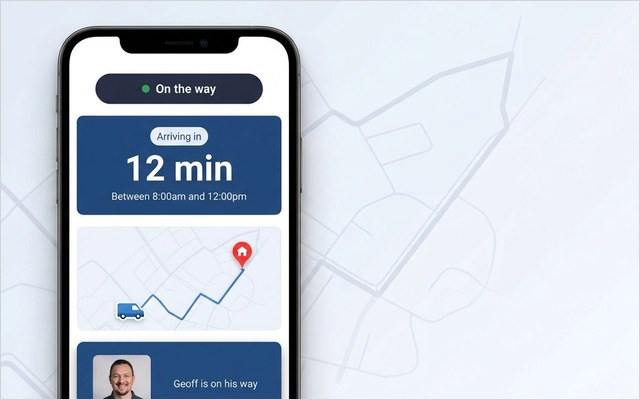
Customer portal software is any product that gives your customers a secure, self-service place to transact with you online. In most industries that means a client portal: documents, invoices, messages. In field service it means something narrower and more operational — an appointment portal, where the customer can see the visit they’ve booked, track the engineer on the day, rebook or cancel when plans change, and leave feedback once the work is done.
The distinction matters at the shortlist stage. A document-centric client portal has no concept of a schedule, a technician or an ETA. Appointment-centric self-service portal software lives or dies on its connection to the workforce-management (WFM) system underneath. Five flows earn the fee — view, track, rebook, cancel, feedback — and self-service rebooking does the heaviest lifting, because customer-initiated changes are the largest single source of avoidable calls.
Demand is not the open question. Around 61% of customers would rather resolve a simple issue themselves than contact a live agent (Salesforce, 2024), and moving an appointment is precisely that kind of issue. More than two-thirds want organisations to reach out proactively rather than wait to be chased (Salesforce, 2024). The gap is execution: 80% of high-performing service organisations offer self-service, against 56% of underperformers (Document360, 2025).
Adoption is decided at the front door
Fix one idea first: the front door decides who uses a portal, not the features inside it. A customer self-service portal reached from a link in the appointment text, opening instantly in the browser with the booking already on screen, gets used. A portal behind an account signup, an email-verification loop and a forgotten password does not. Every login field costs users. A mandatory app download costs most of them.
The corollary is that portal success is measured in deflected calls, not registered accounts. An operation can report thousands of registrations while its contact centre takes the same “where is my engineer?” calls, because the customers who ring never got past the signup screen. The number a portal exists to move is inbound appointment-related call volume, with the no-show rate close behind.
The stakes are concrete. Across On My Way’s enterprise deployments, roughly a third of bookings end up amended by the customer and about one in eight are cancelled outright; every change that arrives by phone ties up an agent for several minutes, and demand skews hard towards evenings and weekends, when the queue is thinnest (On My Way deployment research). A no-login portal opened from a 9pm text absorbs that demand. One that asks for account creation sends it back to the next morning’s phone queue.

Three routes to a customer portal: build, native or layer
Enterprise field-service operations get to a portal by one of three routes. Each is legitimate; they differ on time, risk and outcome.
Build in-house. Full control of the experience and the roadmap, and no per-user licence. The price is time and permanence: a portal that reads live schedule data and writes changes back safely is a multi-quarter engineering project, and it never stops needing a team, because WFM APIs version, security reviews recur and messaging providers change. It makes sense when digital experience is itself the product.
Use the WFM’s native portal. Every major platform now ships customer-facing capability, with real strengths: one vendor, one data model, one contract. Oracle Field Service includes a “Where’s My Technician” arrival notification and a customer-communication module; Dynamics 365 Field Service offers customer self-scheduling built on Power Pages; Salesforce Field Service ships the Appointment Assistant for real-time arrival updates. We’ve written even-handed, platform-specific guides to the Oracle Field Service customer portal, the Dynamics 365 Field Service portal and the Salesforce Field Service equivalent. The trade-off: these are operational platforms first, so the customer-facing piece centres on arrival notifications or scheduling forms rather than a fully branded end-to-end portal, and it ties your customer experience to one platform’s roadmap.
Add a dedicated layer. WFM-agnostic customer portal software — On My Way is one example — connects to whichever system runs the schedule (Oracle Field Service, IFS, SAP, ServiceMax, Salesforce Field Service, Microsoft Dynamics 365), reads appointment data through APIs, and puts a white-label portal in front of it. The scheduling engine stays untouched, which is why a typical go-live is four to six weeks rather than quarters. The trade-off is a second vendor and a dependency on integration quality, which the checklist below is built to probe. Side-by-side write-ups live on our comparison hub.
This decision is being made everywhere at once: the field-service management market is projected to grow from USD 5.10 billion in 2025 to USD 9.17 billion by 2030, a 12.5% compound annual growth rate (MarketsandMarkets, 2025).
| Criterion | Build in-house | Native WFM portal | Dedicated layer |
|---|---|---|---|
| Time to live | Multi-quarter | Weeks to months, config dependent | Typically 4–6 weeks |
| Customer-side friction | Your design call | Often account or form based | No-login link, browser-based |
| White-label depth | Total | Platform-styled, variable | Full: your brand throughout |
| Survives a WFM change | Rebuild the integration | No; tied to the platform | Yes; WFM-agnostic |
| Ongoing burden | Permanent team | Platform admin | Vendor-managed |
| Outcome accountability | Internal | Rarely guaranteed | Contractual call-reduction guarantee |
Shortlisting portal software? The fastest way to pressure-test any route is to watch a live portal on real appointment data. Book a 30-minute working session: no slide deck, your scenarios, and a straight answer on how your WFM is supported.
The evaluation checklist: six tests with teeth
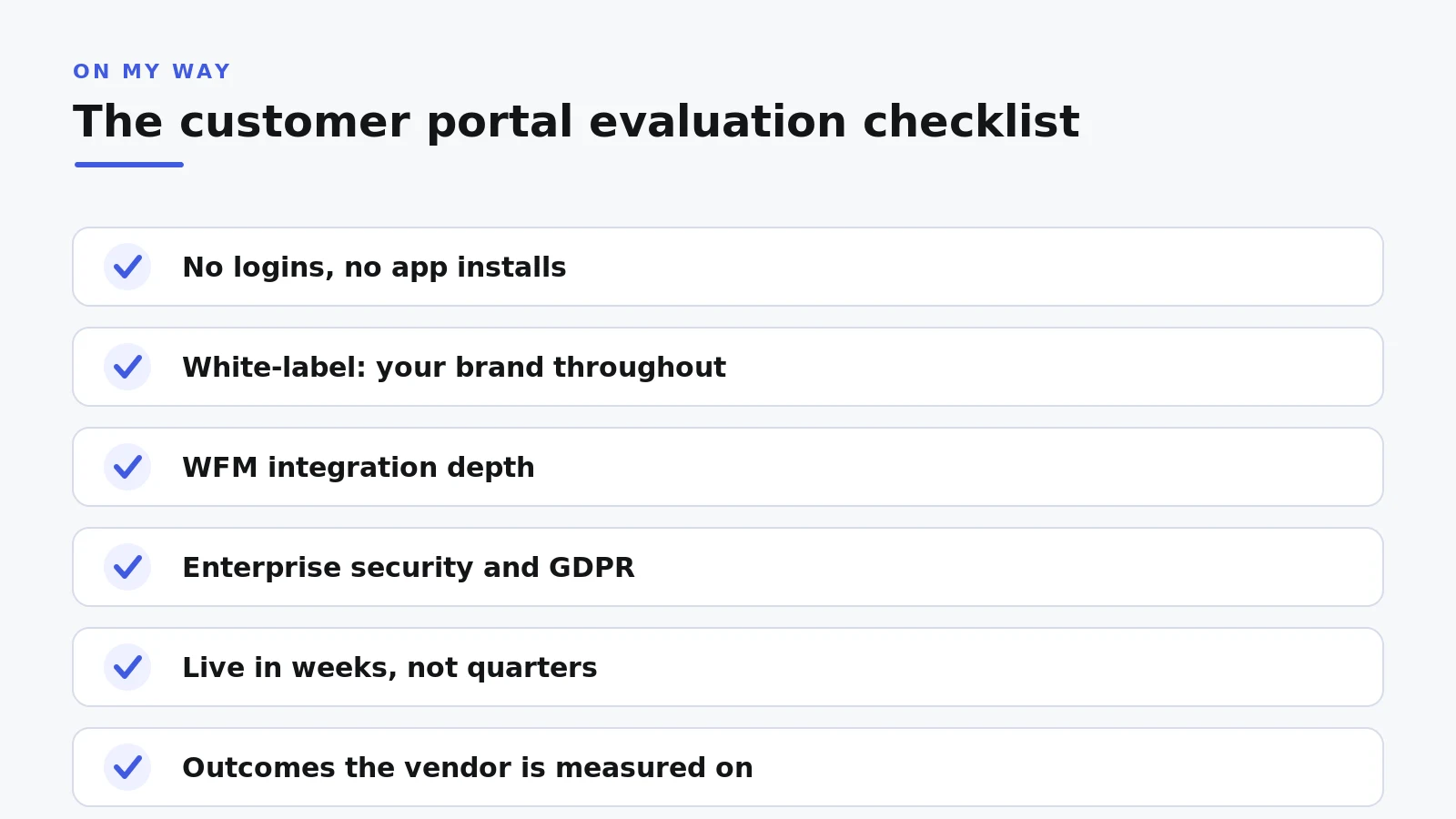
Six criteria separate portal software that deflects calls from portal software that collects logins. Put these at the top of the scorecard.
1. No logins, no app installs
The portal must open from a link in an SMS or email, in the browser, with the customer’s appointment already loaded. No account creation, no password, nothing to fetch from an app store. On My Way’s customer side is entirely browser-based, with messages delivered over SMS and email through Twilio, Boomerang or the Leadent SMS Gateway. If a vendor demos a login screen, ask what share of customers get past it.
2. White-label: your brand, not the vendor’s
Customers trust links that look like the company they booked with, and distrust everything else — sensibly, given SMS phishing. A white-label portal carries your logo, colours and tone throughout, so the tracking page reads as yours rather than as a third party asking odd questions. The minutes a customer spends watching an engineer approach are among the few moments a service brand gets full attention; spend them on your brand.
3. WFM integration depth
An appointment portal is only as good as its read of the schedule. Probe three layers: does it read live appointment and resource data from your WFM; does it write customer changes back through supported APIs rather than screen-scraping or batch files; and does it survive a platform upgrade. Ask for the reference architecture for your specific WFM and version, not a generic diagram. One layer can also front different WFM instances across regions, which a single-platform portal by definition cannot.
4. Security that passes IT review first time
Portal projects lose more weeks to security review than to implementation, so ask for evidence up front: single sign-on via Microsoft Entra ID for operational users, role-based access control, encryption in transit and at rest, regional data residency options, and GDPR compliance documented rather than asserted. Scrutinise the customer side in the other direction: no-login access should rest on expiring, appointment-scoped links, so convenience never becomes exposure.
5. Time-to-live in weeks, not quarters
Because a layer changes nothing in the scheduling engine, implementation is configuration and integration rather than migration. A typical On My Way go-live runs four to six weeks, with a six-week pilot option for operations that want proof on one region or job type first. Hold every route to the same question: when does call volume first move?
6. Outcomes the vendor will be measured on
The sharpest test is which number the vendor is prepared to be held to. Call deflection and no-show rate are the two that matter, with engagement and real-time NPS or CSAT as supporting signals. Maturity shows in the extras too: in-appointment marketing and greener slot choices (offering times when an engineer is already nearby) only appear in products that have run at enterprise scale. A vendor who prices confidence into the contract is telling you what their deployment data looks like.
Proof: what customer portal software delivers in production
The category’s clearest field proof is Bosch UK, which runs around 350 engineers delivering roughly 1,100 appointments a day. With a white-label tracking and self-service layer over its existing WFM, Bosch UK cut technician-location and ETA-related calls by 53% and saw 79% higher customer engagement with appointment comms. No scheduling system was replaced. What changed was the front door: a link that opened instantly and a rebooking flow that took seconds.
When you read numbers like these, in any vendor’s material including ours, keep three figures distinct. The guarantee: On My Way commits to a 35% reduction in appointment-related calls within 90 days, or Leadent keeps working at no cost until it’s hit. The typical range: enterprise deployments usually land between 40% and 55%. The named actual: Bosch UK’s 53%. Guarantee, typical, actual — a vendor who blurs the three is asking you to buy the best case.
Pricing: what the models tell you
Customer portal software at enterprise scale is priced one of two ways: a recurring per-technician fee, or an appointment-volume model for very large books of work. On My Way offers both, and the honest answer on cost is a scoped quote, because technician count, appointment volume and the WFM estate all move the number. Treat any price published without those inputs as a placeholder.
Structure tells you more than the sticker. Per-technician pricing scales with your field force rather than with how much customers use the portal, so heavy adoption costs nothing extra. Watch for hidden seats too: if contact-centre agents need WFM licences just to see what customers see, that is a real cost. On My Way’s Contact Centre View, a Premium option, gives agents the same live picture without consuming WFM licences.
Frequently asked questions
Is customer portal software the same as a client portal?
They overlap in name only. A client portal is built around documents, invoices, cases and messages. A customer portal for field service is built around the appointment: view, track, rebook, cancel, feedback. If a product cannot read your schedule and show a live ETA, it is the wrong category.
Do customers need to create an account or download an app?
With well-designed field-service portal software, no. The customer taps a link in an SMS or email and the portal opens in the browser with their appointment loaded. Around 61% of customers prefer to self-serve simple issues (Salesforce, 2024), but only when the route in is effortless.
Can’t we just use the portal built into our WFM?
You can, and for some operations it is the right call: one vendor, one data model. Oracle, Microsoft and Salesforce all ship customer-facing capability. The limits tend to show in white-labelling, no-login access and end-to-end self-service depth, which is where a dedicated layer differentiates.
How long does customer portal software take to implement?
A dedicated layer on top of an existing WFM typically goes live in four to six weeks, with a six-week pilot option to prove it on one region or job type first. An in-house build is a multi-quarter programme. Native WFM portals sit between the two.
What does customer portal software cost?
Enterprise pricing is either a recurring per-technician fee or an appointment-volume model for very large operations. On My Way quotes against your technician count, appointment volume and WFM estate rather than publishing flat tiers. The commercial backstop is the guarantee: 35% fewer appointment-related calls within 90 days, or the work continues free.
How do we measure whether a portal is working?
Baseline two weeks of inbound calls by category before launch (ETA enquiries, reschedules, cancellations), then track the same categories after go-live. Deflected calls and the no-show rate are the primary outcomes; engagement with appointment messages and post-visit NPS are the leading indicators. Watch the out-of-hours share too, because a portal absorbs demand the phone queue never could.
The bottom line
Customer portal software in field service is an appointment product, not a document product, and choosing it is really a decision about friction. Build if digital experience is your core business and you can staff it permanently. Use the native portal if arrival notifications and platform-styled scheduling forms cover your ambition. Add a dedicated white-label layer if you want customers rebooking from a text message within six weeks, on your brand, with the WFM untouched and a vendor contractually on the hook for call reduction.
The checklist is route-neutral either way: no logins, no installs, white-label, integration depth, enterprise security, weeks to live, measured outcomes. Score every option against it and the shortlist tends to write itself.
Ready to put a portal in front of your customers? Book a 30-minute working session — no slide deck, your appointment scenarios, and you’ll leave with a quote scoped to your technician count and WFM. Or see the mechanics first on how On My Way works.
References
- Document360 — Top 2025 Self-Service Statistics & Its Importance (2025)
- Salesforce — State of the Connected Customer: Customer Service Statistics (2024)
- MarketsandMarkets — Field Service Management Market worth $9.17 billion by 2030 (2025)
- On My Way / Leadent Digital — enterprise deployment data (appointment-change volume; client outcomes).

Keep your WFM. Upgrade what your customers experience.
On My Way is the customer-experience layer for field service: live arrival tracking, self-service rebooking, notes and photos, and feedback — added on top of the scheduling system you already run. No rip-and-replace, live in 4–6 weeks.