Job Sheet Templates: A Practical Guide for Field Service Teams

Quick answer: A job sheet is the record of a single field visit — what was requested, who attended, what was done, the parts used, and proof the customer accepted the work. A good template captures every one of those fields the same way on every job, so nothing is lost between the doorstep and the back office. Done digitally, it raises first-time fix and lets you tell the customer the moment a job is logged or completed.
Key takeaways
- Eleven fields cover almost any trade: job reference, customer, site, date and time window, engineer, work requested, work done, parts used, photos, customer sign-off and follow-up. The template below is ready to copy.
- A job sheet documents one visit; a work order authorises and schedules the job. Digital sheets are timestamped, photo-backed and searchable where paper is not.
- The “job logged” and “job completed” events on a digital job sheet are exactly what the customer wants to hear about, which is where the sheet stops being back-office admin and becomes a customer update.
A field engineer finishes a boiler repair at half past four, scribbles the parts on a dog-eared sheet, gets a signature that is half a smudge, and drops the carbon copy into a tray two days later. By then the customer has rung twice asking whether the work is signed off, the office cannot raise the invoice because nobody can read the part numbers, and the warranty claim is missing a photo nobody took. Nothing about the engineering was wrong. The record of it was. That gap — between work done well and work documented badly — is the whole reason job sheets, and the templates that standardise them, matter.
This guide covers what a job sheet is, the fields every one should carry, a template you can lift straight into use, the case for going digital, and how a well-built job sheet improves two numbers operations care about: first-time fix, and the volume of customers chasing the contact centre for an update.
What is a job sheet?
A job sheet is the document an engineer completes for a single visit: what the job was, who attended, what they found and did, what they used, and whether the customer accepted the outcome. In a paper operation it is a printed pad with a carbon copy; in a modern one it is a digital form on a phone or tablet the office can see the instant it is saved. You will also see it called a work sheet template, a service report or a site sheet, but the purpose is the same in every case: one trustworthy account of one visit, captured at the point of work rather than reconstructed from memory.
It helps to separate the job sheet from the work order, since the two are routinely confused. A work order is the instruction — it authorises the job, sets the priority and slots the visit into a schedule. The job sheet is the evidence that comes back from the field. One commissions the work, the other proves it. We cover the upstream side in our guide to work order management; the job sheet is what closes the loop a work order opens.
What every job sheet should include
A job sheet earns its place by being complete and consistent — the one field an engineer skips is the one the office needs three weeks later. Eleven fields cover the great majority of field-service trades, from heating and plumbing to utilities and telecom.
- Job reference: the unique number tying the sheet to the work order, contract and invoice. Without it, a finished job is an orphan record.
- Customer details: name, contact, and the account or contract reference.
- Site address: not always the billing address.
- Date and time window: the slot booked and the actual times on site; your evidence against any agreed response timeframe.
- Engineer: who attended, plus their registration where the trade demands it (a Gas Safe number, for instance).
- Work requested: the reported fault, captured verbatim.
- Work done: what was found and performed, in plain, specific language. The single most important field for first-time fix analysis.
- Parts and materials used: each item with quantity, recorded against the job rather than carried to the month-end van check in someone’s head.
- Photos: before-and-after images that settle disputed repairs and support warranty claims.
- Customer sign-off: a signature or digital acceptance, with date and time.
- Follow-up: complete, or a return visit / parts on order / further action. This is where the next work order is born.
“Work done” and “parts used” do most of the heavy lifting: one is what your first-time fix reporting depends on, the other is where margin quietly leaks when it is left to memory. A template that makes both mandatory is doing real work.

A job-sheet template you can use
Here is a structured template mapping onto the eleven fields above. It works as a printed pad, but it is built to be rebuilt as a digital form, since the field list is the same either way.
| Section | Field | Notes |
|---|---|---|
| Header | Job reference | Links to work order / invoice |
| Date | ||
| Engineer name & ID | Include registration no. if required | |
| Customer | Customer / account name | |
| Contact number | ||
| Site address | If different from billing address | |
| Appointment | Booked time window | e.g. 08:00–12:00 |
| Arrived / departed | Actual times on site | |
| The work | Work requested | Fault or task as reported |
| Work done | What was found and carried out | |
| Status | Complete / return visit / parts on order | |
| Parts | Part / material | One row each |
| Quantity | ||
| Evidence | Photos attached | Before / after |
| Notes & recommendations | Safety advice, follow-up needed | |
| Sign-off | Customer signature | |
| Date & time accepted | ||
| Follow-up required? | Yes / no — and what |
For a single trade, add only what your sector requires — a compliance certificate reference for gas work, an asset or meter number for utilities, a serial number for appliance repair. The spine stays the same across electrician software, gas engineer software or plumbing software; the sector specifics sit on top.
The catch with a paper version is that it is only as good as the handwriting, and the days it takes to reach the office. Which brings us to the choice most operations have already made.
Digital vs paper: the mobile job sheet
Paper job sheets have one virtue (they work with no signal and no battery) and a long list of costs: slow to fill in, frequently illegible, easy to lose, impossible to search, and sitting in a van for days before the office sees them. To illustrate the scale: for a 100-engineer operation, just one mislaid sheet per engineer per week works out at roughly 400 missing records a month, every one a delayed invoice and a hole in the audit trail.
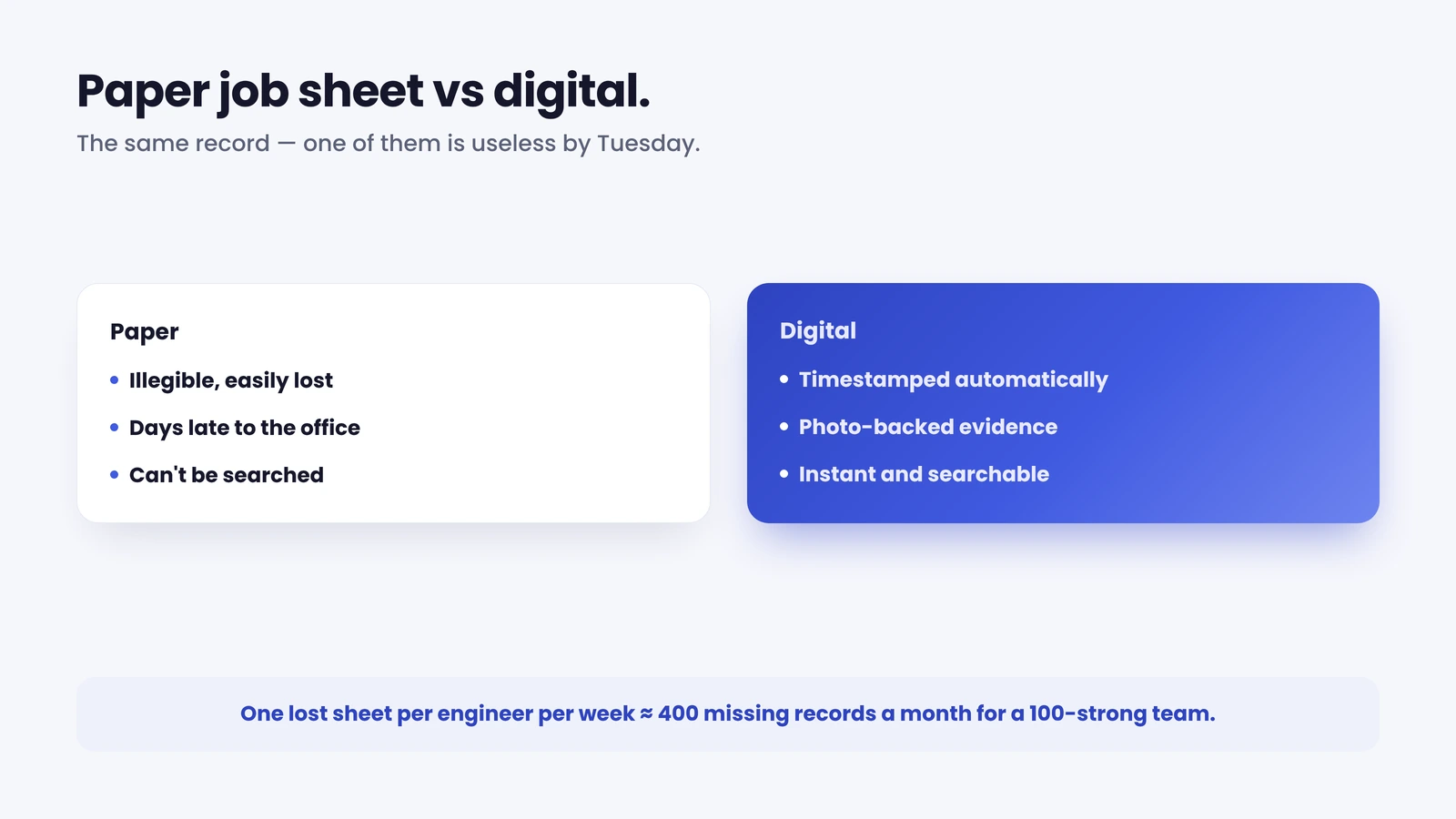
A digital job sheet closes almost every one of those gaps. It is timestamped, legible, backed up, searchable, and visible to the office the moment it is saved, and it carries data both ways: the engineer pulls customer and asset history down to the job and pushes the completed record, photos and signature straight back up, with no carbon copy and no transcription error on a part number.
A mobile job sheet (the digital sheet completed on the device in the engineer’s hand, on site) is where that record is actually won or lost, because it is where the data is created. Two features decide whether a job sheet app helps or hinders. The first is offline capture: a plant room, basement or rural property often has no mobile data, so the app must capture everything locally and sync when it reconnects — test that on a real job before you buy, because an app that loses a sheet underground is worse than the paper it replaced. The second is pre-filled records, so the engineer never re-types details the system already holds.
Enterprise operations need a third thing the small-business tools ignore: the app has to fit the workforce-management (WFM) system the engineers already run on (Oracle, IFS, SAP, ServiceMax, Salesforce), not replace it. A national operation wants completed job data and photos flowing back into the system of record, not a second scheduling system bolted on the side. Integration, not feature count, is the buying criterion at scale.
How digital job sheets improve first-time fix
This is where a tidy administrative habit turns into an operational number. First-time fix rate, the share of jobs resolved in a single visit, is a headline measure of any field operation, and the job sheet feeds it at both ends. The industry average sits at 76%, with the top quintile reaching 87% and the bottom 55%, according to Aquant’s 2024 Field Service Benchmark. The gap compounds: Aquant found a failed first visit turns one job into an average of 2.7 total visits and adds about 13 days to resolution. Every avoidable return trip is a van and an engineer-hour spent twice.
Job sheets move the number both ways. Looking back, a well-completed sheet is the data you analyse to find why first visits fail — the recurring “work done” notes that reveal a missing part or an under-diagnosed fault. You cannot improve a first-time fix rate you cannot see. Looking forward, the asset and repair history on previous sheets is exactly what an engineer needs before the next visit: right parts loaded, right history in hand. Getting that information to the engineer ahead of arrival is how E.ON improved appointment-based first-time job completion by 19%.
25% — the improvement in appointment-based first-time job completion Brinks Home recorded after getting complete job and asset information to its engineers before each visit. The job sheet is where that information lives.
We go deeper on the metric in our guide to first-time fix rate. The job sheet is the quiet enabler underneath most of the levers that move it: better data in, fewer second visits out.
From job sheet to customer update
Here is the part most job sheet tools never reach. They are built to coordinate the operation (engineer, dispatcher, back office) and treat the completed sheet as an internal document. Yet the two events a job sheet marks, job logged and job completed, are exactly the two the customer most wants to hear about. When a job is assigned and a sheet is opened against it, they want to know it is booked, and when; when the sheet is signed off, they want confirmation it is done, and a chance to say how it went. Both are status changes a digital job sheet already produces; the opportunity is to surface them instead of leaving them in the back office.
This matters because of where contact-centre volume comes from. In a typical enterprise field operation, 30 to 40% of booked appointments are changed by the customer and 10 to 15% are cancelled, and each change tends to generate a five-to-seven-minute call, usually after hours (On My Way internal research into the appointment problem). Add the customers who ring simply to ask whether the work is finished, and much of the phone volume turns out to be questions the job sheet could answer automatically.
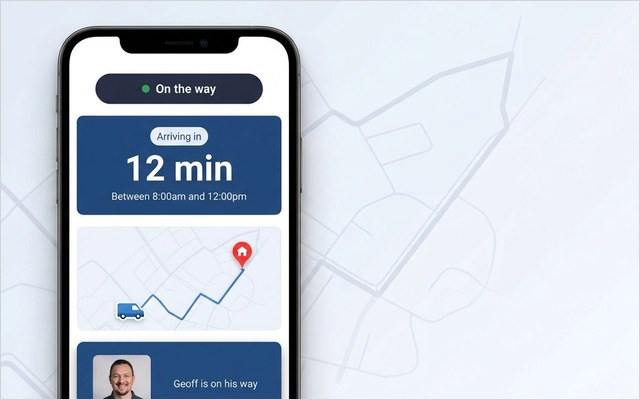
This is the layer On My Way provides, and the digital notes and photos an engineer captures on the visit are the same data that proves the work and informs the customer. None of it requires replacing your existing systems — the layer sits on top of whatever WFM and job-management tools you already run.
See it on your operation. On My Way turns the “job logged” and “job completed” events your job sheets already create into live tracking, automatic updates and a one-tap feedback request for the customer — through a browser portal with no app to install, on top of your existing WFM, no rip-and-replace, live in 4 to 6 weeks. Book a demo and we will show it against your own appointment workload, or see how it works.
Frequently asked questions
What should a job sheet include?
At minimum: a job reference, customer details, site address, the booked window and actual times on site, the engineer, the work requested, the work done, parts used, before-and-after photos, the customer’s sign-off, and any follow-up required. The two fields that matter most are “work done” (which feeds first-time fix analysis) and “parts used” (which protects margin).
What is the difference between a job sheet and a work order?
A work order authorises and schedules a job — it is the instruction that sets the priority, the customer and the appointment. A job sheet is the record that comes back from the field describing what actually happened against that instruction. The work order commissions the work; the job sheet proves it and closes the loop.
Can a digital job sheet update the customer automatically?
Yes, if it is connected to a customer-communication layer. The “job assigned” and “job completed” events a digital job sheet records are the same events a customer wants to be told about. A layer such as On My Way reads those events and turns them into confirmations, a live ETA and a completion message — through a browser portal, with no customer app to install — on top of your existing systems.

The bottom line
A job sheet is a small document with an outsized job: the single trustworthy record of a visit, on which your first-time fix reporting, invoicing and audit trail all depend. Standardise it with a consistent template, make it digital so the record is legible and instant, and the same “job logged” and “job completed” events become proactive customer updates, cutting the “is it done yet?” calls while raising the number of jobs you finish first time.
References
- Aquant — 2024 Field Service Benchmark Report (average first-time fix rate 76%; top quintile 87%, bottom 55%; failed first visit → 2.7 total visits, +13 days)
- On My Way / Leadent Digital — internal research into the appointment problem (30–40% of appointments changed by the customer, 10–15% cancelled, each change a 5–7-minute call).

Keep your WFM. Upgrade what your customers experience.
On My Way is the customer-experience layer for field service: live arrival tracking, self-service rebooking, notes and photos, and feedback — added on top of the scheduling system you already run. No rip-and-replace, live in 4–6 weeks.