Workforce Management Software: The Buyer’s Guide for Field Service

Sooner or later, every operations director running a large field workforce asks the same question about their workforce management software: has the platform stopped being good enough, or has the operation outgrown its setup? A replacement programme is among the most expensive decisions in field service, and answering wrongly, in either direction, costs more.
Quick answer: Choose workforce management software by matching the scheduling engine, mobile capability and integration surface to the shape of your operation, then pricing the full programme rather than the licence. In a field service market MarketsandMarkets values at USD 5.10 billion in 2025, the sharpest buying decision is often not to replace the engine at all.
Key takeaways
- Most software sold as workforce management is contact-centre rostering; workforce management for field service schedules mobile technicians. The two do not substitute for each other.
- Test the checks on your own data: scheduling engine depth, live re-optimisation, offline-capable mobile, the integration surface and the security gate (SSO, RBAC, data residency).
- Budget the programme, not the licence: implementation, integration, migration, training and backfill dominate WFM replacement cost, and timelines run in quarters.
- If utilisation and SLA metrics are healthy while calls and no-shows are not, the engine is not the problem; replacing it swaps one customer gap for an identical one.
- Extending with a customer layer goes live in four to six weeks, with the 35%-in-90-days call-reduction commitment underwriting the decision.
What do buyers actually mean by workforce management software?
In field service, workforce management software means the platform that forecasts demand, schedules and dispatches a mobile workforce and records its time; the catch is that most of the market wearing the name does something else. Search the term and the dominant results (NICE, Verint, Calabrio) roster contact-centre agents against call forecasts. Capable tools, wrong problem. An agent works one queue from one desk; a field technician works a route, with travel, a van of parts and certifications deciding which work is legal to attempt.
So the first filter in any evaluation is category, not features. Workforce management for field service has to hold travel time, skills, parts and working-time law inside one moving plan; hence the enterprise platforms (Oracle Field Service, IFS, SAP, Salesforce Field Service, Dynamics 365, ServiceMax) form a market of their own. What the engine does, function by function and platform by platform, is covered in our workforce management system overview: read that as the primer, this guide as its buying companion. For the wider map of work orders, parts, contracts and customer communication, see our guide to field service management.
MarketsandMarkets values field service management at USD 5.10 billion in 2025, heading for USD 9.17 billion by 2030 at 12.5% annual growth, with WFM software at the scheduling heart of that spend. Roadmaps are loud; a buyer without a written requirement will be sold a vision instead of a schedule.
Start from the shape of your operation, not the feature list
The right workforce management solution is determined by the shape of the operation it has to run, and a requirement written around that shape beats any feature checklist. Three shapes cover most enterprise field service:
- High-volume domestic books. Thousands of short B2C jobs a day, tight arrival windows, hard seasonality. Prioritise time-based scheduling, capacity forecasting and jeopardy management; a cold snap doubles demand faster than you can hire.
- Asset-centric contract service. Fewer, longer B2B visits against SLAs and entitlements. Asset history, parts logistics and contract terms drive the schedule; mobile depth matters more than raw appointment volume.
- Mixed and multi-entity estates. Acquisitions, subcontractors, several countries. Look for multi-entity configuration, contractor onboarding, language support and per-region data handling before admiring anything else.
Note what sits upstream, too. Rotas, shift patterns, absence and capacity planning are often bought as a separate module or product; our buyer’s guide to workforce scheduling software covers that layer, which deserves a deliberate purchase, not a bundled afterthought.

The field-service checks that separate serious WFM platforms
Four checks separate a WFM platform built for field service from workforce management tools with a field-service brochure. Run each against your own data, on your worst week.
Scheduling engine depth and live re-optimisation
Ask what the engine can hold in one plan: skills and certifications, parts availability, SLA priority, travel time, shift rules. Then ask what happens at 7.45am when six engineers report sick: a plan that cannot re-optimise in real time is a printout. The stakes are measurable: Aquant’s 2024 Field Service Benchmark puts the average first-time fix at 76%, with the top quintile at 87% and the bottom near 55%, and a failed first visit averages 2.7 visits and roughly 13 extra days to resolution. Many failed visits begin as a scheduling decision that matched the wrong skills or parts to the job.
Mobile that survives the actual day
The technician app has to work offline in a basement plant room and resync without losing the job record. Check forms, photos and parts consumption in poor coverage, plus lone-worker safety if duty of care hangs off the same device. Sceptical senior engineers find the gaps faster than any procurement matrix.
An integration surface you can build on
The WFM system will sit in the middle of ERP, CRM, parts, payroll and whatever customer-facing layer you add later, so the integration surface is a first-order criterion, not an appendix. Insist on documented APIs in both directions and event-driven updates rather than nightly batch: a schedule change that takes until tomorrow to leave the system cannot trigger a customer notification today. We document what this looks like per platform in our integration guides.
Security and compliance, checked early
Involve IT early; the gate is predictable: single sign-on (Microsoft Entra ID in most enterprise estates), role-based access control, encryption, regional data residency and GDPR processing terms. Compliance belongs in the engine too. The UK Working Time Regulations set a 48-hour ceiling on the average week and an 11-hour daily rest minimum; an enterprise platform should enforce those rules at build time, not report the breach afterwards.
Price the programme, not the licence
The licence fee is the smallest number in a WFM replacement; the programme around it sets the real total cost of ownership. Implementation and integration, data migration, testing, retraining, backfill for people seconded to the project, and the productivity dip while a workforce relearns its day all land on top of the subscription line. These are multi-quarter programmes, often multi-year once legacy integrations surface, with delivery risk in the one system the business cannot afford to wobble.
Change management deserves its own budget line, not a slide at the end. TSIA’s State of Field Services 2025 puts half the technician workforce past 50, so a replatform asks the most experienced people to relearn their tools in the same years many are planning to leave. Salesforce’s 2024 State of Service research adds demand-side pressure, with 76% of service organisations expecting higher case volumes: the programme must land while the operation gets busier, not quieter.
None of this argues against replacing WFM software; it argues for pricing the decision honestly and checking the problem actually lives in the engine.
Before you price a replacement, price the gap it is meant to close. A 30-minute working session, no slide deck: bring appointment volumes and inbound call data, and we will map how much of the pain sits on the customer side of your WFM. Book that session, or read how On My Way works before you do.
When not to replace your workforce management software
Do not replace workforce management software that is winning on its own terms. If utilisation, route density and SLA compliance hold up against benchmark, the engine is doing its job; tune it instead: better forecast inputs, rebalanced territories, sharper scheduling objectives. That practice has its own playbook in our guide to workforce optimisation, at a fraction of the cost of a replatform.
Operational metrics and customer metrics fail for different reasons. On My Way’s research across enterprise deployments finds that once a visit is booked, customers move it in 30 to 40% of cases and cancel outright in 10 to 15%; handled by telephone, each change occupies a contact-centre agent for five to seven minutes, and many land outside office hours. None of that is a scheduling failure. It is a communication failure, and no major WFM platform was designed to close it: the customer was never modelled as more than an attribute of the job.
Salesforce (2024) found 61% of service teams believe they resolve issues proactively while only 33% of customers agree, and 80% of customers now rate the experience a company provides as important as its products. Swap one WFM platform for another and every one of those numbers survives the migration; the gap is architectural and identical on every platform. The honest rule: replace the engine when the engine is failing; when the customer side is failing, extend.
The extension route: fix the customer side without touching the engine
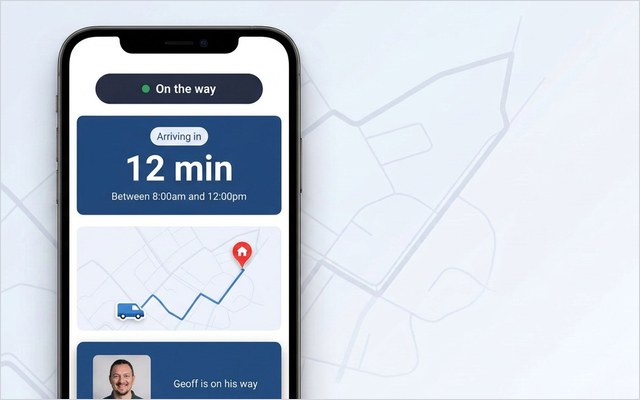
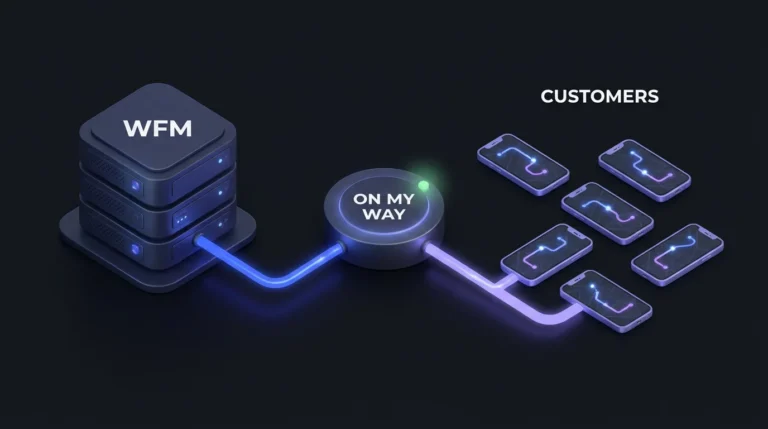
Extending means keeping the WFM platform you own and adding a customer-communication layer that reads from and writes back to it. On My Way is that layer, not WFM software: it does not forecast, schedule or dispatch, and it runs the same way on top of Oracle Field Service, IFS, SAP, Salesforce Field Service, Dynamics 365 or ServiceMax. Customers get proactive SMS and email updates (via Twilio, Boomerang or the Leadent SMS Gateway), live technician tracking with a real ETA, and browser-based self-service booking, rebooking and cancellation with nothing to install. Real-time NPS and CSAT flag a broken promise while the van is still in the postcode; the Contact Centre View, on the Premium tier, shows agents what the customer sees. Everything is white-label, and the security gate is already covered: Entra ID single sign-on, RBAC, encryption, regional data residency, GDPR.
Brinks Home, the US smart-home security provider, recorded 34% fewer ETA calls and 25% higher appointment-based first-time job completion after putting the layer over its existing operation. The engine underneath did not change; customers could now see, move and confirm their own appointments instead of ringing.
The commercial terms carry the risk. Leadent’s contract puts a floor under it: a 35% drop in appointment-related calls inside 90 days, or the engagement runs on unpaid; most deployments finish in the 40–55% band. Go-live takes four to six weeks against an existing estate, a six-week pilot proves the numbers on one region first, and pricing is quoted per technician (an appointment-volume model covers the largest fleets) rather than published.
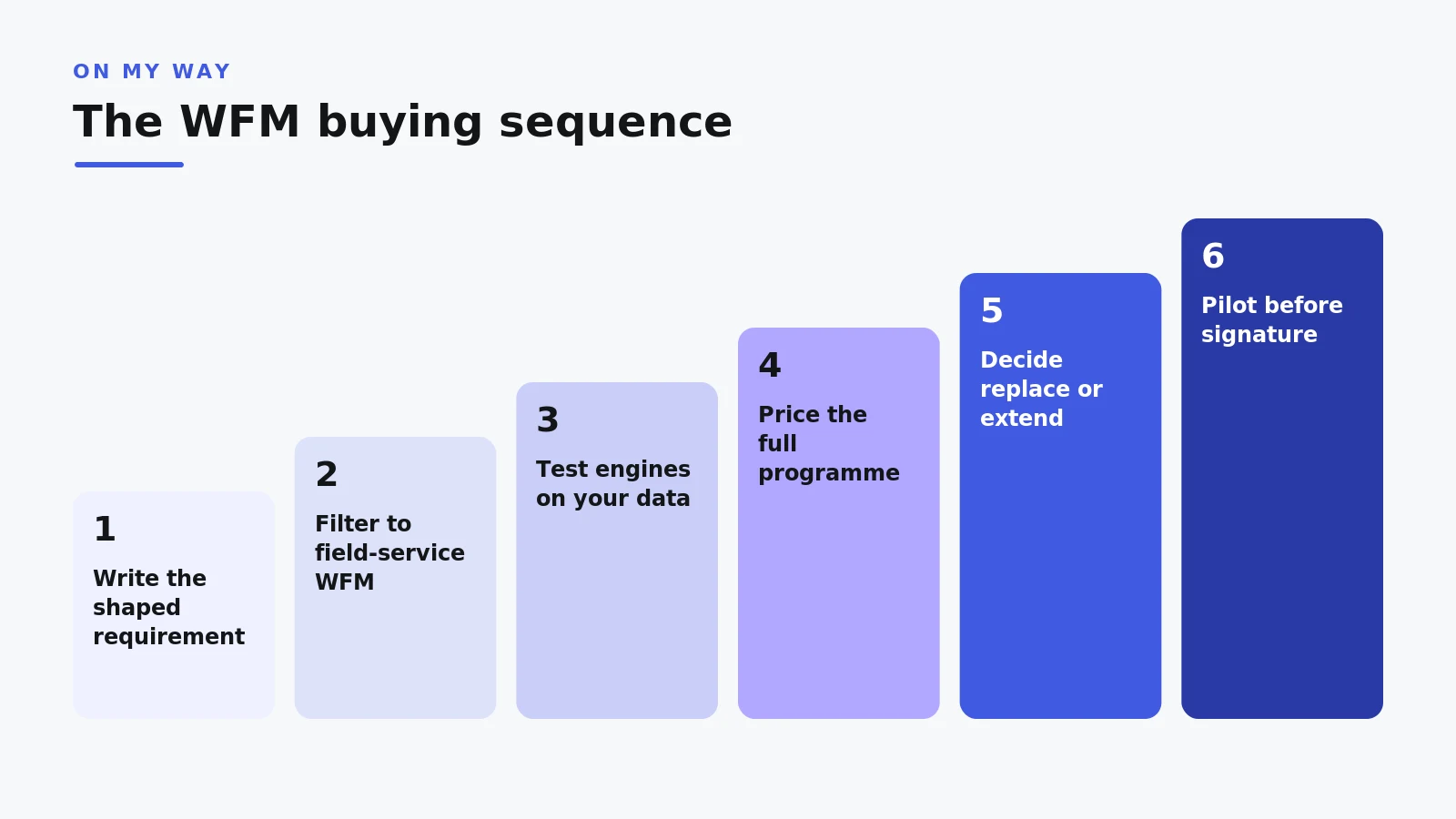
The buying sequence, start to signature
A disciplined buying sequence keeps a WFM programme honest from first demo to final contract. Seven steps, in order:
- Write the requirement around your operation’s shape (volumes, job mix, regions, workforce rules, growth) and circulate it before any vendor conversation.
- Filter the market to field-service WFM platforms and cut contact-centre tools from the longlist, however well they demo.
- Test scheduling engines on your own data: replay your worst historical week and watch the re-optimisation live.
- Score the integration surface and run the security gate (SSO, RBAC, data residency, GDPR) before shortlisting, not after.
- Price the full programme: implementation, integration, migration, training, backfill and contingency on top of licences.
- Run the replace-or-extend decision in the open: if the engine is sound and the pain is customer-side, extend first and bank the result.
- Pilot with measurable exit criteria and reference-checked outcomes before signature.
Step six is the one most programmes skip, and the cheapest. A customer layer proves its number inside a quarter; a replatform takes years to prove anything at all.
Related reading: field service management software: the definitive guide, mobile workforce management and field service analytics and the metrics that matter.
Frequently asked questions
What is the difference between workforce management and field service management?
Workforce management is the scheduling core: forecasting demand, building schedules, dispatching technicians and recording time. Field service management is the end-to-end discipline around it, adding work orders, parts, contracts, invoicing and customer communication. A WFM purchase is a decision about the core of an FSM landscape.
Is contact-centre WFM software any use for a field operation?
No. Contact-centre workforce management tools roster agents against call forecasts: one queue, one desk, no travel. A field workforce needs route-aware scheduling, skills matching, parts awareness and mobile execution. If a product cannot model travel time between jobs, it belongs on a different shortlist.
How long does it take to implement workforce management software?
Plan in quarters. Enterprise WFM implementations run through integration, migration, testing, training and phased rollout; at 200 to 1,000 technicians they routinely span several quarters or more than a year. That timeline is a reason to be certain the engine is the real problem: a customer layer on the existing estate goes live in four to six weeks.
How much does workforce management software cost?
Enterprise WFM pricing is quoted rather than listed, typically per technician, and the licence is only part of the total: implementation, integration, migration, training and backfill usually decide the real programme cost. Evaluate any quote against the full programme, then against the cost of closing your actual gap.
Should we replace our WFM system or extend it?
Diagnose which layer is failing. If utilisation, route density and SLA compliance sit below benchmark, the engine case is real and a replacement may pay. If the operational numbers are sound while inbound calls, no-shows and complaints climb, the gap is customer-side and survives any engine swap; a communication layer closes it in weeks, not years.
Which WFM platforms does On My Way work with?
All the major field-service platforms: Oracle Field Service, IFS, SAP, Salesforce Field Service, Microsoft Dynamics 365 Field Service and ServiceMax. The layer is WFM-agnostic by design, reading live schedule data and writing customer changes back; connection detail is documented per platform in our integration guides.
The bottom line
Buying workforce management software well takes three disciplines: filter the market to field-service WFM before comparing anything, test engine depth and integration on your own data, and price the programme rather than the licence. Then apply a fourth, less fashionable one: check whether you need a new engine at all. When the schedule is sound and the phones are still ringing, the gap is on the customer side, and it closes by extension, not replacement.
Get a number instead of a hunch. Request a quote and book a demo: a 30-minute working session on your appointment volumes, with the 35%-in-90-days guarantee on the table and your WFM staying where it is. Or start with how On My Way works.
References
- MarketsandMarkets — Field Service Management Market, Global Forecast to 2030 (2025)
- Aquant — Field Service Benchmark Report (2024)
- TSIA — The State of Field Services 2025 (2025)
- Salesforce — Customer Service Statistics, State of the Connected Customer and State of Service (2024)
- GOV.UK — Maximum weekly working hours, Working Time Regulations (1998)
- On My Way / Leadent Digital — enterprise deployment data (appointment-change volume; client outcomes).

Keep your WFM. Upgrade what your customers experience.
On My Way is the customer-experience layer for field service: live arrival tracking, self-service rebooking, notes and photos, and feedback, added on top of the scheduling system you already run. No rip-and-replace, live in four to six weeks.