Work Order Management Software: A Buyer’s Guide for Enterprise Field Service
The question buyers type is blunt: do we need work order management software, or do we already own it? At enterprise scale the honest answer is usually the second: every serious WFM and CMMS ships a work order module. The decision survives, but it changes shape: depth, gaps, and what the record you already generate could do next.
Quick answer: Work order management software creates, routes and closes the digital record behind every field job: assignment, mobile completion, parts, evidence capture, audit trail and reporting. At enterprise scale it usually arrives as a module of your WFM or CMMS, not a separate purchase. The stakes are concrete: a failed first visit stretches resolution to 2.7 visits (Aquant, 2024).
Key takeaways
- Work order management software does six jobs: creation and routing, mobile completion, parts and materials, evidence capture, audit trail and reporting.
- Most enterprises already own a work order system inside their WFM or CMMS; the real decision is about depth and gaps, not a new platform.
- Five tests separate enterprise-grade tools from good demos: integration depth, offline mobile, compliance-grade evidence, API access and reporting.
- The work order already contains everything customers ring to ask about; surfacing it as confirmations, live ETAs and completion updates is the cheapest return the record can pay.
- Information flowing back in matters too: engineers who arrive knowing what the customer knows fix more jobs first time.
What is work order management software?
Work order management software holds each field job as a live digital record and moves it from request to sign-off: capturing the fault, routing it to the right technician, equipping them on site, and closing with parts, evidence and outcome attached. The record itself and the discipline of managing it have their own guide: our piece on work order management covers the lifecycle, the KPIs and the practice. This one is the software half: what the systems do, the forms they take, and how to judge them inside the wider stack of field service management.
One paragraph of grounding will do. A work order is created (from a call, a portal, a sensor, a contract), assigned, scheduled, executed and closed; every transition is a handover where information either travels or leaks, and the software exists to make those handovers automatic and traceable. The spending backs it: MarketsandMarkets puts the field service management market at USD 5.10 billion in 2025, reaching USD 9.17 billion by 2030 at a 12.5% compound annual growth rate, with work order management among the segments pulling it.
What work order management software actually does
Strip away the product tours and work order software has six jobs. Operations grow side-spreadsheets wherever one is missing:
- Creation and routing. A request (call, portal, sensor alert, contract schedule) becomes a structured record and lands with the right team by skill, region, priority and parts, with no re-keying.
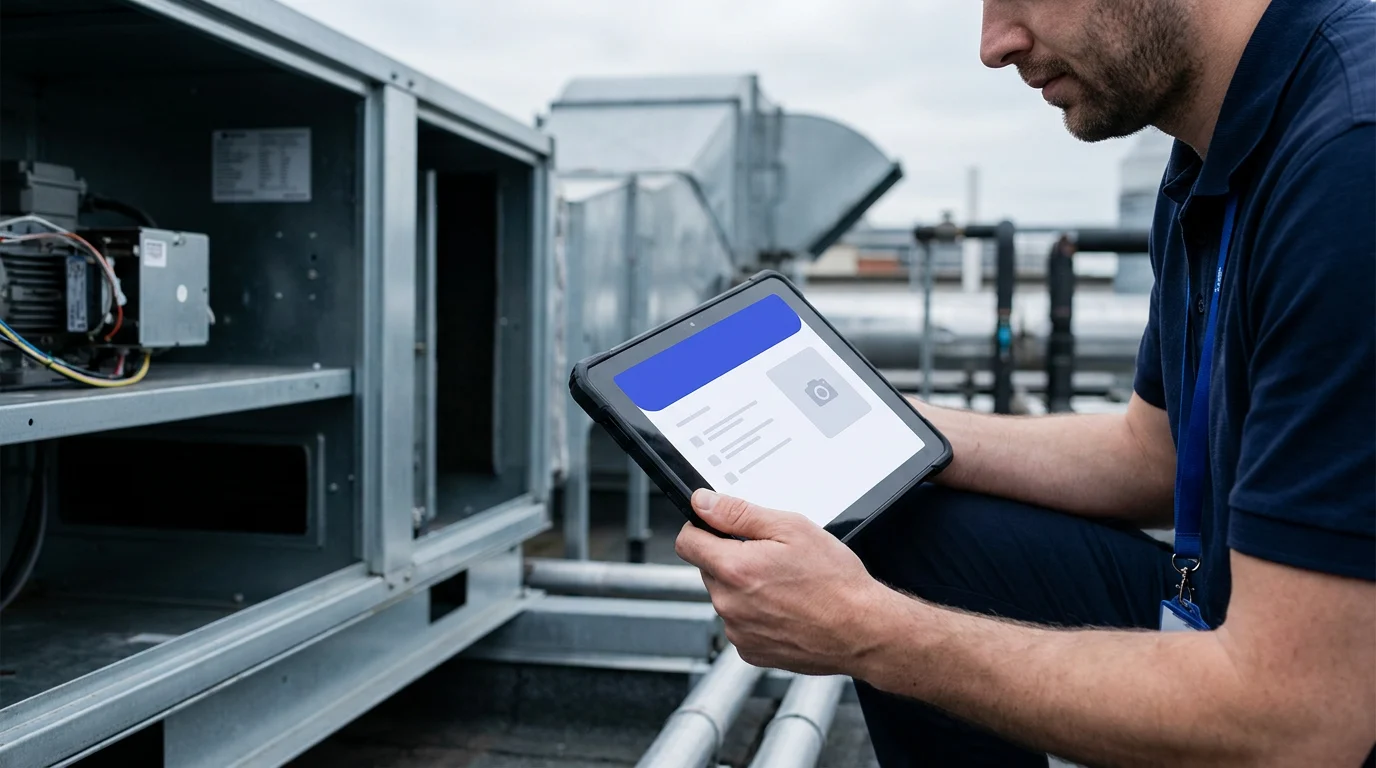
- Mobile completion. The technician carries the record (job detail, site history, safety notes) and updates status from the doorstep rather than the depot. A work order app that needs signal to function is a clipboard with a screen.
- Parts and materials. What the job should need, what the van carries, what was fitted. Billing accuracy and van-stock control depend on this field being right.
- Evidence capture. Photos before and after, readings, test results, signatures, certificates. For regulated UK work this is not decoration: a gas-safety record must stay intact and retrievable years later.
- Audit trail. Every status change, edit and message in one timestamped sequence. It settles invoice disputes and warranty claims, and it feeds every report you will run.
- Reporting. First-time fix, cycle time and jobs per day by team, region and job type, drawn from the records themselves rather than a Friday export ritual.
Two boundaries keep requirements honest. The live in-flight view of today’s work is the neighbouring category of job tracking software: the work order is the record, tracking is the window onto it. And completeness is not cosmetic: Aquant’s 2024 benchmark puts average first-time fix at 76%, the top quintile at 87% and the weakest near 55%, and incomplete records are a reliable route to the wrong end of that spread.

Module, CMMS or standalone: the work order software landscape
Work order software reaches an enterprise in three forms; where the work originates usually decides the fit.
A module of your WFM. Oracle Field Service, Salesforce Field Service, Microsoft Dynamics 365 Field Service, IFS, SAP and ServiceMax all carry work order objects natively, so record and schedule share one database. When field work starts with a customer (a fault, an installation, a contract visit), the work order normally belongs here: assignment and scheduling act on it directly.
CMMS work orders. A computerised maintenance management system (CMMS) is organised around assets rather than customers: planned preventive maintenance, meter- and condition-triggered tasks, statutory inspections across an estate you own. Manufacturers and facilities teams keep their work orders here. The distinction is origin: CMMS work orders answer to an asset’s condition, WFM work orders to a customer’s request. Plenty of large organisations legitimately run both.
Standalone work order systems. Dedicated tools and work order apps: priced per user, quick to adopt, a sensible fit for contractors and smaller teams. Digital adoption is settled (roughly 82% of field service companies use or are adopting a digital solution, per a Field Technologies survey); the enterprise question is where the record lives. At 200 to 1,000+ technicians a standalone tool becomes a second system of record to keep synchronised with scheduling, stock and finance, and the integration bill can quietly outgrow the licence saving.
No rankings, deliberately: at this scale the module you already own usually wins by default. The sharper question is what the record could be doing that it is not.
The evaluation checklist for enterprise scale
Whatever form is on the shortlist, five tests separate enterprise-grade work order management software from tools that demo well:
- Integration depth. Reads and writes with scheduling, ERP, stock and CRM in near real time, not overnight batch. Make vendors demonstrate the failure mode: what happens to work orders raised while the integration is down?
- Offline mobile. Field work concentrates where signal does not: basements, plant rooms, new-build sites. Technicians must open, complete and close digital work orders offline, with edits reconciling cleanly when coverage returns.
- Compliance evidence. Photos, certificates, signatures and readings stored against the job, tamper-evident and retrievable on demand. If a regulator can ask for it, treat this as pass or fail, not a nice-to-have.
- API access. The record’s value compounds when other systems can read it: documented, versioned APIs and event feeds, not a paid connector per consumer. One such consumer is the subject of the next section.
- Reporting. First-time fix and cycle time by team, region and job type out of the box, with the underlying data exportable. A system that cannot explain its own numbers will not survive its first contract review.
Put your own stack against the list. Bring your WFM and a week of work orders to a 30-minute working session, no slide deck: we map which tests your setup passes and which of its status changes could be earning more. See how it works first, or book the session.

The information the customer is never shown
Read a closed work order and notice how much of it the customer would have paid to see: the appointment window, the assigned engineer, the live status, the reason the slot moved, the note about a part on back order. Across the enterprise deployments On My Way measures, customers move between three and four of every ten appointments they book and cancel roughly one in eight, and each change has historically reached the operation as a call occupying an agent for five minutes or more. Most of those calls are requests to have the work order read out loud.
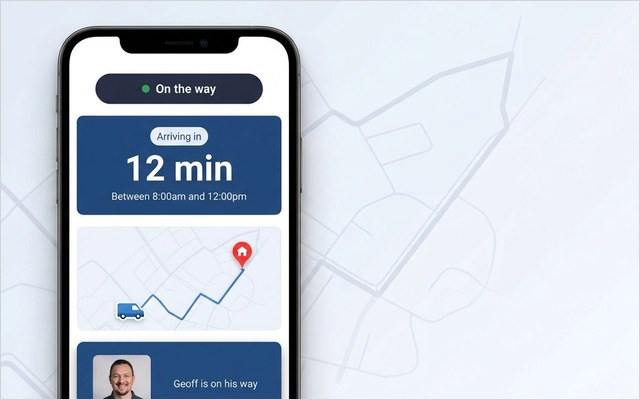
Customers would rather not make them: around 61% prefer self-service over speaking to an agent for simple matters (Salesforce, 2024), and appointment questions are the definition of simple. Hence the case for treating the customer layer as part of the work order decision: the same record that drives the operation can drive the appointment experience. A confirmation when the order is created. A reminder before the day. On the day, a live map and ETA opened from an SMS or email link (Twilio, Boomerang or the Leadent SMS Gateway) in an ordinary browser, nothing to install, your brand on the page. Self-service rebooking when the slot fails, and a completion message that carries the outcome and asks for a score.
On My Way is that layer, and one distinction keeps the architecture honest: it is not a work order system. It reads from the work orders your WFM already holds (Oracle Field Service, IFS, SAP, ServiceMax, Salesforce Field Service, Dynamics 365) and turns their status changes into customer communication, with a Contact Centre View so agents see what customers see without consuming WFM licences, and enterprise controls underneath (SSO via Microsoft Entra ID, role-based access, encryption, regional data residency, GDPR). Because the mechanism is predictable, the outcome is contracted: 35% fewer appointment-related calls within 90 days of go-live, or Leadent keeps working free until the target is hit. Typical deployments land between 40 and 55%: the guarantee is the contractual floor, the range is where results usually settle.
The other direction: better information before arrival
The record can also grow richer before the visit, which is where first-time completion moves. Invite the customer to add notes and photos to their appointment (the model plate, the fault, the meter cupboard, the gate code) and that material reaches the engineer before arrival: the cheapest diagnostic data an operation can collect, arriving free with the appointment comms.
The cost of arriving blind is on the industry’s books: in Aquant’s 2024 benchmark a failed first visit stretches resolution to 2.7 visits and adds 13 days. The gain from arriving informed is on a client’s. E.ON recorded 19% higher appointment-based first-time job completion, built on engineers turning up already knowing what the customer knew. At volume, each avoided repeat visit is a technician-day handed back.
Frequently asked questions
Is the work order module in our WFM enough, or do we need standalone work order software?
At enterprise scale the module is usually the right system of record, because the work order and the schedule act on each other constantly. Buy standalone only when a genuine gap (offline completion, compliance evidence, a business unit the WFM does not cover) survives the integration arithmetic, then judge it on the same five tests.
What is the difference between CMMS work orders and field service work orders?
Origin. CMMS work orders are raised against assets you own: planned maintenance, meter-triggered tasks, statutory inspections on plant and buildings. Field service work orders are raised against a customer request: a fault, an installation, a contract visit. Large organisations often run both; problems start when one tool is forced to do the other’s job.
Does On My Way replace our work order system?
No. On My Way is not a work order system and does not hold the record. It reads from the work orders your WFM already manages and turns their status changes into confirmations, live tracking, self-service rebooking and feedback requests. Scheduling, dispatch and the record stay exactly where they are.
How quickly can a customer layer go live on top of existing work orders?
Typically four to six weeks: the layer reads from the WFM you already run, so nothing underneath changes. A six-week pilot, run on a single region or trade, keeps the risk contained: baseline appointment-related call volume first, then hold the result up against the 35%-in-90-days guarantee before rolling out.
The bottom line
Work order management software is judged on how cleanly it keeps the record: creation and routing, mobile completion, parts, evidence, audit trail, reporting. Most enterprises own the bones of that already; spend the scrutiny on the five tests, then on the part of the record still doing nothing: the appointment information customers phone to ask for. E.ON’s 19% completion gain and a contracted 35% call reduction come from the same unglamorous move, connecting the work order to the person it describes, in both directions.
Price it against your own operation: request a quote and book a demo, a 30-minute working session with no slide deck, built around your WFM, your work orders and your call volumes.
References
- MarketsandMarkets — Field Service Management Market, Global Forecast to 2030 (2025)
- Aquant — Field Service Benchmark Report (2024)
- Salesforce — State of the Connected Customer, Customer Service Statistics (2024)
- FieldBuddy / Field Technologies survey — Everything You Need to Know About Digital Work Orders
- On My Way / Leadent Digital — enterprise deployment data (appointment-change volume; client outcomes).

Keep your WFM. Upgrade what your customers experience.
On My Way is the customer-experience layer for field service: live arrival tracking, self-service rebooking, notes and photos, and feedback — added on top of the scheduling system you already run. No rip-and-replace, live in 4–6 weeks.