Customer Communication Management Software for Field Service

Quick answer: Customer communication management software for field service is the layer that keeps customers informed and in control around a service appointment — sending proactive SMS and email updates, showing a live technician ETA, and letting people reschedule or confirm without phoning anyone. It sits on top of your existing workforce-management system rather than replacing it, and its job is narrow but high-value: turn the appointment from a black box into a transparent, self-serve experience. Done well, it removes the single biggest source of inbound contact in field service — the “where’s my engineer?” call — while lifting satisfaction at the same time.
Key takeaways
- Generic customer communication management (CCM) software was built for statements and billing letters; field service needs a version built around the appointment, not the document.
- The problem it solves is inbound call volume: a large share of booked appointments get changed or chased by the customer, and each of those contacts ties up an agent for several minutes.
- The five capabilities that matter are proactive notifications, live tracking, self-service rescheduling, real-time feedback, and a contact-centre view.
- It should layer on top of any WFM — Oracle, SAP, IFS, ServiceMax or Salesforce — with no rip-and-replace.
- Enterprise deployments typically cut appointment-related calls by 40–55%; On My Way underwrites a 35% reduction in 90 days.
It’s 8:42 on a Tuesday morning. A customer has booked an engineer for “sometime between 8am and noon” and has now taken the morning off work. By 9:30 they’re wondering whether anyone is actually coming. So they do the only thing available to them: they ring the contact centre. Multiply that one anxious call by a few thousand appointments a week and you have the defining cost problem of enterprise field service, and the exact problem customer communication management software exists to solve.
This guide explains what that software is when you apply it to field service, the problem it removes, the capabilities worth paying for, how it fits alongside the systems you already run, and how to choose between the options. The short version: the appointment is the moment your brand is won or lost, and the right communication layer is what makes that moment transparent.
What is customer communication management software?
Customer communication management (CCM) software is the category of tools organisations use to create, manage and deliver communications to customers across channels (email, SMS, print, chat and web) from a single, governed place. Industry definitions from vendors such as Cincom and analyst-style explainers on G2 describe it as the strategy, software and processes that keep customer messaging personalised, consistent and compliant at scale.
That heritage matters, because traditional CCM grew up in banking, insurance and utilities, where the core job was generating high volumes of transactional documents — statements, bills, policy notices. Modern platforms have moved well beyond the printed letter into omnichannel, interactive conversations. But most general-purpose CCM tools still aren’t built around the one event that dominates field service: a person turning up at someone’s home or premises at an agreed time.
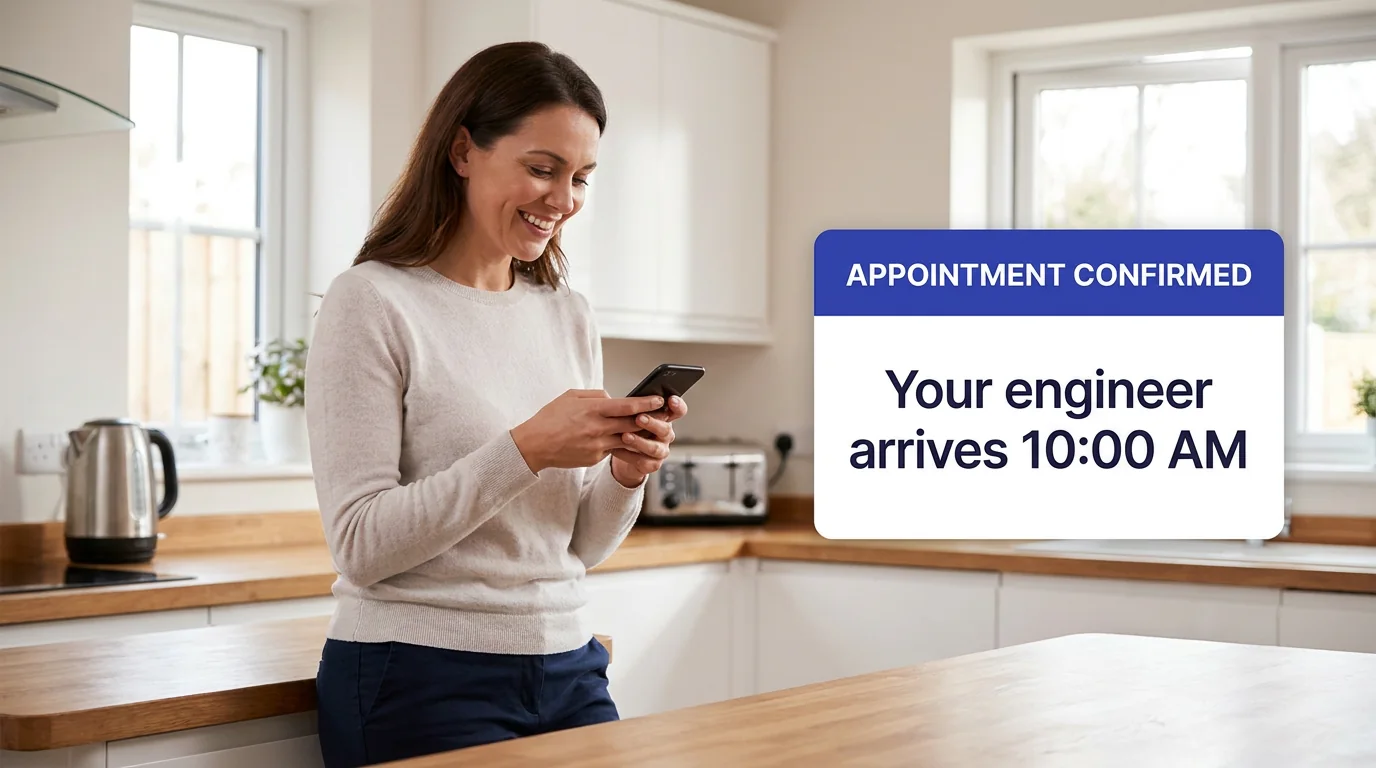
Field service customer communication is that specialised reading of the category. The messages aren’t statements; they’re “your engineer is confirmed for Thursday morning”, “running 20 minutes late”, “arriving now”. The interaction isn’t a document; it’s an appointment, with a window, an ETA and the option to move it. So while the underlying discipline is the same — proactive, personalised, multi-channel communication — the software that does it well for field service is shaped by the appointment from the ground up.
The problem it solves: inbound “where’s my engineer?” calls
The reason field-service organisations buy this software is rarely “we want nicer texts”. It’s that uncertainty about the appointment generates an enormous, avoidable volume of inbound contact, and that contact is expensive.
Look at what happens around a booked visit. Across a typical enterprise operation, somewhere between a third and two-fifths of appointments get changed by the customer and another tenth or so are cancelled outright. Each of those changes tends to generate a five-to-seven-minute call, frequently outside business hours (On My Way deployment research). Add the customers who simply ring to ask when the engineer will arrive, and a large share of contact-centre volume turns out to be questions people could have answered themselves, if anyone had given them visibility. This is the “where’s my engineer?” problem, and it scales directly with appointment volume.
The customer’s instinct to pick up the phone is reasonable, because phoning is usually their only option. They prefer not to: research compiled across customer-service studies finds that around two-thirds of customers would rather solve a problem themselves than speak to an agent, and roughly 81% want organisations to offer more self-service options (Zendesk / Document360). The phone queue isn’t a preference; it’s a fallback they reach for because nothing better is on offer. Customer communication management software’s whole purpose is to offer something better — and in doing so, to deflect the call before it’s ever made.
The payoff lands on two lines of the business at once. The obvious one is contact-centre cost: fewer routine calls, less after-hours overflow, agents freed for the conversations that genuinely need a human. The less obvious one is satisfaction. An appointment bookended by anxiety scores poorly even when the repair itself goes perfectly. Take the anxiety out and the cost line and the satisfaction line both move, which is why this ranks among the highest-return investments in field service customer experience.
The five capabilities that matter
Not every “communication” feature earns its keep. For field service, five do most of the work. A serious platform delivers all five and ties them to live appointment data, not a generic broadcast list.
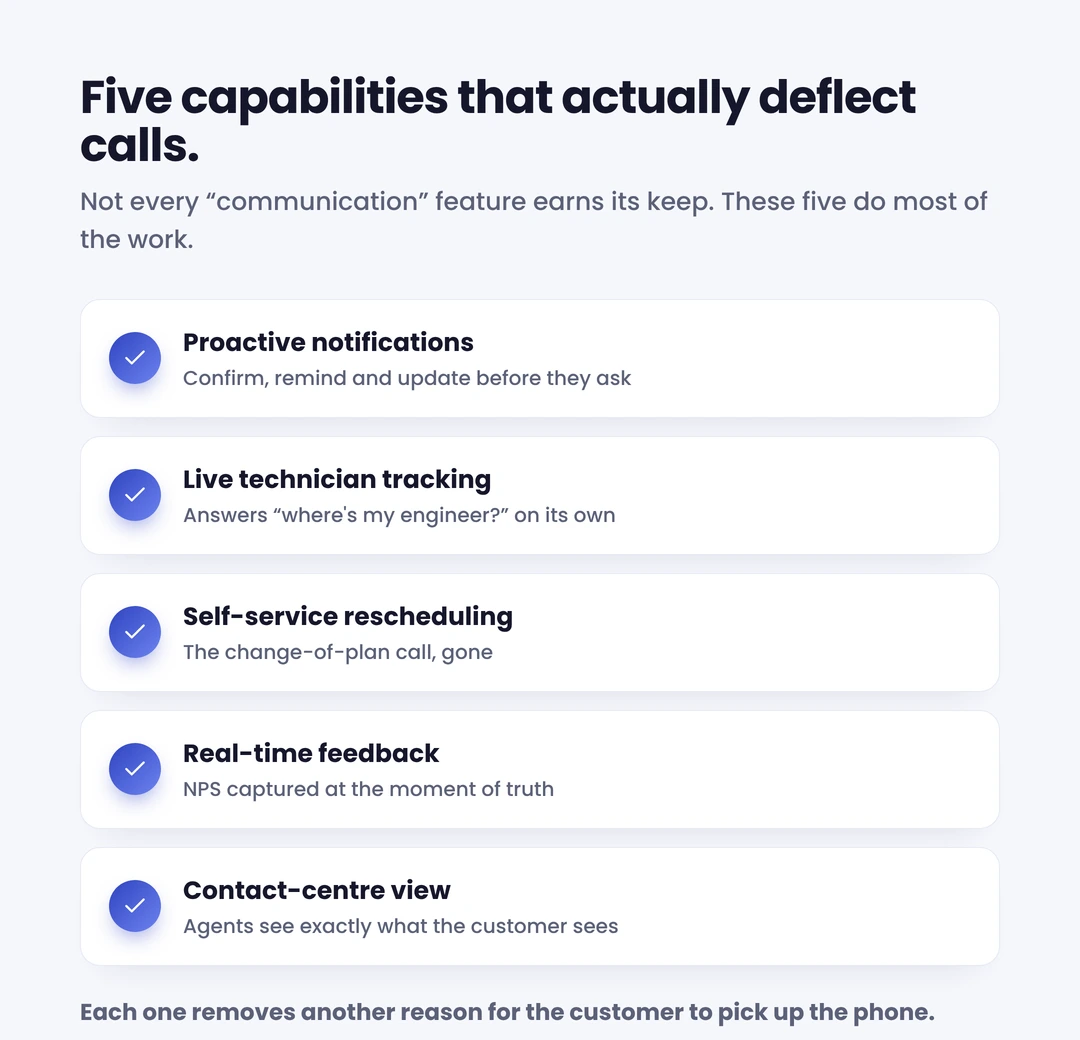
Proactive SMS and email notifications. Confirmations, reminders ahead of the day, and “on my way” alerts on the day itself. The channel choice is deliberate: SMS carries a very high open rate and consumers consistently name appointment reminders as one of the message types they most want to receive by text (EZ Texting, 2024). Automated customer notifications are the cheapest, fastest win in the whole stack — they attack the “where’s my engineer?” call head-on, before it’s dialled.
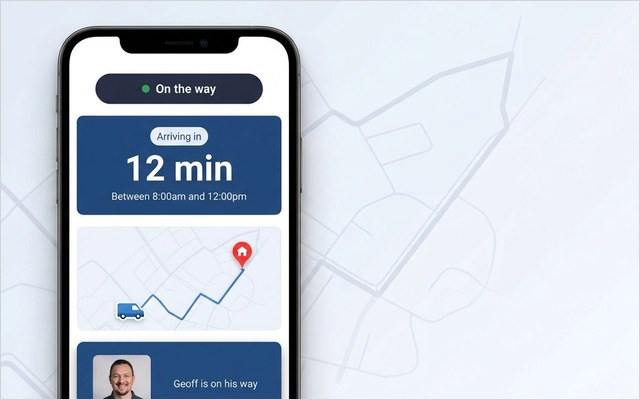
Live technician tracking. A real-time ETA the customer can watch, the way they’d track a parcel or a taxi. Live technician tracking converts the dreaded four-hour window into a shrinking, visible countdown, which is exactly what removes the reason to ring.
Self-service rescheduling. The single most under-rated feature. When so many appointments get changed anyway, letting customers move their own slot in ten seconds removes an entire category of contact-centre work and an entire category of frustration. It’s the difference between “ring us between 9 and 5 to rebook” and “tap here”.
Real-time feedback. A quick NPS or CSAT prompt captured immediately after the visit, while the experience is fresh and any problem is still recoverable, not three months later in a churn report. Feedback is a communication feature, not a survey afterthought.
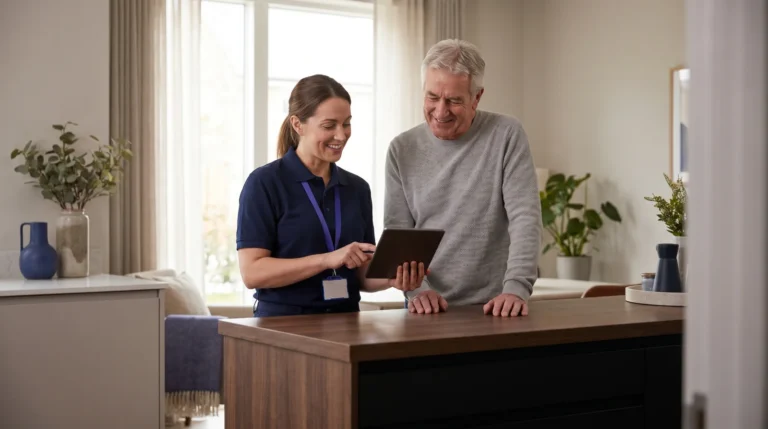
Contact-centre view. When a customer does call, the agent should see exactly what the customer sees — the same live ETA, the same appointment status. A contact centre view means the agent answers in one sentence instead of putting the customer on hold to check the schedule. You can see how these fit together across the full feature set.
How it sits on top of any WFM — no rip-and-replace
The most common objection to fixing customer communication is the belief that it means replacing the scheduling system. It doesn’t, and that distinction is the most important thing to understand before you buy.
Your workforce-management (WFM) platform — the engine that schedules jobs, optimises routes and dispatches engineers — is doing its job well. The customer simply never sees it. Customer communication management software for field service is a layer that sits on top of that engine: it reads the appointment and status data the WFM already holds, and turns it into the proactive messaging, tracking and self-service the customer experiences. The scheduling logic underneath is untouched.
That architecture is what makes it deployable. A communication layer that integrates with your existing Oracle Field Service, SAP, IFS, ServiceMax or Salesforce Field Service stack via API can go live in weeks, not the many months a core-system replacement demands — with none of the operational risk of ripping out the system your dispatchers depend on. Keep your WFM; upgrade the customer experience on top of it. That is precisely the model On My Way is built on, and you can see how On My Way works end to end.
See it on your own WFM. On My Way adds proactive notifications, live tracking and self-service rescheduling on top of Oracle, SAP, IFS, ServiceMax or Salesforce — no rip-and-replace. Book a 30-minute working session (no slide deck), or request a quote scoped to your appointment volume.
How to choose: what to look for
The market mixes three kinds of product under one label: general CCM suites, native WFM portals, and purpose-built field-service communication layers. Once you’ve checked a tool against the five capabilities above, three questions separate the genuine contenders.
- Is it built around the appointment? Generic CCM excels at statements and campaigns but rarely models a live appointment with an ETA and a self-reschedule. For field service, appointment-native beats document-native every time, and it’s what makes the customer act rather than just receive a notification.
- Does it integrate with your WFM, or replace it? The answer should be “integrate, via API”. If a vendor’s first move is to migrate your scheduling, you’re buying a platform replacement, not a communication layer.
- Will the vendor stand behind a number? Anyone can promise “better communication”. Ask what call reduction they’ll commit to, and by when. A vendor confident enough to underwrite the outcome is a different proposition from one selling features.
That last point is where most field-service buyers should anchor the decision, because it’s the clearest signal that a vendor has done this before.
What enterprise results look like
The reason to treat the appointment as a communication channel is that the returns are large and they repeat across sectors. Results from enterprise deployments show the same pattern regardless of vertical:
- Bosch UK, a UK HVAC field operation with around 350 engineers, cut ETA-related calls to its contact centre by 53% and reached 79% engagement with its appointment communications after rolling out self-service and live tracking.
- Foxtel, an Australian telecom operator, reduced customer no-shows by 38% by giving customers reminders and easy rescheduling.
- Brinks Home, a North American home-services provider, cut ETA-related calls to its contact centre by 34%.
The headline figures vary, but the mechanism is identical. A customer who can see the visit coming and reschedule it without a phone call has no reason to ring, little reason to miss the slot, and a better impression of the whole job. Typical appointment-related call reduction lands in the 40–55% range within the first months of deployment. That track record is why On My Way underwrites a 35% reduction in appointment-related calls within 90 days, and keeps working at no extra cost until that figure is hit.
Getting started
Adding a customer communication layer is a contained project, not a transformation programme. A sensible sequence:
Baseline the inbound volume first. Tag two weeks of contact-centre calls and bucket them — ETA enquiries, rescheduling, post-appointment, other. Most operations are surprised how much sits in the first two buckets. That number is your business case, and the volume self-service will deflect.
Start with notifications, then add self-service. Confirmations, reminders and a live ETA move call volume within weeks. Self-service rescheduling removes the next, larger tranche. Real-time feedback closes the loop.
Integrate, don’t replace. Connect the layer to your existing WFM via API and go live in weeks. Keep dispatch exactly as it is.
The fastest way to see whether the numbers stack up for your operation is to look at the live product against your own appointment data. Book a demo for a 30-minute working session, or request a quote scoped to your technician count and appointment volume — and ask about the 35%-in-90-days guarantee while you’re there.

Frequently asked questions
What is customer communication management software for field service? It’s software that keeps customers informed and in control around a service appointment — proactive SMS and email updates, a live technician ETA, and self-service rescheduling, confirmation and feedback. Unlike generic CCM tools built for statements and billing letters, a field-service version is built around the appointment and integrates with your scheduling system to turn its data into communication the customer actually sees.
How is it different from generic CCM or CRM software? Generic CCM software is optimised for high-volume documents and marketing campaigns; CRM stores customer data and manages sales and support. Field-service customer communication software is purpose-built for the appointment lifecycle — confirm, remind, track, reschedule, feedback — and reads live job data from your WFM. The three are complementary: your CRM or WFM holds the appointment data, and the communication layer turns it into proactive, self-serve customer interactions.
Do I need to replace my workforce-management system? No. The communication layer sits on top of your existing WFM — Oracle, SAP, IFS, ServiceMax or Salesforce — and connects via API. It reads appointment and status data without touching the scheduling, routing or dispatch underneath, which is why it can go live in weeks rather than the months a core replacement takes.
How much can it reduce inbound calls? Enterprise deployments typically see appointment-related calls fall by 40–55% within the first months, driven mainly by live tracking (which deflects ETA calls) and self-service rescheduling (which removes change-related calls). On My Way underwrites a minimum 35% reduction within 90 days, or it keeps working at no additional cost until that is achieved.
Which communication channels does it use? Primarily SMS and email, because they reach customers fast: SMS open rates are very high, well above email, and SMS is one of the message types consumers most want for appointment reminders. The best platforms let customers act on those messages too: tap to reschedule, confirm or track, rather than just receive a one-way notification.
References
- Cincom — What Is CCM (Customer Communications Management)?
- G2 — What Is Customer Communication Management? Explore CCM.
- MarketsandMarkets — Field Service Management Market worth $9.17 billion by 2030.
- EZ Texting — 2024 Consumer Texting Behavior Report.
- Document360 — Top Self-Service Statistics & Its Importance (Zendesk / Harvard Business Review data)
- CompareSoft — What Is First-Time Fix Rate & How to Improve Your FTFR.
- On My Way / Leadent Digital — enterprise deployment data (appointment-change volume; client outcomes).

Keep your WFM. Upgrade what your customers experience.
On My Way is the customer-experience layer for field service: live arrival tracking, self-service rebooking, notes and photos, and feedback — added on top of the scheduling system you already run. No rip-and-replace, live in 4–6 weeks.