Service Management Software: One Name, Three Different Markets

The name suggests one category. It is not. “Service management software” is a label shared by at least three separate markets, built for different work and sold to different buyers, and a team that shortlists from the wrong one can lose a year before the mismatch surfaces.
Quick answer: Service management software is an umbrella term for three distinct markets: ITSM tools for internal IT support, enterprise service management platforms extending those workflows to other departments, and field service management systems for physical work at customer premises, a market MarketsandMarkets forecasts to reach USD 9.17 billion by 2030.
Key takeaways
- “Service management software” describes three markets, not one: ITSM for IT service desks, enterprise service management for departments beyond IT, and field service management for work at customer premises.
- The desk test separates them: work resolved at a desk points to ITSM or ESM; work at a customer’s door demands field service management.
- Field service is the fastest-moving of the three, forecast to grow from USD 5.10 billion in 2025 to USD 9.17 billion by 2030 (MarketsandMarkets).
- Service desk tools fail in the field for structural reasons: no route-aware scheduling, no dispatch, no parts logic, no communication with the customer waiting at home.
- All three share one blind spot, portals designed for internal users rather than paying customers, and closing that gap is where field operations gain fastest.
What is service management software?
Service management software is any system that formalises how a service is requested, delivered, tracked and improved. That definition is honest and almost useless, because it fits an IT help desk, an HR request hub and a national field operation equally well. An IT manager hears “service management system” and pictures a service desk. An operations director in heating or broadband hears the same words and pictures schedules, vans and appointment windows. Both are right; neither could run their operation on the other’s software.
The confusion is not academic. Enterprise selections take months of requirements, demos and security review; discovering after the pilot that the platform cannot optimise a route sends the whole cycle back to the start.
One label, three markets: ITSM, ESM and FSM
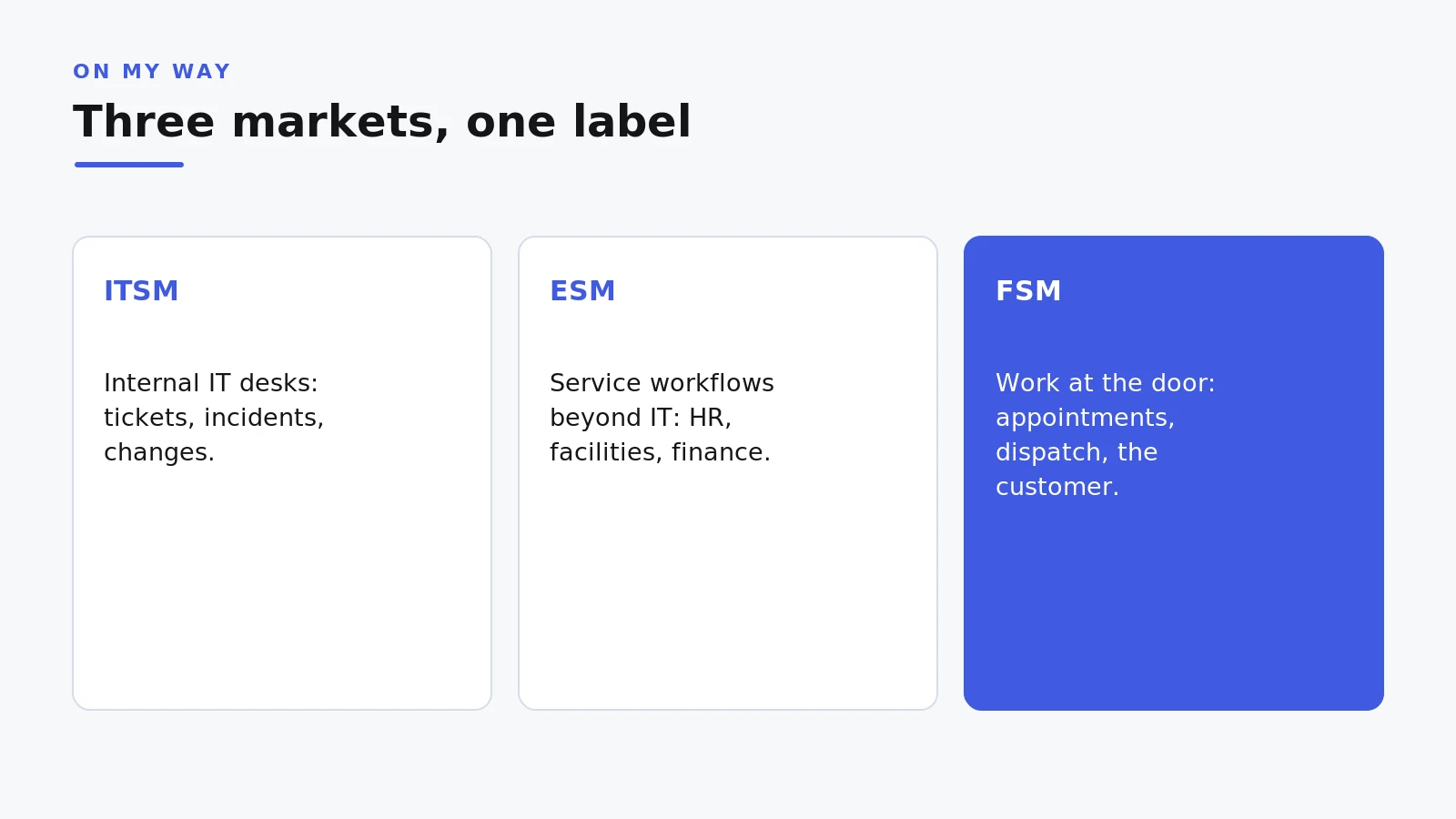
Three markets answer to the name: IT service management, enterprise service management and field service management. The table separates them where it matters.
| Market | What it manages | Where work happens | Typical platforms |
|---|---|---|---|
| ITSM | Incidents, requests, problems and changes for internal IT | At a desk, inside the organisation | ServiceNow, Jira Service Management, Freshservice |
| ESM | Service-desk workflows extended to HR, facilities, finance and legal | At a desk, across departments | ServiceNow, TOPdesk, Freshservice |
| FSM | Work orders, scheduling, dispatch, parts and mobile execution | At the customer’s premises | Oracle Field Service, IFS, SAP, Salesforce Field Service, Dynamics 365, ServiceMax |
ITSM is the oldest of the three, shaped by ITIL and built around the IT service desk: incidents, requests, problems and changes for people inside the business. Service desk software is its everyday form; success is measured in resolution times and backlog.
The second market takes those desk workflows and extends them to HR, facilities, finance and legal, so an onboarding request routes as cleanly as a password reset. It is a discipline as much as a purchase; our guide to enterprise service management covers where it delivers, where it strains, and what separates genuine enterprise service management software from a rebadged help desk.
The outlier is field service management, because the work leaves the building. TechTarget defines it as coordinating a company’s resources and workforce at work performed away from company property: scheduling, dispatch, vehicle tracking and job status. MarketsandMarkets (2025) sizes the market at USD 5.10 billion, reaching USD 9.17 billion by 2030 at 12.5% annual growth. Our complete guide to field service management covers it in full.

The desk test: does the work happen at a desk or at a door?
One question settles which market you are buying from: where is the work completed? If the answer is at a desk (a laptop rebuilt, an access request approved), you are in ITSM or ESM territory. If the answer is at a door (a boiler serviced, a meter exchanged, broadband installed), you need field service management.
Desk work queues; field work travels. A queue cares about priority and capacity. A route cares about geography, drive time, skills, certifications, parts in the van and a two-hour promise to a customer who has taken the morning off. Once work crosses a customer’s threshold, the software must model vans, postcodes and people who are not employees; desk-heritage platforms hold none of that.
Where the three markets legitimately overlap
The overlap is real: all three run request portals, enforce SLAs, maintain knowledge bases and hold asset data, which is why the confusion survives. Any vendor demo shows a form, a queue and a dashboard; ITSM suites adding field modules and FSM vendors adding ticketing blur it further.
The distinction sits below the demo layer. Requests, SLAs and assets are the record-keeping surface; execution is where the markets diverge. An ITSM change calendar has no answer for a cancelled 8am appointment in Leeds, and an FSM scheduling engine has no opinion on a software release freeze. Buy for the execution layer and let the record layer follow.
Choosing service management software for a field-service organisation
If the work happens at customer premises, buy field-service-grade software first and connect the desk to it, not the other way round. Generic ITSM tools fail in the field at two points: the dispatch board and the doorstep. Dispatch first: assigning 500 jobs to 50 engineers is a constraint problem of travel, skills, shift patterns and SLA jeopardy that ticket routing engines were never built to solve. Then the doorstep: a ticket does not wait at home for four hours, a customer does, and desk tools have no channel to that person.
Benchmark data shows the stakes. Aquant’s 2024 Field Service Benchmark measured the average first-time fix rate at 76%, and found that a job unresolved on the first visit takes an average of 2.7 visits to close. Putting a qualified engineer, carrying the right part, into a slot the customer will keep is the discipline FSM-grade platforms enforce, which is why enterprises run Oracle Field Service, IFS, SAP, Salesforce Field Service, Dynamics 365 or ServiceMax rather than stretching a service desk. Our UK guide to field service management software compares the platforms and the selection criteria.
Already running one of the big six? Your next gain is probably not another platform. See how On My Way works as a customer layer on the system you already own, or book a demo and put your appointment volumes against it.
The customer-side gap all three markets share
All three markets build portals for people inside the organisation; none was designed for the person the service is ultimately for, the customer waiting at home. Requester, agent, dispatcher and engineer each get a screen; the customer historically got a phone number. Expectations have moved on. Salesforce (2024) finds 80% of customers weighing the experience a company delivers as heavily as what it sells; in Document360’s self-service statistics roundup, Zendesk puts customers who prefer self-service over speaking to a representative at 67%, while Forrester finds 73% rate valuing their time as the most important part of good service.
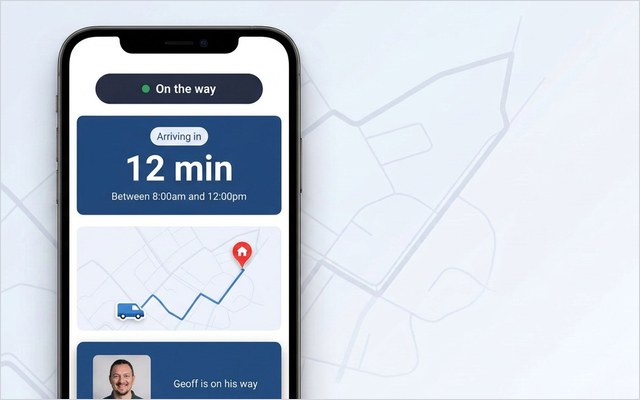
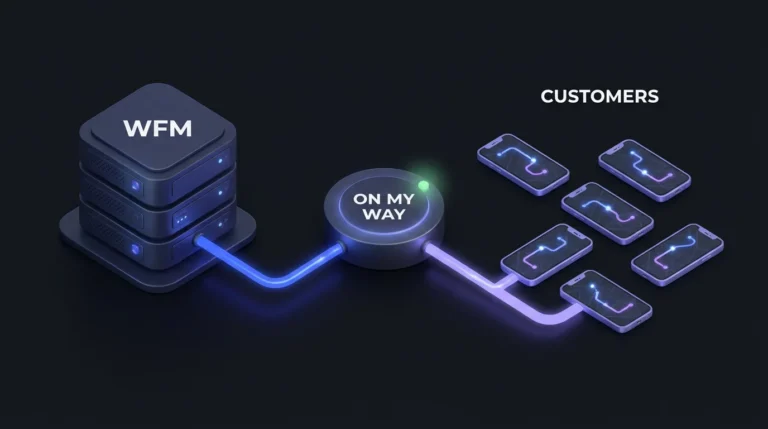
For field operations the gap is expensive: On My Way deployment research finds well over a third of appointments are changed by the customer after booking, and without a self-service route each change becomes a call. An appointment layer closes that gap. It sits on top of the incumbent FSM or WFM platform and gives the customer a browser-based interface with nothing to install: live technician tracking with a real ETA, self-service booking, rebooking and cancellation, SMS and email notifications, and real-time NPS or CSAT capture. A Contact Centre View (Premium tier) shows agents exactly what the customer sees. Everything is white-label, and the IT checklist holds: single sign-on through Microsoft Entra ID, role-based access control, encryption, regional data residency and GDPR compliance.
The results are measurable. When Australian pay-TV provider Foxtel put self-service rebooking and appointment visibility in front of its subscribers, it recorded 38% fewer customer no-shows. Typical go-live is four to six weeks, with a six-week pilot where evidence must come first; the behavioural case for handing customers control is in our guide to customer self-service.
An orientation checklist before you shortlist
Seven questions sort the category before a single demo is booked.
- Where is the work completed: at a desk or at a customer’s door?
- Who uses the software: employees, internal requesters, or paying customers at home?
- What does the engine optimise: queue priority, or routes, skills and travel time?
- Can it dispatch, track and re-plan a mobile workforce in real time?
- How does a customer change an appointment without ringing you?
- What does IT inherit: SSO, role-based access, data residency, GDPR posture?
- Deployment horizon: weeks for a layered addition, or years for a replacement?
Answers clustering around desks and employees point to ITSM or ESM. Doors, routes and customers mean field service management, where the customer-facing questions deserve equal weight, because that is where the category is weakest.
Related reading: field service management software: the definitive guide, fleet management and field service and workforce management software for field service.
Frequently asked questions
What is the difference between ITSM and field service management?
ITSM manages services delivered inside the organisation, incidents, requests and changes handled at a desk, with ITIL as its reference framework. Field service management coordinates physical work at customer locations: scheduling, dispatch, routes, parts and mobile execution. The buyers differ, the data models differ (tickets versus jobs with geography), and neither substitutes for the other.
Can a service desk tool manage field engineers?
At small scale, sometimes; several ITSM suites offer field add-ons that cope with a handful of engineers and simple jobs. At enterprise scale the mathematics defeats them: hundreds of engineers, thousands of daily appointments, skills, parts and SLA jeopardy form an optimisation problem ticket routing was never designed for, and no desk tool talks to the customer at the door.
What is enterprise service management software?
Enterprise service management software applies service desk workflows (requests, approvals, knowledge, SLAs) to departments beyond IT, typically HR, facilities, finance and legal. It standardises internal service delivery on one platform, and it remains a desk discipline: the work it manages is completed inside the organisation, not at a customer’s premises.
Do we need both an ITSM tool and a field service platform?
Large field operations usually run both: the service desk manages internal IT while the FSM or WFM platform runs the field operation, integrated where they meet on assets and requests. The mistake is not owning two systems; it is asking either to do the other’s job, or leaving the customer with no self-service surface on top.
How quickly can a customer-facing appointment layer go live?
Four to six weeks is typical, because nothing is replaced: the layer connects to the incumbent platform and the customer side is browser-based with no app to install. A six-week pilot is available where the case needs proving first; pricing is quoted against fleet size rather than published.
The bottom line
Treat “service management software” as a question rather than a category. Ask where the work is completed, buy for that answer, and hold the desk test against every vendor claim. Field operations face one further test the other markets never do: what the software does for the customer standing at the door, because that is where service is actually judged.
Orientated and ready to look at the field side? See how On My Way works on top of the platform you already run, or book a demo against your own appointment volumes and request a quote.
References
- MarketsandMarkets — Field Service Management Market Global Forecast (2025)
- TechTarget — Field Service Management (FSM) Definition
- Aquant — Field Service Benchmark Report (2024)
- Salesforce — Customer Service Statistics, State of the Connected Customer (2024)
- Document360 — Self-Service Statistics Roundup (2024)
- On My Way / Leadent Digital — enterprise deployment data (appointment-change volume; client outcomes).

Keep your WFM. Upgrade what your customers experience.
On My Way is the customer-experience layer for field service: live arrival tracking, self-service rebooking, notes and photos, and feedback, added on top of the scheduling system you already run. No rip-and-replace, live in four to six weeks.